
Monday morning, District 3
Last week’s digest is in your inbox: requests are up, potholes lead the list, and two are past their deadline on one street.
UsesDistrict reports
Your district’s 311 activity, in your inbox every Monday. See what residents report in your area, what’s late and what got fixed, by email or in a read-only “My district” view.
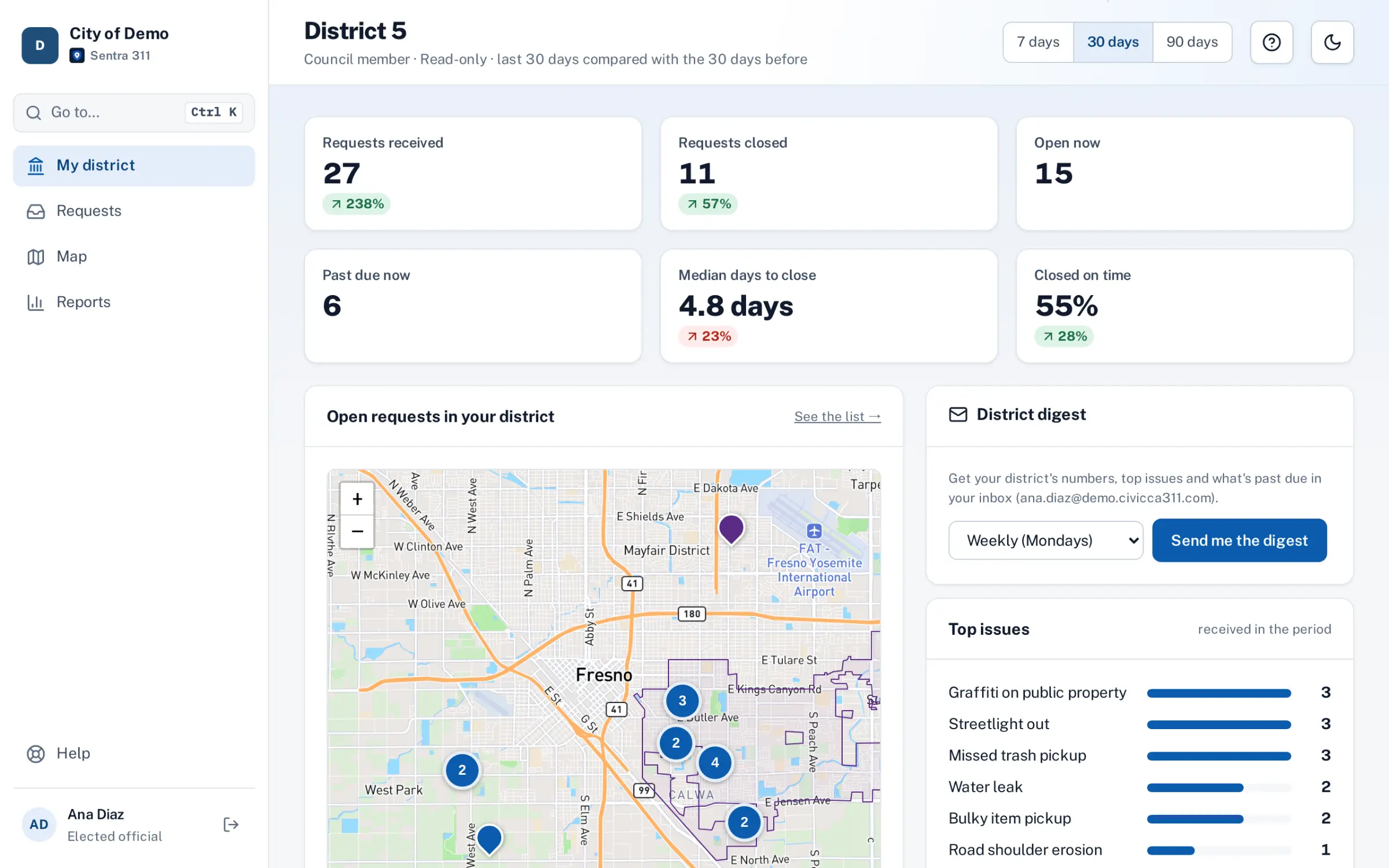
City staff add your name, email, your district or districts, and how often: daily, weekly or monthly.
Only your district: the numbers against the previous period, top issues, requests past their deadline and the oldest open ones, by street.
No portal account needed
Share the public performance page, answer a constituent with a request’s status, or ask staff about a cluster you spotted.
Every daily, weekly or monthly digest covers only your district, so you see your area at a glance.
Staff can give you the Elected official role: a read-only view of the portal, limited to your district or districts.
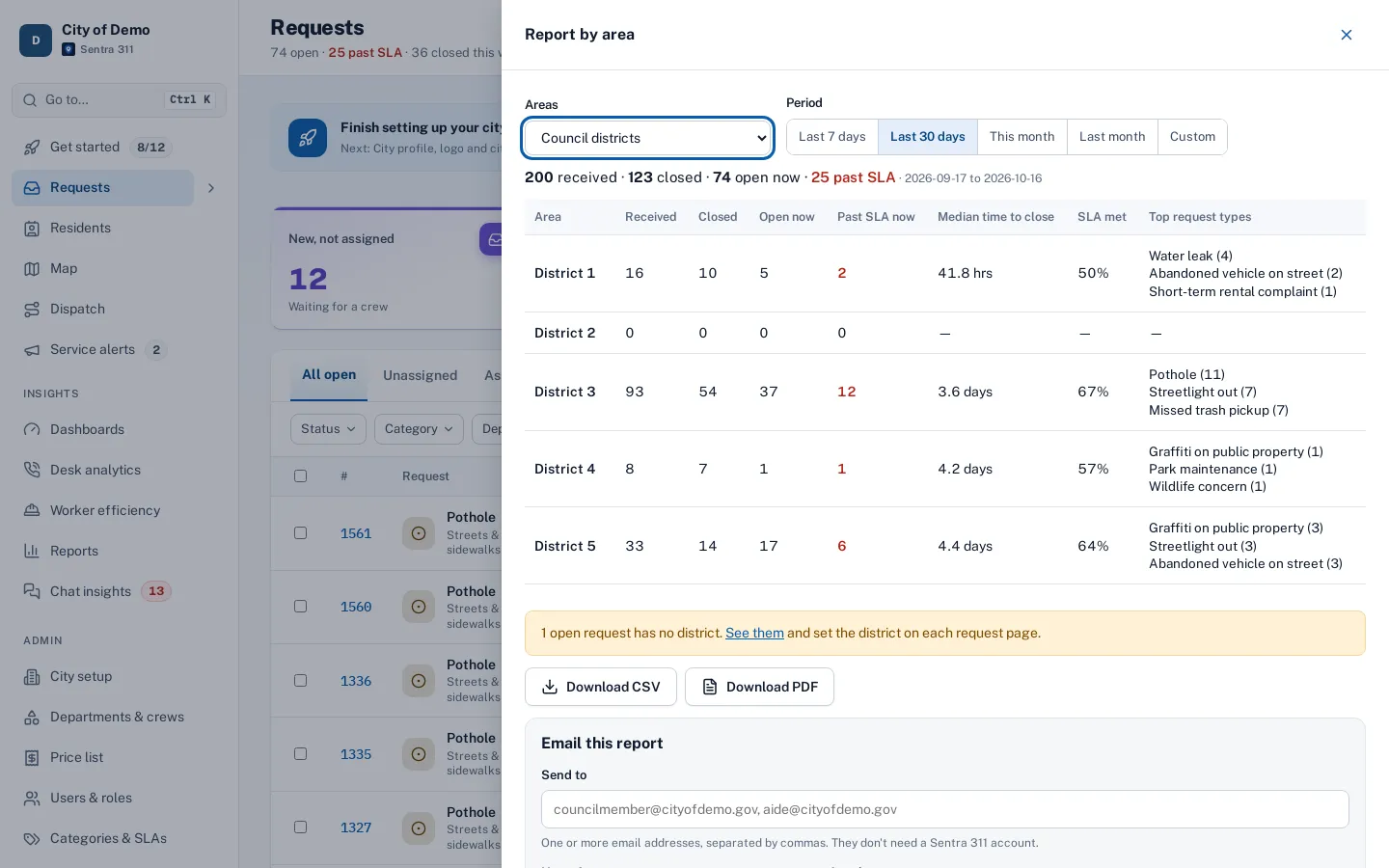
Received, closed, open, past SLA, median time to close and top request types for each district, as CSV or PDF, emailed to any address on a schedule.
If your city turns it on: numbers by council district and a map of fixes, ready to share with constituents.
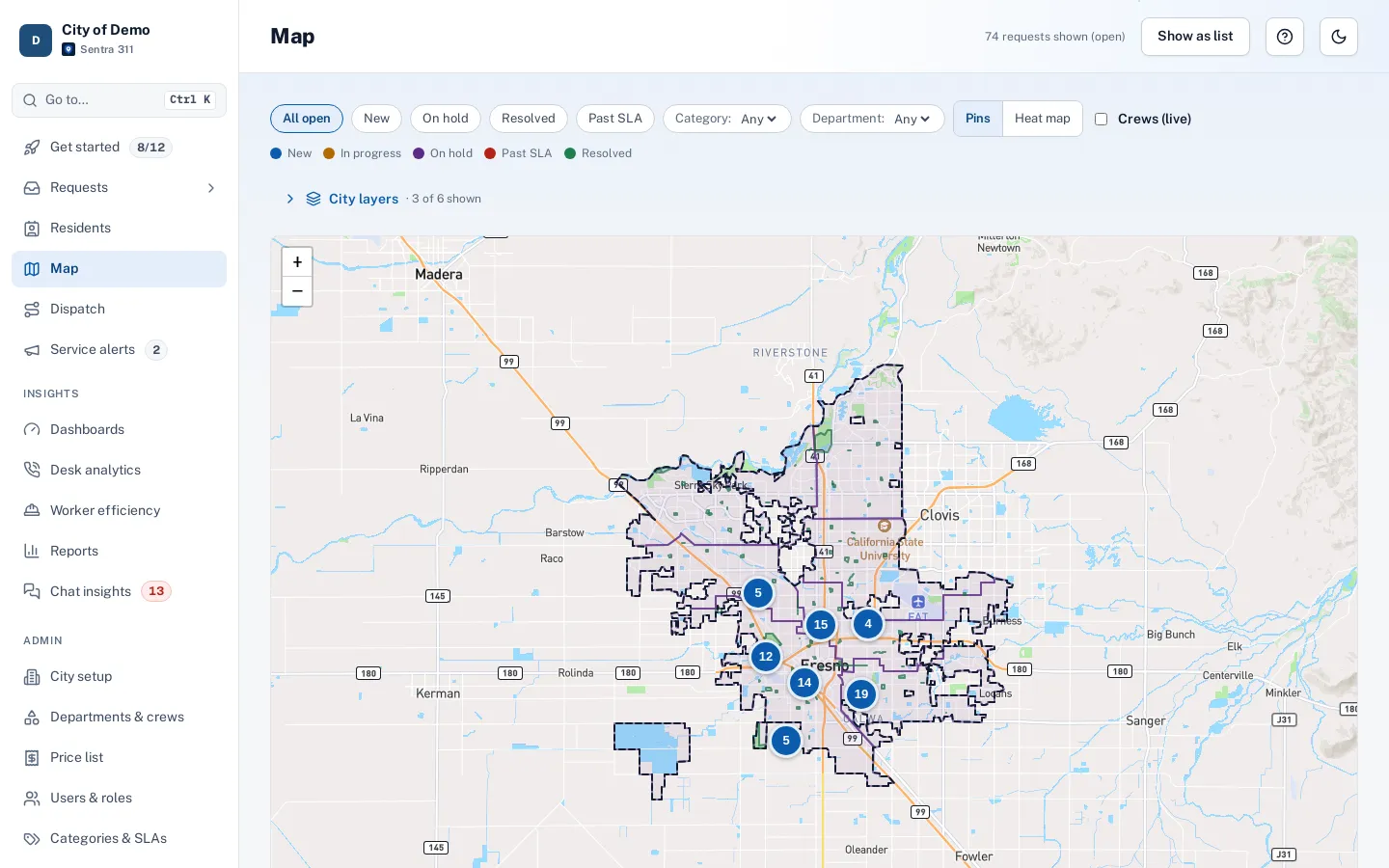
Staff filter the request map by district and run hotspot and trend reports to send you before a meeting.
Chat insights show the topics residents raise, and the knowledge base shows which questions keep coming back.
Requests the map couldn’t place show as “No district”, and staff fix them so your district’s numbers are right.
Residents report and get updates in English or Spanish, so your district’s numbers include everyone.
Last week’s digest is in your inbox: requests are up, potholes lead the list, and two are past their deadline on one street.
UsesDistrict reports
You look up their request number and tell them the public status and the latest update while they’re on the phone.
UsesTrack & updates
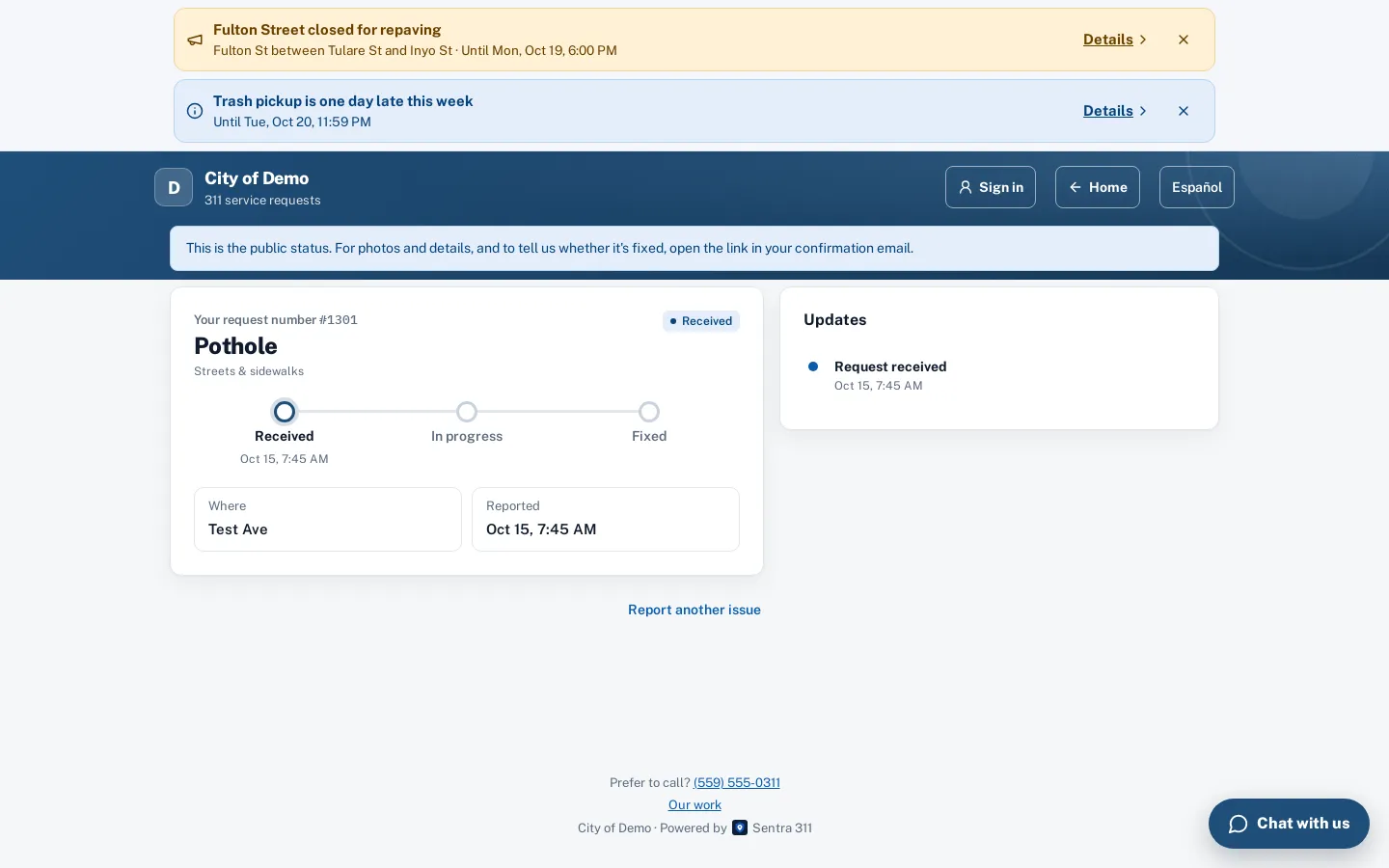
Point residents to the city’s report page, and check on their requests yourself.
No. City staff subscribe your email address; the digest arrives in your inbox like any other email.
Yes. Staff give you the read-only Elected official role, limited to your district: a “My district” page, plus read-only requests, map and area reports. Nothing is editable, and residents’ contact details and internal notes are hidden.
No. It shows streets, not house numbers, and no residents’ names or contact details.
It shows as “No district” for staff, who set the right district on the request so your counts stay right.
Yes. With the request number, anyone can see its public status and latest update, without calling the city.