
Measure the work, not just the count.
Jobs closed, days out, travel and on-site time, SLA met, callbacks and ratings for every field worker, with a map of where they worked.
What it does
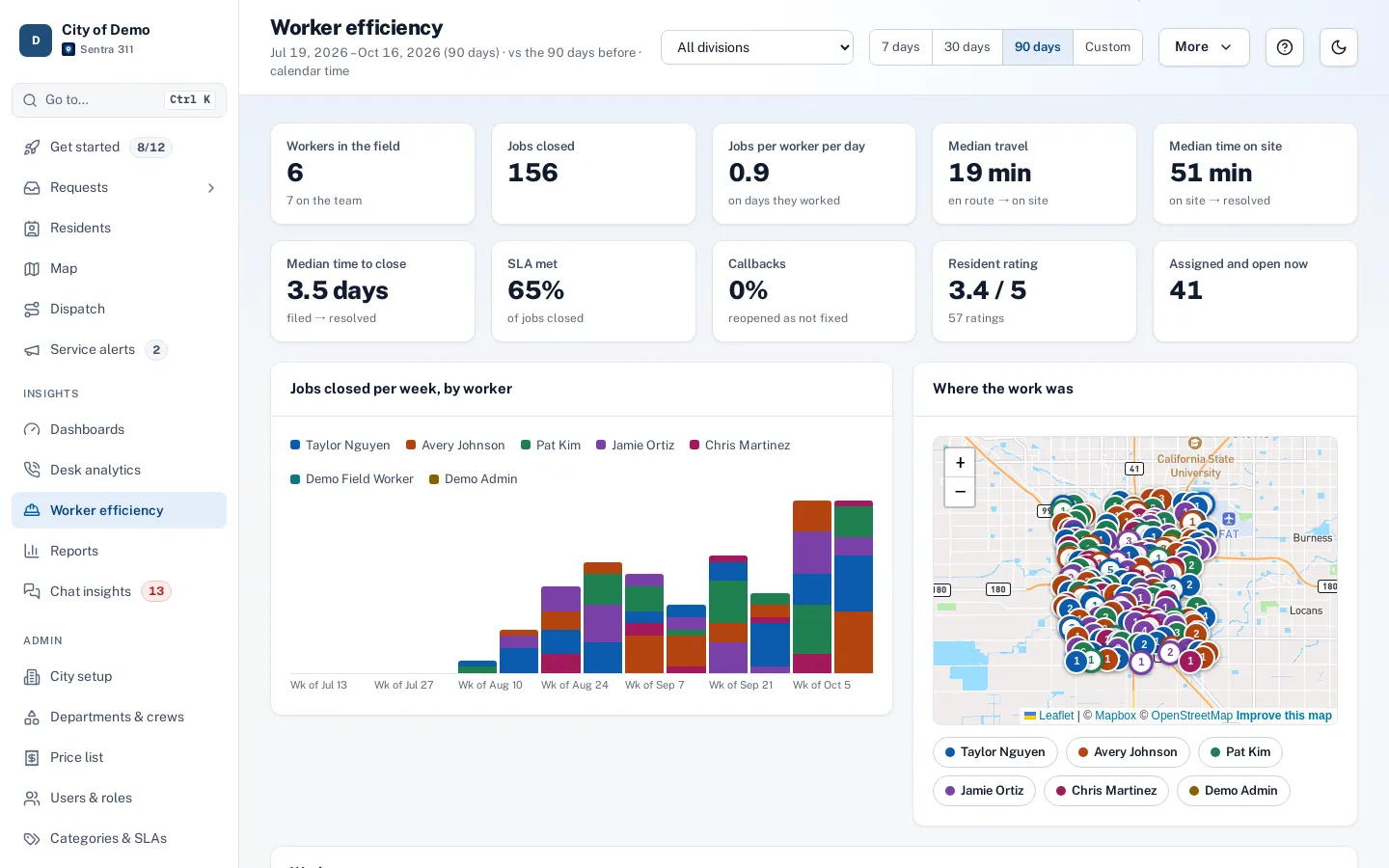
Worker efficiency reports answer a public works director’s questions with data from the work itself: how many jobs each worker closed, how many days they were in the field, median travel time (en route to on site) and median time on site (on site to resolved), SLA met, callbacks where residents said “not fixed”, and resident ratings.
The division view lists every field worker with those numbers, a daily chart stacked by worker and a map of all jobs. Each worker’s page compares them with the team average and shows a map of where they worked, numbered in the order of each day, with the route drawn along real streets.
Counting closed tickets punishes the crews that take the hard jobs.
How it works
From the app, automatically
Built from the status changes workers make: en route, on site, resolved.
Compare fairly
Each worker next to the team average, with the job mix by type.
See the day
A map numbered in order each day, with the route along streets.
Key features
Division dashboard
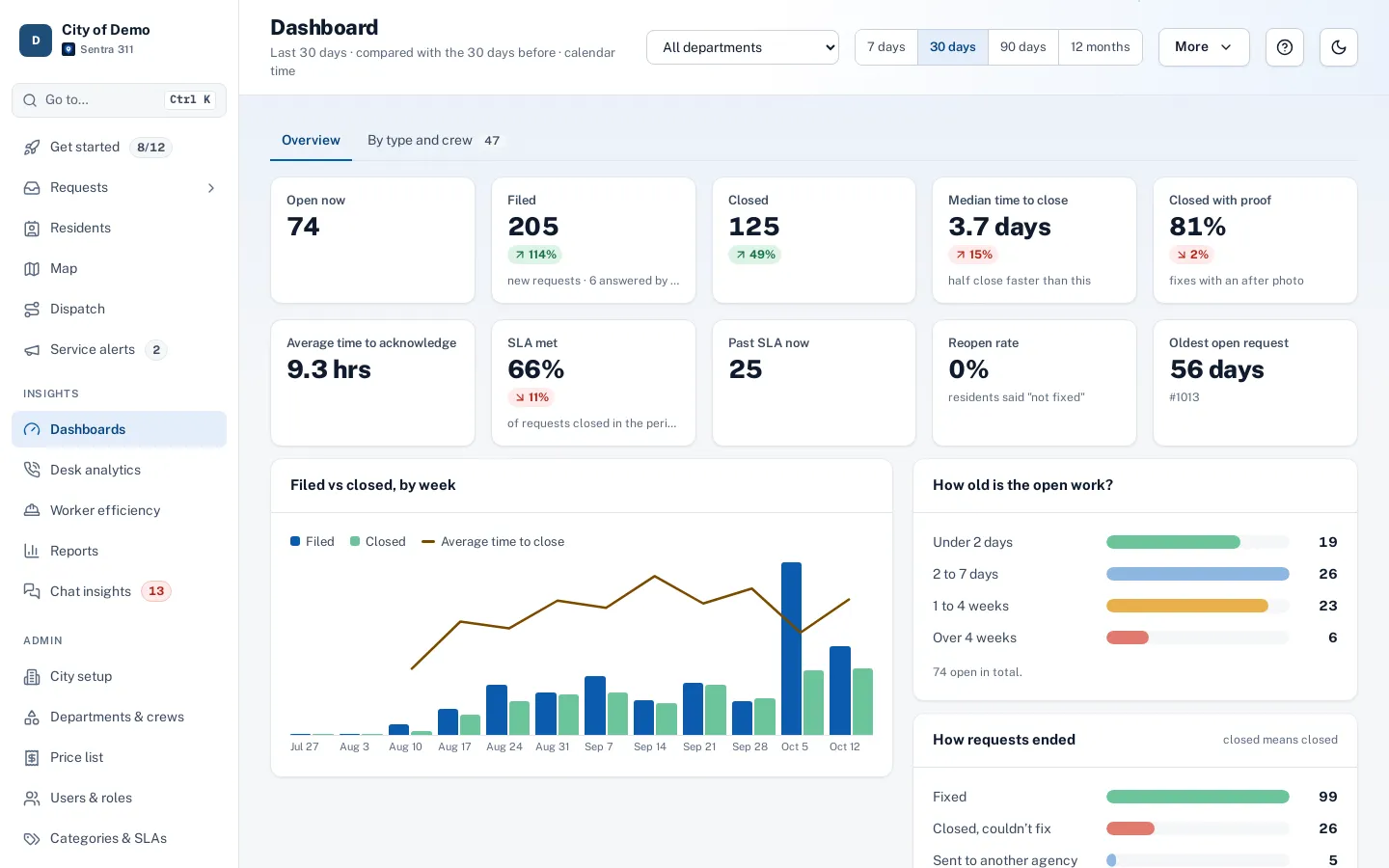
Ten numbers versus the previous period, a daily chart and a sortable worker table.
Per-worker map
Jobs numbered by day, with the street route for any day you pick.
Fair credit
From the status changes workers make in the app; desk-only closes are left out.
Forgotten taps ignored
Steps longer than eight hours aren’t counted as travel or on-site time.
CSV and print
Download the worker table or print the page; also available as a scheduled report.
A day with it
Worker efficiency is built from the status changes workers make in the app.
- When a worker marks a job en route, then on site, then resolved, Sentra 311 records travel time (en route to on site) and time on site (on site to resolved) for that worker on that job.
- Credit goes to the person who did the work, even if the job was assigned to a crew.
- Closes made from a desk without going en route or on site aren’t counted as field work, and steps longer than eight hours are treated as a forgotten tap rather than real travel or work.
- Time to close (filed to resolved) follows the calendar or business-time choice.
- Callbacks are jobs a resident reopened as not fixed.
- Days in the field counts distinct days with field activity.
In practice
- Staffing request. A director shows the council travel time and jobs per day across crews.
- Hard jobs, fairly counted. A crew that takes long tree jobs shows longer on-site time but strong SLA and few callbacks.
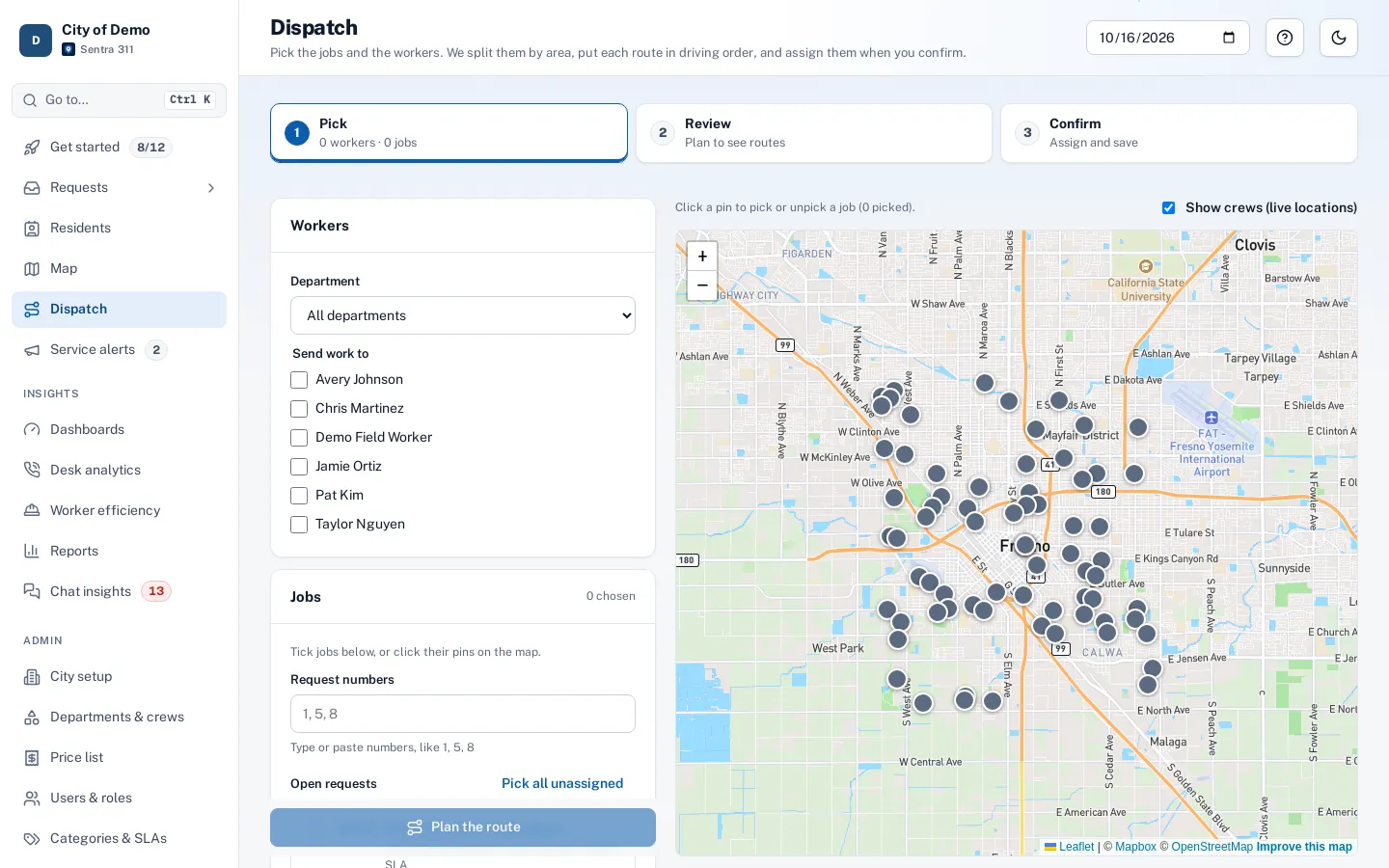
- A day’s route. A supervisor picks a day and sees one worker’s route along the streets.
The worker page
Each worker’s page shows their numbers next to the team average, with “better than team” or “below team” labels for measures where that’s meaningful. A map shows where they worked in the period, numbered in the order of each day; pick a day and the route between stops is drawn along the streets.
Accessibility, security and privacy
Department heads see only their own departments. The numbers describe work patterns; we recommend using them to support crews and staffing decisions, alongside a supervisor’s judgment.
Who uses it
Public works directors
See workload and pace by crew.
Crew supervisors
Spot where help is needed.
City managers
Understand staffing needs with evidence.
Questions cities ask
Does it track workers’ locations?
No. It uses job status changes and job locations. Live location sharing is a separate, opt-in feature.
Can we schedule it as a report?
Yes. “Worker efficiency” is one of the report types you can save and email on a schedule.
Who can see a worker’s page?
Admins, and department heads and dispatchers for workers in their departments.
Does it count jobs closed by supervisors?
Desk-only closes without en route or on-site steps aren’t counted as field work.