
The emails residents already send, turned into requests.
Each city gets its own intake address. Every email lands in a review inbox with a suggested request type, the place it mentions and its photos, and staff file it with one click.
What it does
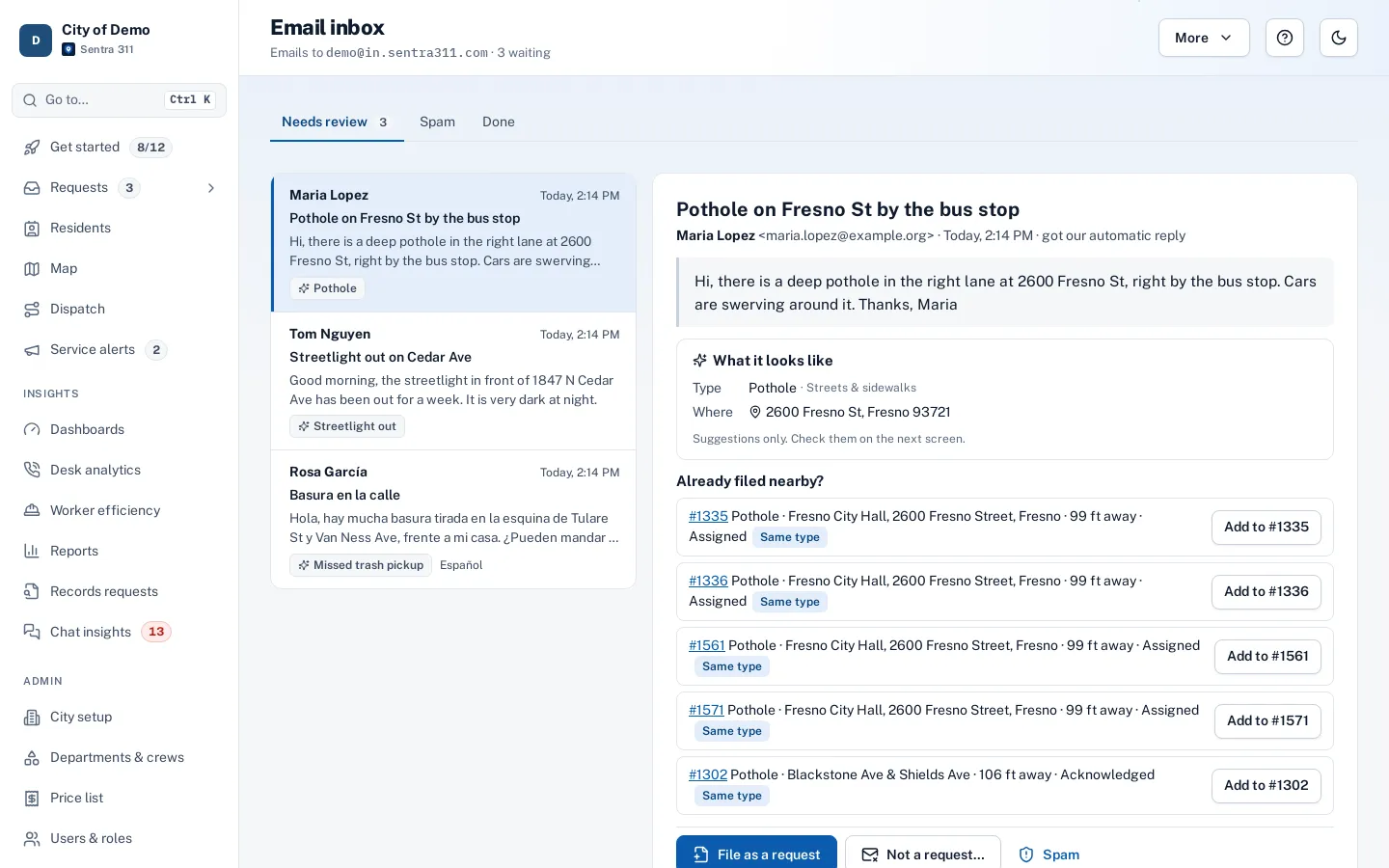
Each city gets an intake address. Emails sent there, or forwarded from an address you already publish, arrive in Requests › Email inbox with the resident’s words, their photos, a suggested request type, the address the email mentions and any open requests nearby.
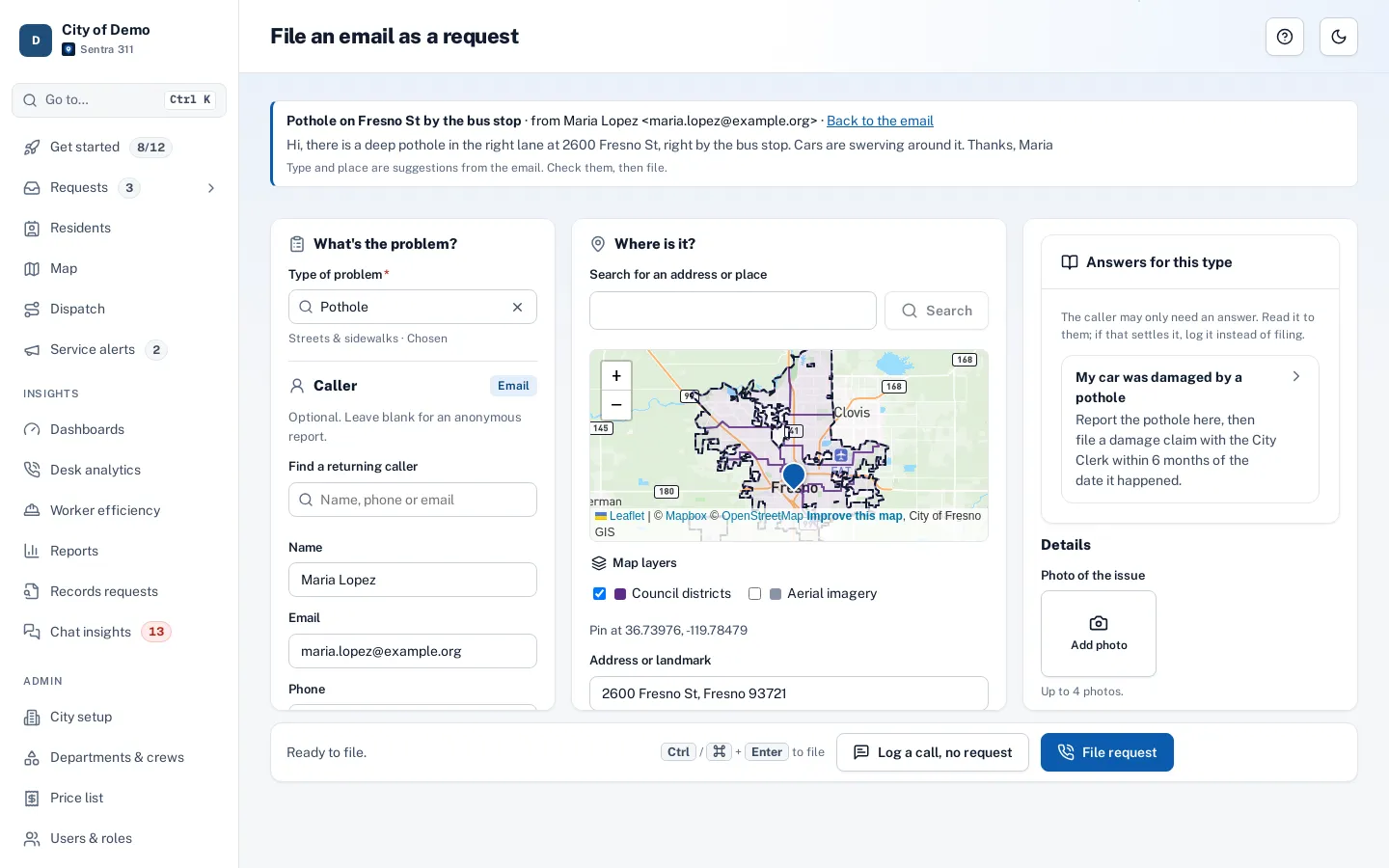
Staff file it as a request with the form already filled in, add it to a request that’s already open, reply that it isn’t a service request, or mark it spam. When the resident answers one of our update emails, the reply lands on that request’s timeline instead of starting over.
Residents email whoever they can find. Those messages sit in personal inboxes, get forwarded twice and never get a request number.
How it works
- Resident
A resident emails
To your city’s intake address, or a forwarding rule from an address you already publish.
- Resident
It waits for review
A suggested type, the address it mentions, photos and nearby open requests.
- Resident
Staff decide
File it as a request, add it to one already open, reply that it isn’t a request, or mark it spam.
- Side path: Resident
Replies stay together
When the resident answers an update, the reply lands on that request’s timeline.
Reply joins the request
Key features
Ready to file
Phone entry opens with the sender, the suggested type, the pin and the resident’s words already in place.
Duplicates first
Open requests near the same place show beside the email, so staff can attach instead of filing twice.
Replies thread
Answers to update emails join the right request’s timeline.
Filters the noise
Auto-replies, mailing lists, bounces and floods are kept out of the inbox.
Automatic reply
A short acknowledgement in English or Spanish, at most once a day per sender.
Accessible inbox
Keyboard-first and screen-reader friendly, in light and dark.
Accessibility, security and privacy
Only staff who file requests can see the inbox. Suggested types come only from your public request types, never staff-only ones.
Getting started
An admin turns on the intake address, picks the types it may suggest and writes the automatic reply.
Who uses it
Call-takers
Work the email inbox between calls, with the same filing screen.
Clerks
No more forwarding resident emails around the building.
Dispatchers
New emails show as a count in the sidebar.
Residents
Email the way they always have and still get a request number.
Questions cities ask
Do we have to give out a new address?
No. You can forward an address you already publish to the intake address.
Does every email become a request?
No. Staff review each one; only real service requests are filed.
What about attachments?
Photos are attached to the request when it’s filed. Other attachments stay with the email for staff to read.