
For the department that fixes things.
Today’s jobs on a phone, routes by drive time, close-out with photos, and a fair view of the work each crew does.
Public works departments
For the department that fixes things
Public works handles most of a city’s service requests: potholes, streetlights, signs, sidewalks, storm drains, trees and graffiti. Sentra 311 turns each resident request into a public works work order the crew can act on — with the location, the photo and the type’s questions answered — and carries it from assignment to the after photo.
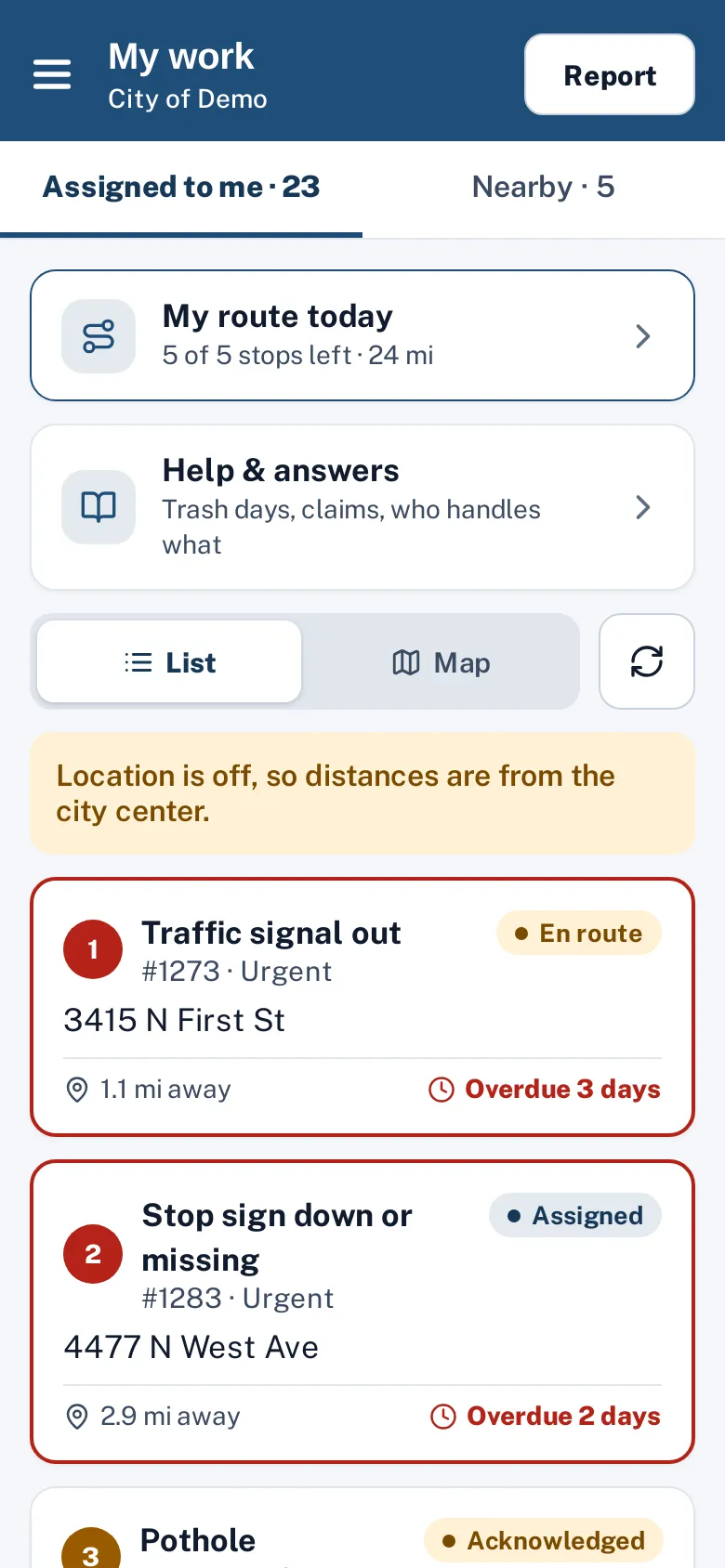
Crews see today’s jobs and route in the worker app, mark en route and on site with a tap, and close out with photos and the type’s close-out questions. Residents hear about it automatically.
Routes that make sense
Dispatch splits the day’s jobs between workers by area and orders each route by real drive time. Dispatchers adjust by drag and drop, print route sheets, and send routes to phones.
Proof of the fix, and fair measurement
Proof rules can require an after photo before a pothole is marked fixed, and that photo reaches the resident and, if the city allows, the public performance page. Worker efficiency reports measure travel and on-site time and callbacks, not just ticket counts, so the crew that takes the hard jobs isn’t penalized.
From request to work order
Each resident report arrives with what a crew needs: a pin and the street address, a photo, the parcel number when your address layer has one, GIS lookups like the council district, and answers to the type’s questions (is it in a traffic lane, how big is it). Supervisors set priority and assign a person or a crew; the deadline comes from the type’s SLA in business hours, and escalations notify a supervisor when work runs late.
Department heads see their department’s numbers on the dashboard — open work, time to close, SLA met, reopen rate and closed with proof — and the outcomes report separates fixes from referrals, so public works’ results aren’t mixed with work that belonged to another agency.
Answers in the field
Residents stop crews with questions. Help & answers puts the city’s answers on the crew’s phone, with a large-text mode to show the resident.
How setup works
Setup starts with a conversation about how requests reach you today and who handles them.
- Together we build your request types and their questions, routing to departments and crews, deadlines in your business hours and holidays, and your report page’s look.
- Your staff are trained over Teams, and the one-time setup fee covers all of it.
- Your city website gets a “Report a problem” button with one script tag, and your history can be imported with the importer, with an undo button if anything needs another pass.
After launch, your own staff change request types, forms, routing and deadlines from the admin portal. The built-in help center has guides for city staff and field workers, and Ask Sentra 311 answers how-to questions inside the product.
Accessibility, security and privacy
Public pages and apps are built to WCAG 2.1 AA and checked with automated accessibility tests on every release, an important consideration as the ADA Title II web rule deadlines approach.
- Each city’s data is kept separate, permissions are enforced by the server, and every change is recorded in an audit log.
- Usage analytics are cookie-free, residents’ contact details are shown only to staff who need them, and AI features never receive residents’ personal details.
- See security and accessibility.
How it works
- Resident
A report arrives ready
Pin, address, photo and the type’s answers, with GIS lookups.
- Dispatcher
Dispatch the crews
Assign people or crews, and plan routes along streets.
- Crew
Work it in the field
The worker app shows the job, the photos and the route.
- Crew
Close with proof
An after photo and close-out questions; the resident sees before and after.
Why it fits
Field-first
Big buttons, light or dark, phone or iPad.
Routes that make sense
Jobs split by area and ordered by drive time.
Proof of the fix
After photos that reach the resident and, if you choose, the public page.
Fair measurement
Travel and on-site time, not just ticket counts.
Explore the features
Worker app
Today’s jobs, routes and close-out on a phone
Learn moreDispatch & routes
Plan jobs for one or more workers, routed by drive time
Learn moreWorker efficiency
Jobs, travel and on-site time, fairly measured
Learn moreClosed means closed
Proof to close, honest status for residents
Learn moreCost of work
Labor, materials and equipment on every close-out, with cost reports
Learn moreiPhone & iPad apps
Native apps for residents and crews, with offline mode and push
Learn moreQuestions cities ask
Does it replace our asset management system?
No. Sentra 311 handles resident requests and the work they create. Asset registries and preventive maintenance are on our roadmap; webhooks and the API connect to the systems you use today.
Can crews work offline?
Yes, with the native iPhone and iPad worker app, coming to the App Store: jobs and routes are saved on the phone, and work done without signal sends when the phone reconnects.