
Every request in one list.
Summary tiles, saved views and filters by status, type, department, district, priority and SLA. Or just say "open potholes in District 5 past SLA".
What it does
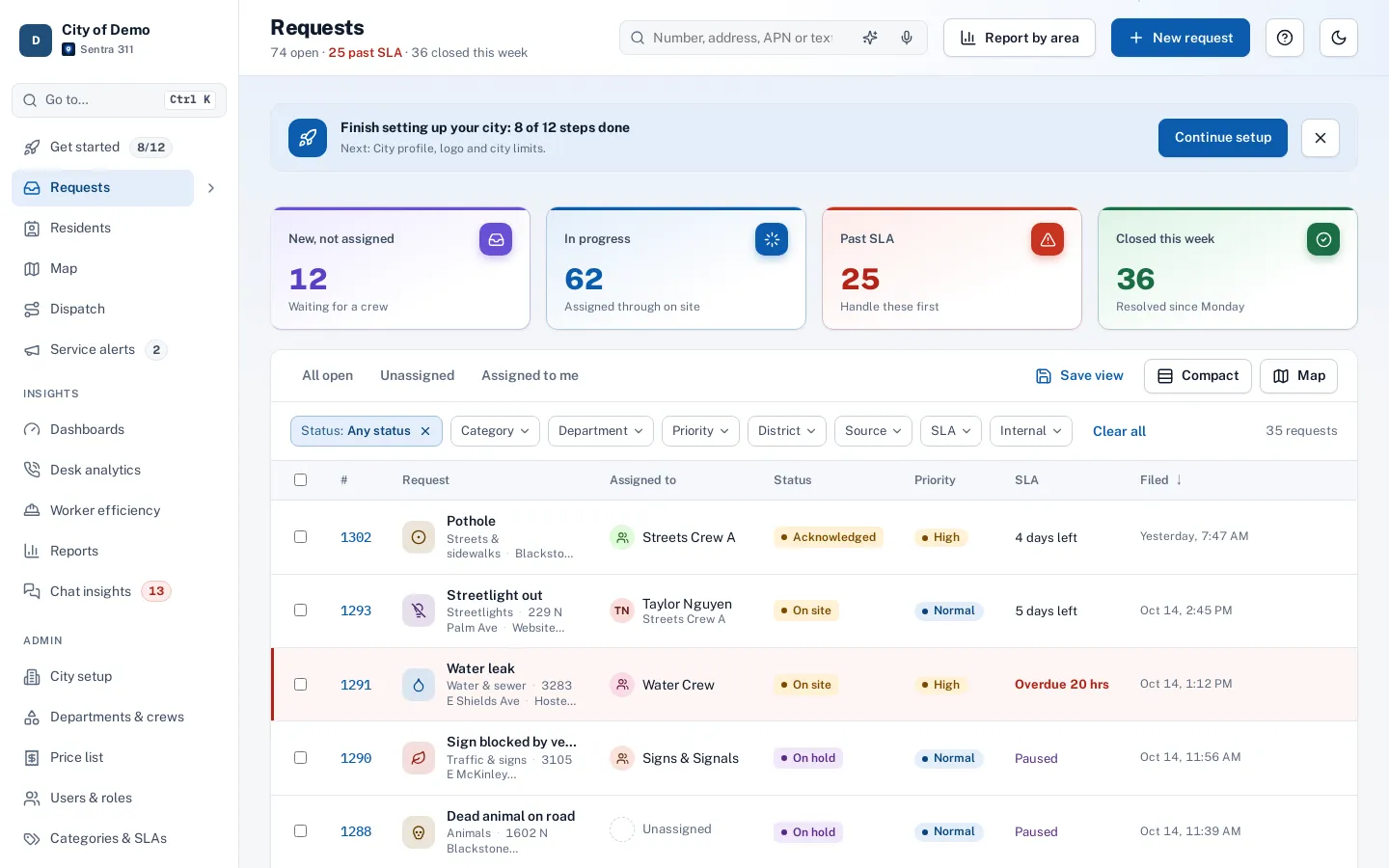
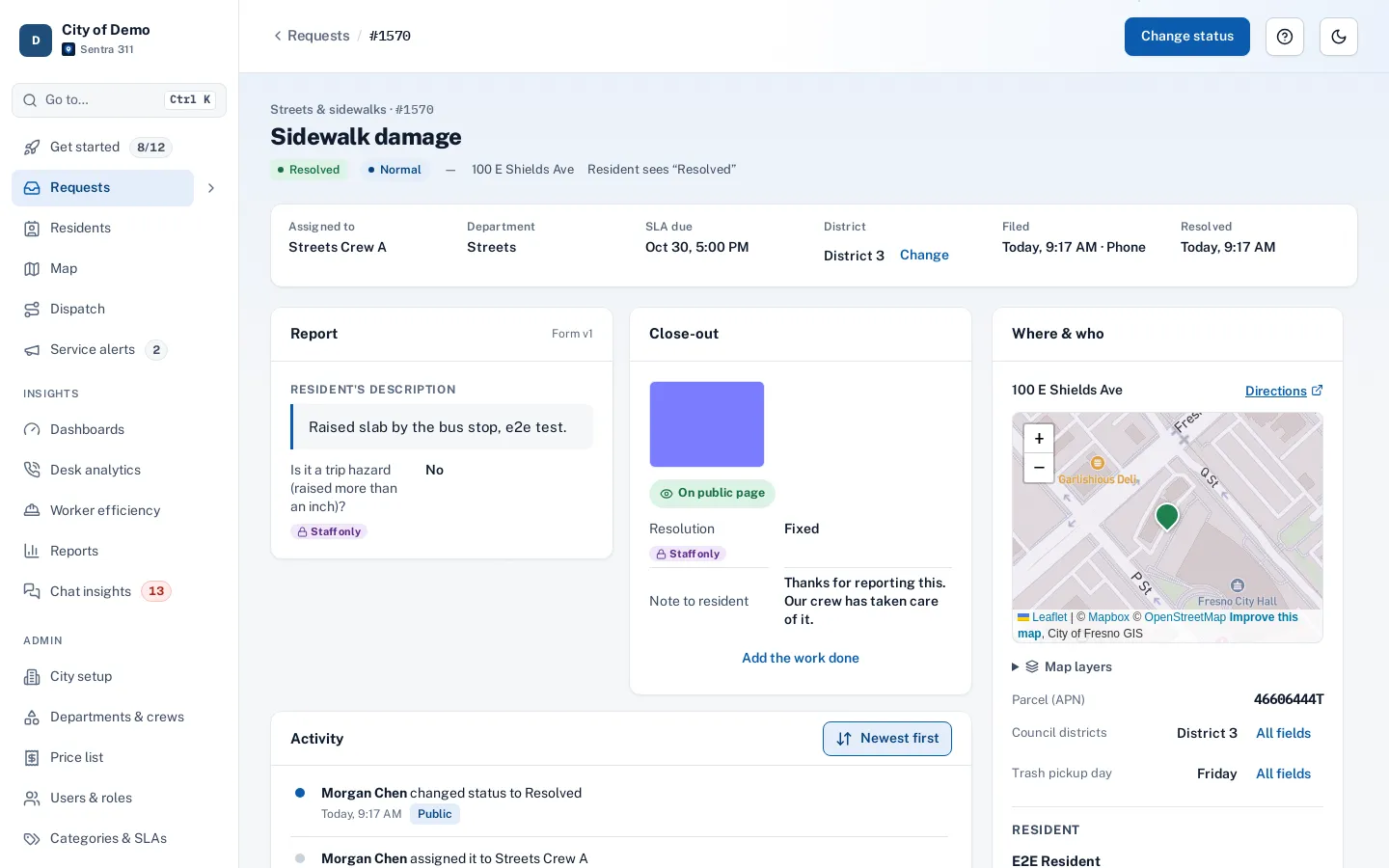
The request queue is the heart of the Sentra 311 staff portal and the core of any citizen request management system. Requests from the report page, the website widget, the resident app, the AI chat, phone calls, walk-ins, field reports and Open311 all land in one list, already routed to the right department and stamped with a deadline.
Summary tiles across the top show what needs attention — new and unassigned, in progress, past SLA, closed this week — and each tile filters the list with one click. Staff save their own views (“Streets, open, past SLA”), sort by deadline, and switch to a map of the same filtered requests.
Requests spread across inboxes, spreadsheets and sticky notes. Nobody can see what’s overdue.
How it works
See what needs you
Tiles for new, in progress, past SLA and closed this week.
Filter in plain words
Type or speak a sentence; it becomes filters you can see and undo.
Act in bulk
Assign, change priority or close several at once.
Report by area
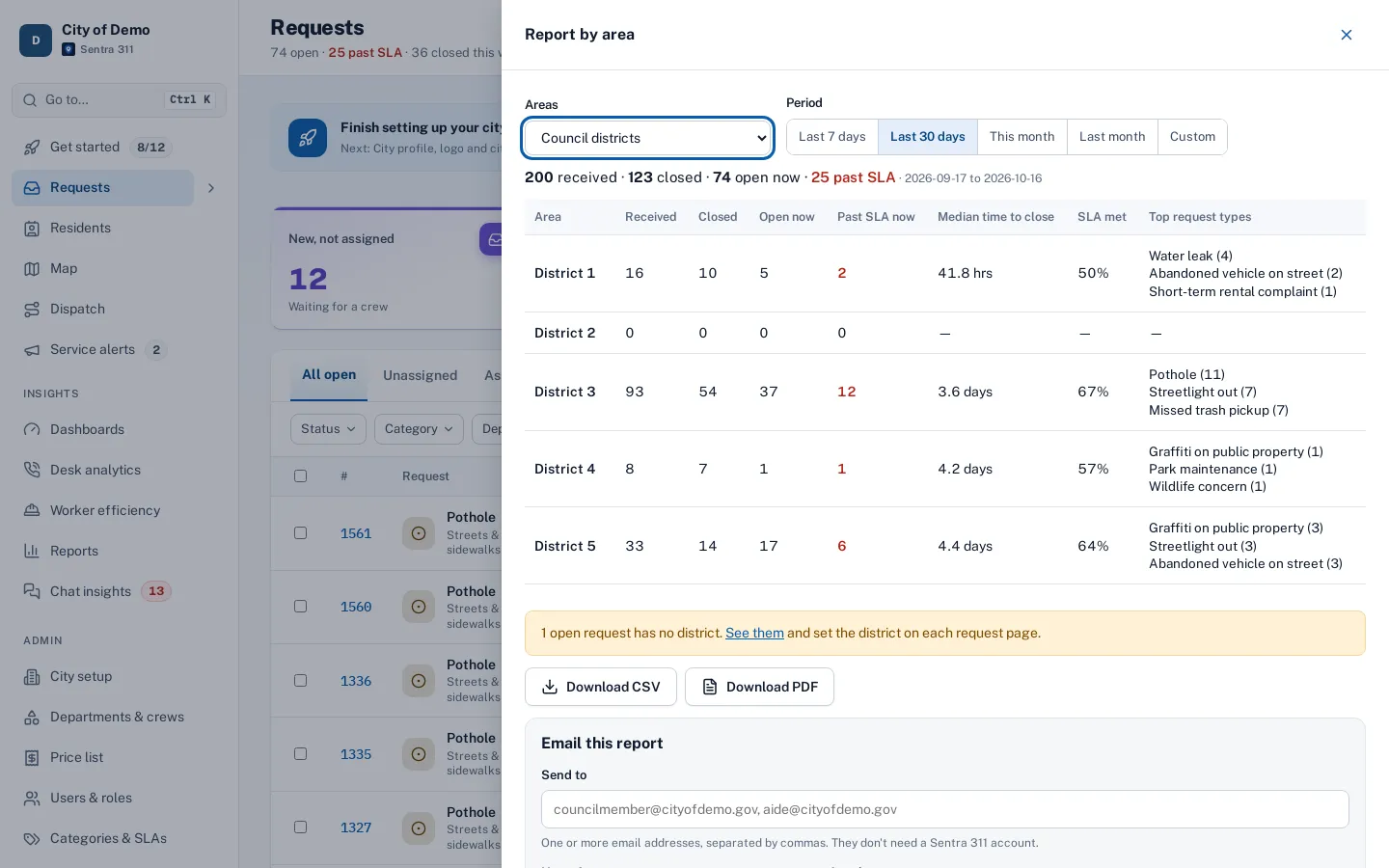
One button builds a council-district report from the queue and emails it now or on a schedule.
Key features
Plain-words and voice search
Type or say “open potholes in District 5 past SLA” and Sentra 311 turns it into filters, using only your real types, districts and departments.
Filters and saved views
Status, type, department, priority, district (including “no district”), channel, assignee and SLA state, saved as personal views.
Summary tiles
New, in progress, past SLA and closed this week, each a one-click filter.
Map view
The same filtered requests on a map, with pins colored by status and clusters for busy areas.
Bulk actions
Assign or update several requests at once.
Report by area
A council district summary for any period, downloadable or emailed.
A day with it
A dispatcher opens the queue and sees four tiles: new and not assigned, in progress, past SLA and closed this week.
- Clicking “Past SLA” filters the list to overdue work, sorted by how late it is; the dispatcher assigns two requests to a crew from the list and opens a third to reply to the resident.
- Their saved view “Streets — open” shows everything else for their department.
- When a council aide calls about a district, “Report by area” produces the district summary in a few seconds.
- Rows show the request type with its icon and color, the address, the assignee, status, priority and the time left before the deadline.
- Urgent and past-SLA rows are marked with a colored stripe as well as text, so color is never the only signal.
In practice
- Monday morning triage. A dispatcher clicks “Past SLA”, assigns the oldest requests and replies to two residents in ten minutes.
- “Open potholes in District 5”. A supervisor says it into the microphone and the list filters itself.
- A council aide’s question. Report by area produces District 3’s numbers for last month while the aide is on the phone.
Plain words, voice and search
The search box finds requests by number, address, parcel number or text. “Ask in plain words” turns a sentence into filters: “unassigned graffiti in District 3 this week” becomes type, assignee, district and date filters, with a banner explaining what’s shown and an Undo.
Accessibility, security and privacy
Each role sees what it should: field workers see their own department’s requests, restricted departments stay hidden from staff who aren’t in them, and resident contact details are hidden from roles that don’t need them. Permissions are enforced by the server, not just the screen.
Getting started
The queue works as soon as request types and routing are set. Staff create their own saved views in the first week.
Who uses it
Dispatchers
Start the day from past-SLA and unassigned work, then assign from the list.
Department heads
A saved view of their department’s open work, sorted by deadline.
Call-takers
Find a caller’s existing request by number, address or name before filing a new one.
City managers
See how much work is open and how much is late, at a glance.
Questions cities ask
Can the voice search change data?
No. It only sets filters.
Can plain-words search invent filters?
No. It maps words only to your city’s real types, districts, departments and staff; anything it can’t match is listed as not used.
How much does voice search cost?
It’s included. Each query uses a fraction of a cent of AI time, counted on the usage page.
Can staff export the list?
Yes, as CSV, and reports cover most summaries.
Does the queue show requests from all channels?
Yes: web, widget, app, chat, phone, walk-in, field reports, Open311 and imports, with the channel shown on each request.
Can we see requests on a map instead of a list?
Yes. The Map button shows the same filtered requests on a map.