
Answer a records request in minutes, not days.
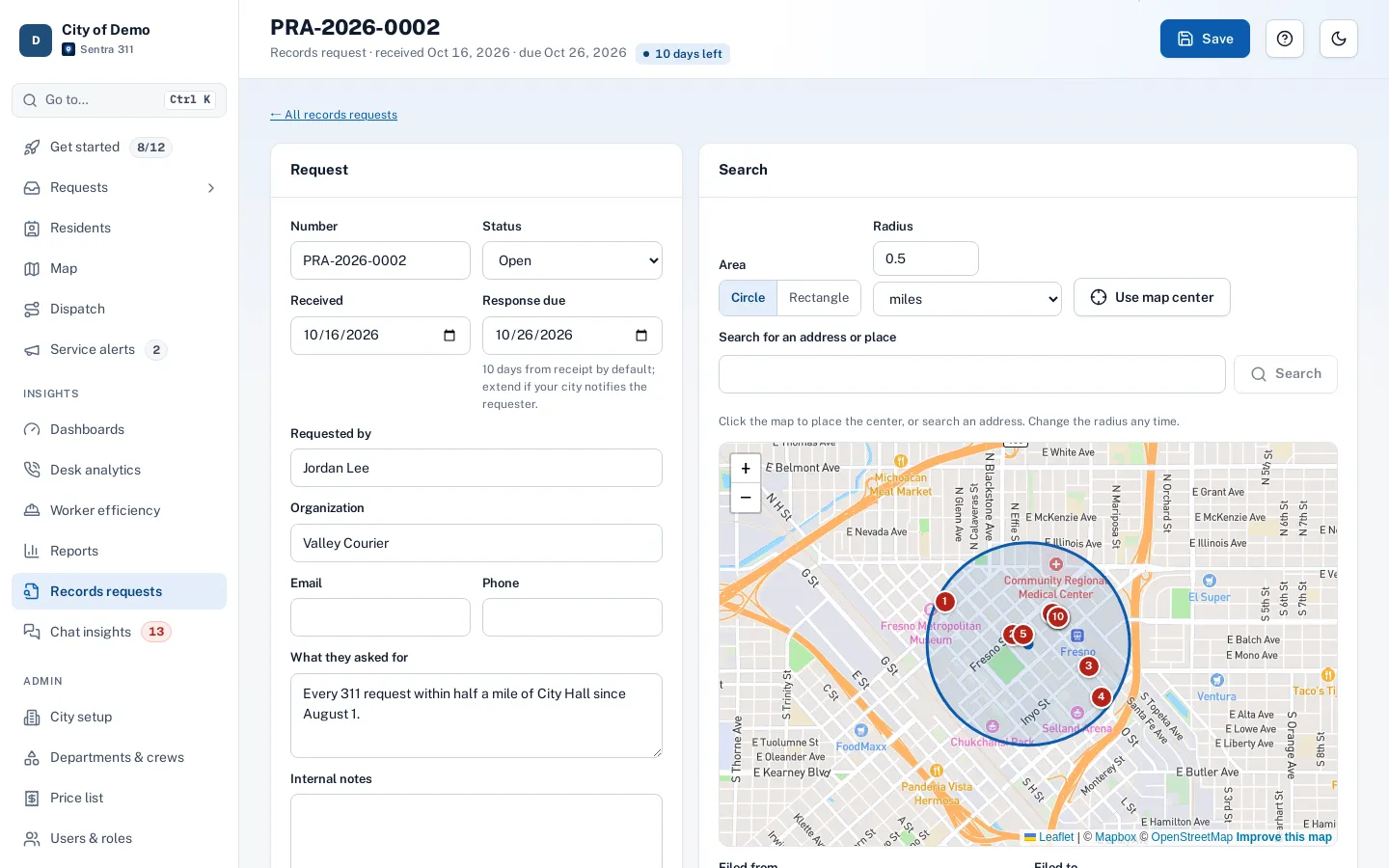
A reporter asks for every 311 request near city hall this year. Draw a circle on the map, pick the dates and types, and export a CSV or a PDF packet with a map, redacted for release.
What it does
Each records request is a case with a number, the requester, the date it arrived and a due date, 10 days out by default. Staff draw a circle around an address or a point, or a rectangle, pick the dates, request types and statuses, and see a live count and list before exporting.
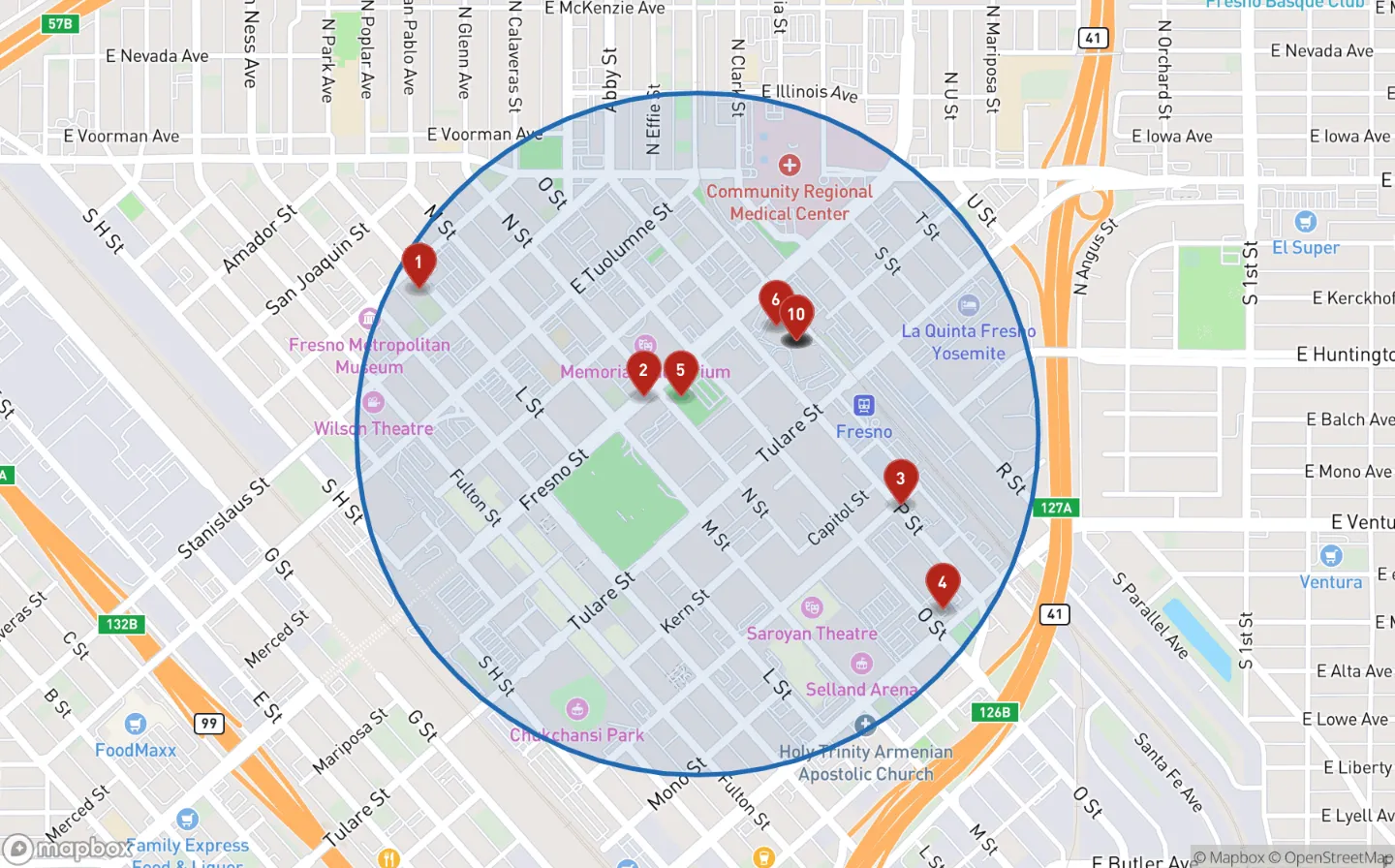
Exports come as a CSV, a ZIP with every request’s timeline, a PDF packet with a cover page, a map of the area with numbered pins and a section for each request, or the map image alone. The public version leaves out names, contact details and internal notes by default.
Public records requests arrive with a short deadline, and pulling the data means spreadsheets, screenshots of maps and an afternoon of redaction.
How it works
- Clerk
Log the request
Who asked, when it arrived and the due date, 10 days out by default.
- Clerk
Draw the area
A circle around an address or a point, or a rectangle, with the radius in feet or miles.
- Clerk
Pick dates and types
Filed or closed between two dates, some or all request types and statuses.
- Clerk
Export for release
CSV, a ZIP with timelines, a PDF packet with a cover and a map, or the map image alone.
Redacted for release by default
Key features
Draw the area
A circle with the radius in feet or miles, or a rectangle, around an address or a point on the map.
PDF packet with a map
A cover page, the map with numbered pins, a summary table and a section per request.
Redacted by default
No names or contact details, addresses to the block, internal notes and staff-only requests left out.
Live preview
See the count and the list before you export anything.
Due dates
Each case shows days left, with "due soon" and "overdue" flags on the list.
Every export kept
Download any past export again, with who made it and when, for two years.
Accessibility, security and privacy
Only admins and department heads can open records requests. The internal version with resident details is admins only, marked "not for release" on every page, and every export and download is logged.
Getting started
Nothing to set up. Open Records requests from the sidebar when the next request arrives.
Who uses it
City clerks
Answer records requests for 311 data without a spreadsheet.
Public works
Pull every request on a street for a claim or a council question.
City attorneys
An internal version with full details, marked and logged.
Department heads
Search only their own departments’ requests.
Questions cities ask
Is the export ready to hand over?
The public version leaves out names, contact details, internal notes and staff-only requests. Your city still decides what to release.
Can we re-send the same export later?
Yes. Every export is kept on the case, with who made it and when.
Do you decide what we release?
No. The public version is a careful starting point. Your city reviews it and decides what to release.