
One system for the requests residents never see.
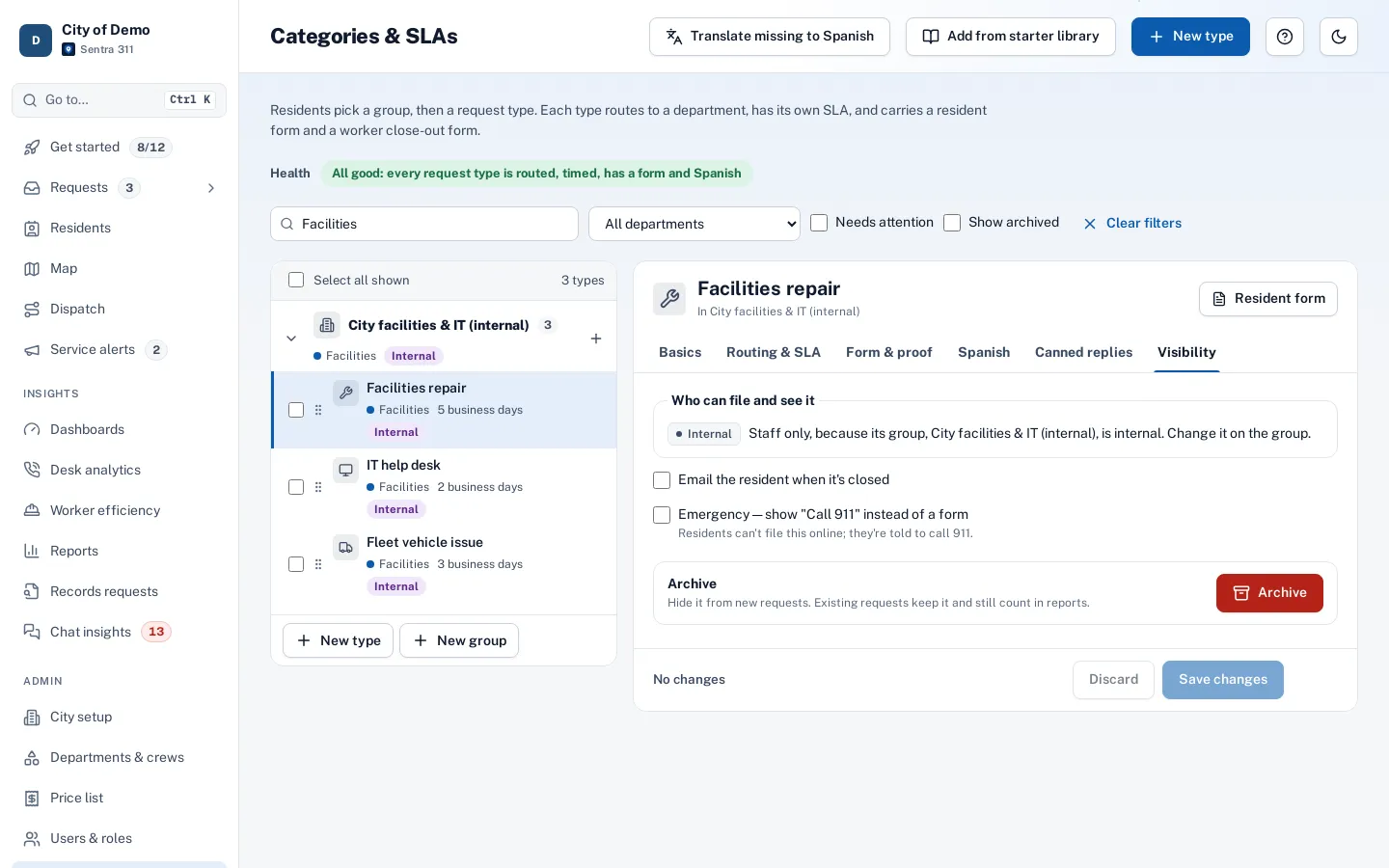
Mark a request type or a whole group as staff only. City staff file IT tickets, facility repairs and fleet issues in the same queue, with the same routing and deadlines, and they never appear in public.
What it does
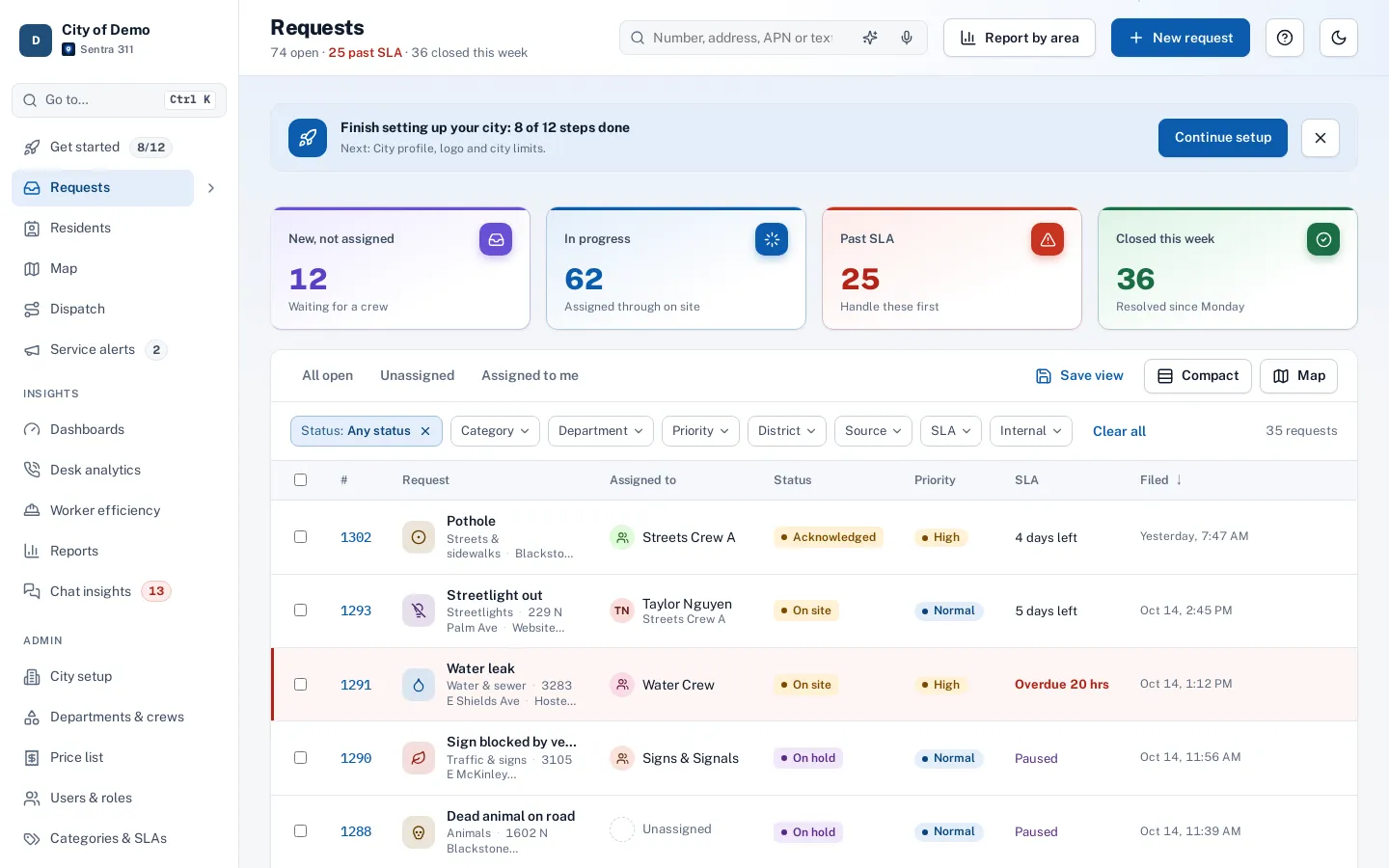
Any request type, or a whole group, can be marked Staff only. Staff file them from New request, phone entry or the worker app’s field report, and they’re routed, timed and closed like any other request.
Residents never see them. Every public path — the report page, the website widget, the apps, the chat and Open311 — refuses staff-only types, and they’re left out of public tracking, maps and the performance page.
Internal requests end up in email threads and hallway conversations, with no deadline and no record of who fixed what.
How it works
- Admin
Mark it staff only
On a request type, or on a group to cover every type inside it.
- Staff
Staff file it
From New request, phone entry or the worker app’s field report.
Never on public pages or apps
- Crew
Worked like any request
Routing, deadlines, crews and close-out are the same as for resident requests.
Key features
A ready-made group
Facilities repair, IT help desk and fleet vehicle issues, from the starter library.
Never public
Refused on every public path and hidden from public tracking and maps.
Same deadlines
Routing, SLAs, crews and close-out work the same as resident requests.
Internal filter
An Internal badge in the queue and a filter for internal-only or resident-only work.
In your reports
Counted in staff dashboards and reports, left out of the public performance page.
Not suggested to residents
AI type suggestions on public pages only use public types.
Accessibility, security and privacy
Staff-only types follow the same department permissions as everything else; restricted departments stay hidden from staff outside them.
Getting started
Add the internal group from the starter library, or mark your own types staff only.
Who uses it
Facilities
Building repairs with a deadline and a record of the fix.
IT
Help desk tickets in the same system the city already uses.
Fleet
Vehicle issues reported from the field.
Admins
One switch on the type or group.
Questions cities ask
Can a resident ever see an internal request?
No. Public pages, apps, chat and Open311 never list or accept staff-only types.
Do internal requests count in our reports?
Yes, in staff dashboards and reports. They’re left out of the public performance page.
Is it a separate product?
No. It’s part of the one plan, in the same queue your staff already use.