
A report page residents finish in a minute.
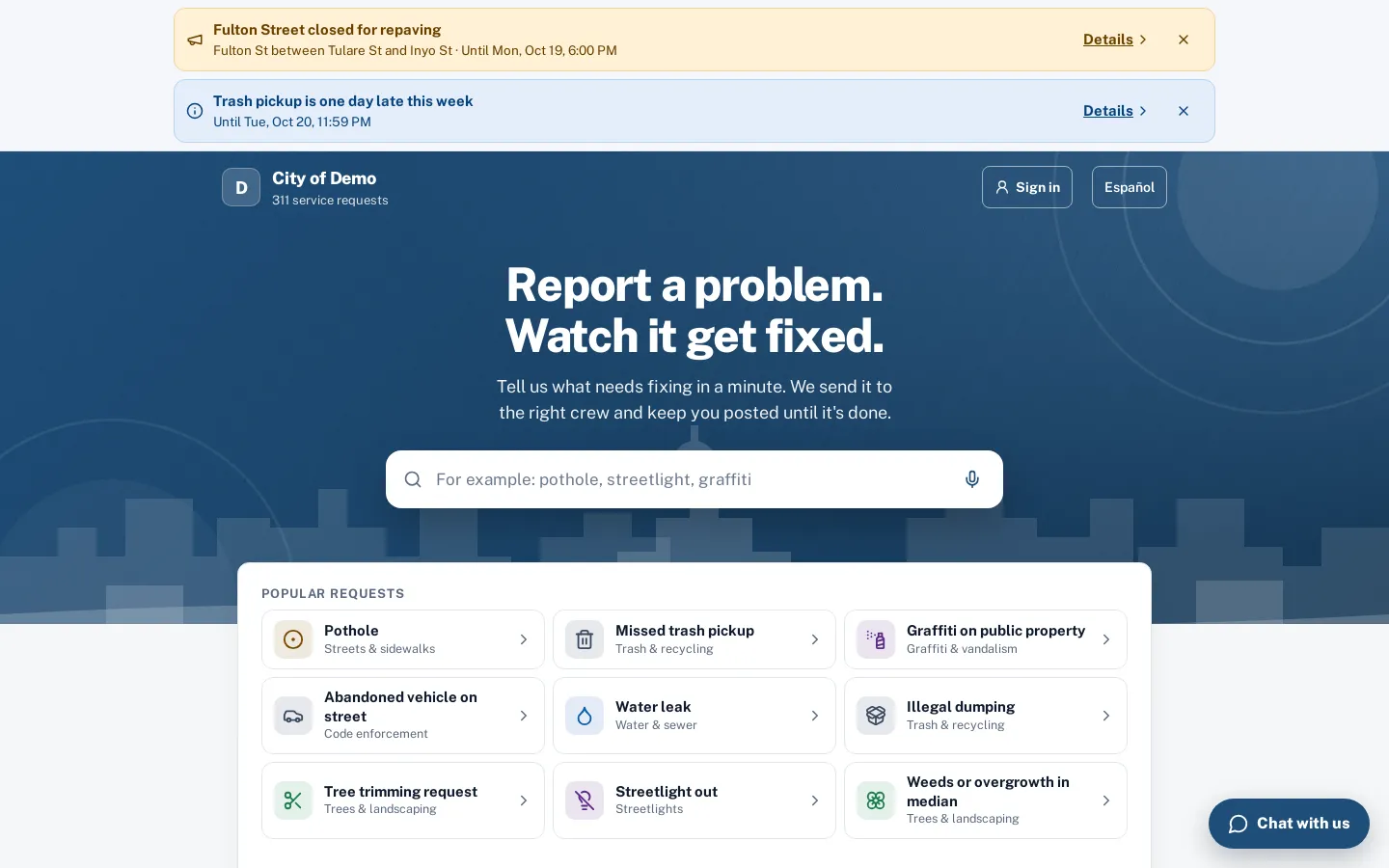
Residents search or tap a popular request, drop a pin and send. It runs on your own subdomain, and the same flow opens from a button on your existing city website.
What it does
Sentra 311’s report page is the front door of your 311 software: a hosted page at your own subdomain (for example yourcity.sentra311.com/report) where residents report potholes, broken streetlights, graffiti, missed trash pickups, code enforcement problems and anything else your city handles. It opens with a search box and your most popular requests, so a resident who has never heard of “right-of-way maintenance” can still find “pothole” in one tap.
The same flow opens from a “Report a problem” button on your existing city website. You paste one script tag and the widget opens as an accessible dialog on top of your page, so residents never leave your site. Both the hosted page and the widget send requests to the same staff queue, with the same request types, routing rules and deadlines.
Most city websites send residents to a contact form or a phone number. The report lands in an inbox with no location, no photo and no way to follow up.
How it works
- Resident
Search or pick a type
Popular requests and every type in plain words, with your city’s colors, banner and headline.
- Side path: Resident
Get help before filing
If a help article answers the question (trash day, bulky item rules, who owns a utility pole), it shows up first. Residents who got their answer can stop there.
Answered, no request needed
- Resident
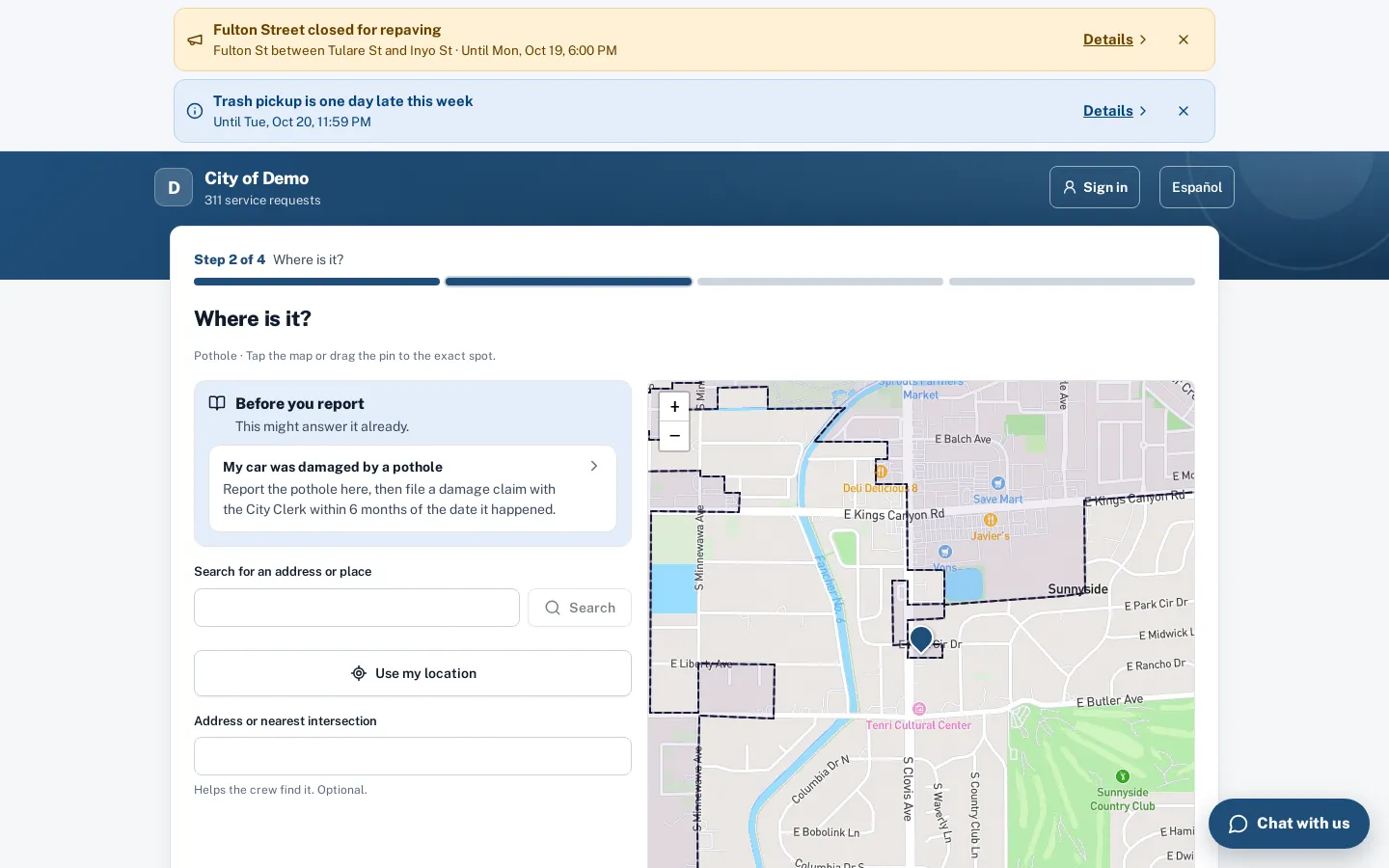
Pin it on the map
Search an address, use my location, or tap the map. Pins outside city limits are caught before they’re sent.
- Resident
Answer a few questions
Each type has its own short form, built by your staff. Help articles show up first, so some residents never need to file.
- Resident
Track it
A request number and a tracking link right away; email updates as the crew works it.
- Side path: City staff
Duplicates are caught
Staff see nearby reports of the same type, so five reports of one pothole become one request with five followers.
Residents follow one request
Key features
Search and popular requests
A search box that understands everyday words, plus your most-reported types as large tiles.
Map pin with address search
Residents search an address, use their location, or tap the map.
A short form per request type
Each type asks only its own questions, built in the form builder: yes/no, choices, text, photos.
Photo and AI type suggestion
Residents can start with a photo; Sentra 311 suggests the right type from your own list.
Chat instead of a form
A “Chat with us” button opens the AI chat, which files the same request through conversation.
English and Spanish
The page, the request type names, the form questions and the emails switch to Spanish with one button.

A day with it
Most residents report from a phone, standing near the problem, with one hand free.
- The report page puts the search box and the most common requests at the top, uses large tap targets, and never asks for an account before the report is sent.
- The location step opens on a map centered on the resident (when they allow it) or on your city, and the address search uses your city’s own address points first, so “1234 N Main” finds the right parcel instead of a similarly named street in another town.
- Each request type has its own short set of questions.
- A pothole might ask “Is it in a traffic lane?” and for a photo; a missed trash pickup might ask which container was missed.
- Questions are built by your staff in the form builder, and because forms are versioned, changing a question next spring doesn’t change requests filed this fall.
In practice
- A pothole on the way to school. A parent reports a pothole near an elementary school from their phone in under a minute, with a photo and a pin. It routes to Streets with a deadline, and the parent gets a request number and an email when it’s patched.
- Graffiti on a park restroom. A resident searches “graffiti”, picks Graffiti on public property, drops the pin in the park and adds a photo. Parks receives it with the location already marked.
- A question, not a request. A resident types “bulky item”. The help article with pickup rules appears under the search box, and they never need to file.
The widget for your city website
The website widget adds a “Report a problem” button to any page of your existing city site with one script tag. Clicking it opens the same report flow in an accessible dialog, so residents stay on your website.
Accessibility, security and privacy
The report page asks only for what the request needs. Contact details are optional and used for updates; residents can report anonymously.
Getting started
Setup covers your request types, routing and branding (the one-time setup fee includes staff training over Teams). Your communications staff add the widget to the city website with one script tag, and you can link the hosted page from social media, utility bills or QR codes on signs.
Who uses it
Residents
Report in a minute from a phone or computer, with or without an account, and follow the request to the fix.
Call-takers and front desk
Fewer “where exactly is it?” callbacks, because reports arrive with a pin, a photo and the type’s questions answered.
Department heads
Requests land in the right department automatically, with routing by type and council district.
City IT and communications
No hosting or development: a subdomain, one script tag for the website, and settings in the admin portal.
Questions cities ask
Do we need to change our city website?
No. Link to the hosted page, or paste one script tag to add a "Report a problem" button to any page.
Can residents report without an account?
Yes. An email is optional and only used for updates. Residents can also sign in to see their requests on any device.
Does it work on phones?
Yes. The page is built phone-first and works down to 320 px wide.
Can we use our own domain?
The report page runs on a Sentra 311 subdomain for your city. Your website links to it or opens it through the widget.
What happens if someone reports an emergency?
Types marked as emergencies, and emergency words in the chat, show 911 guidance instead of filing a request.
Can residents attach more than one photo?
Yes, when the request type’s form includes a photo question. Staff decide which photos may appear on public pages.