
Your city’s 311 in a resident’s pocket.
Residents pick their city once, then report with a photo, follow their requests and see what neighbors already reported nearby.
What it does
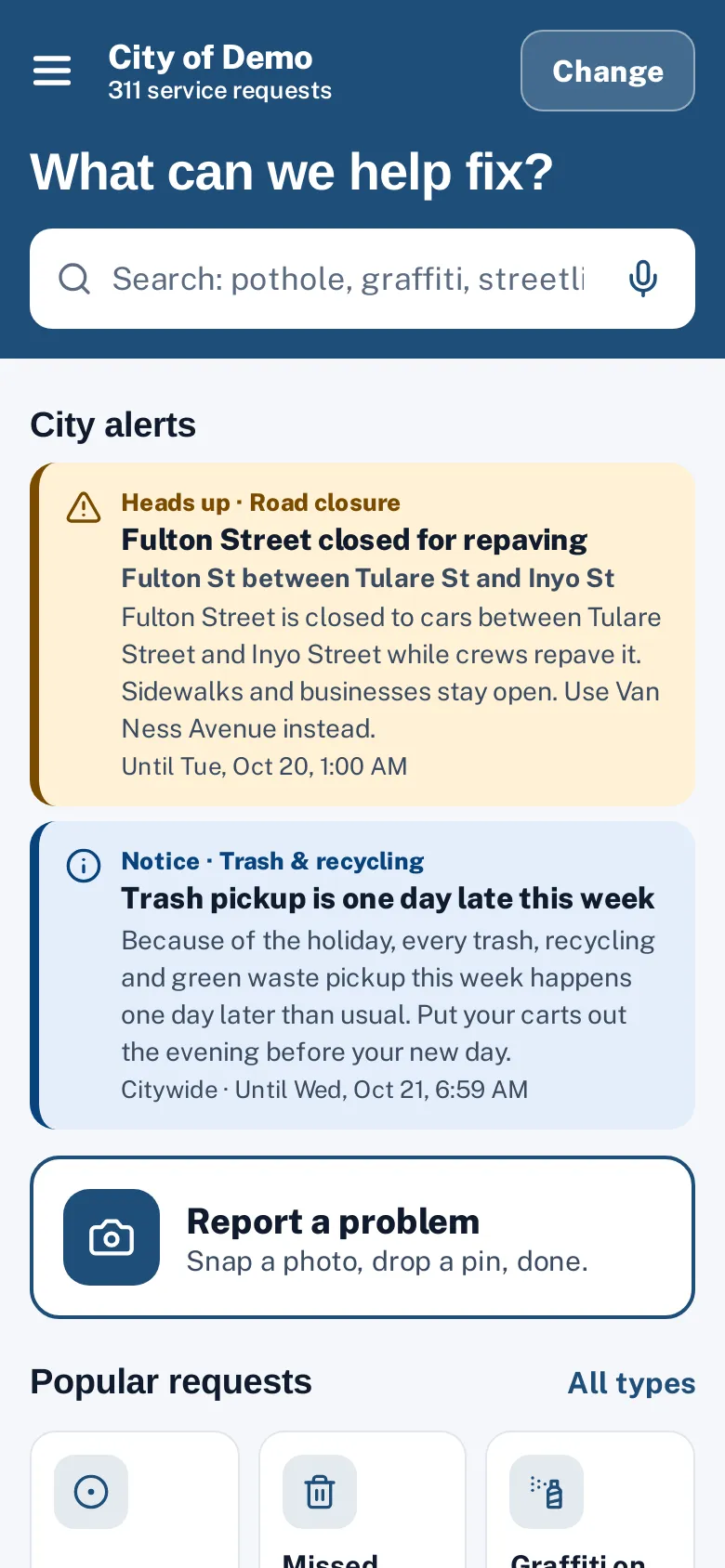
The Sentra 311 resident app is a resident reporting app that works for every city on Sentra 311. Residents choose their city once (or let the app find it from their location), and from then on the app opens straight to that city’s home screen: popular requests, a search box, their own requests and what neighbors already reported nearby.
It follows the same rules as the report page: your request types, your forms, your routing and your deadlines. A report from the app lands in the same staff queue, with the same request number and tracking. The app is styled with your city’s color and can show light or dark appearance.
Residents don’t download a different app for every service. Whatever they use has to be fast, clear and worth keeping.
How it works
Choose your city
The app finds the city you’re in, or you pick it. It remembers it next time.
Snap a photo first
The photo suggests the request type and, when it has GPS, the location.
Follow it to the fix
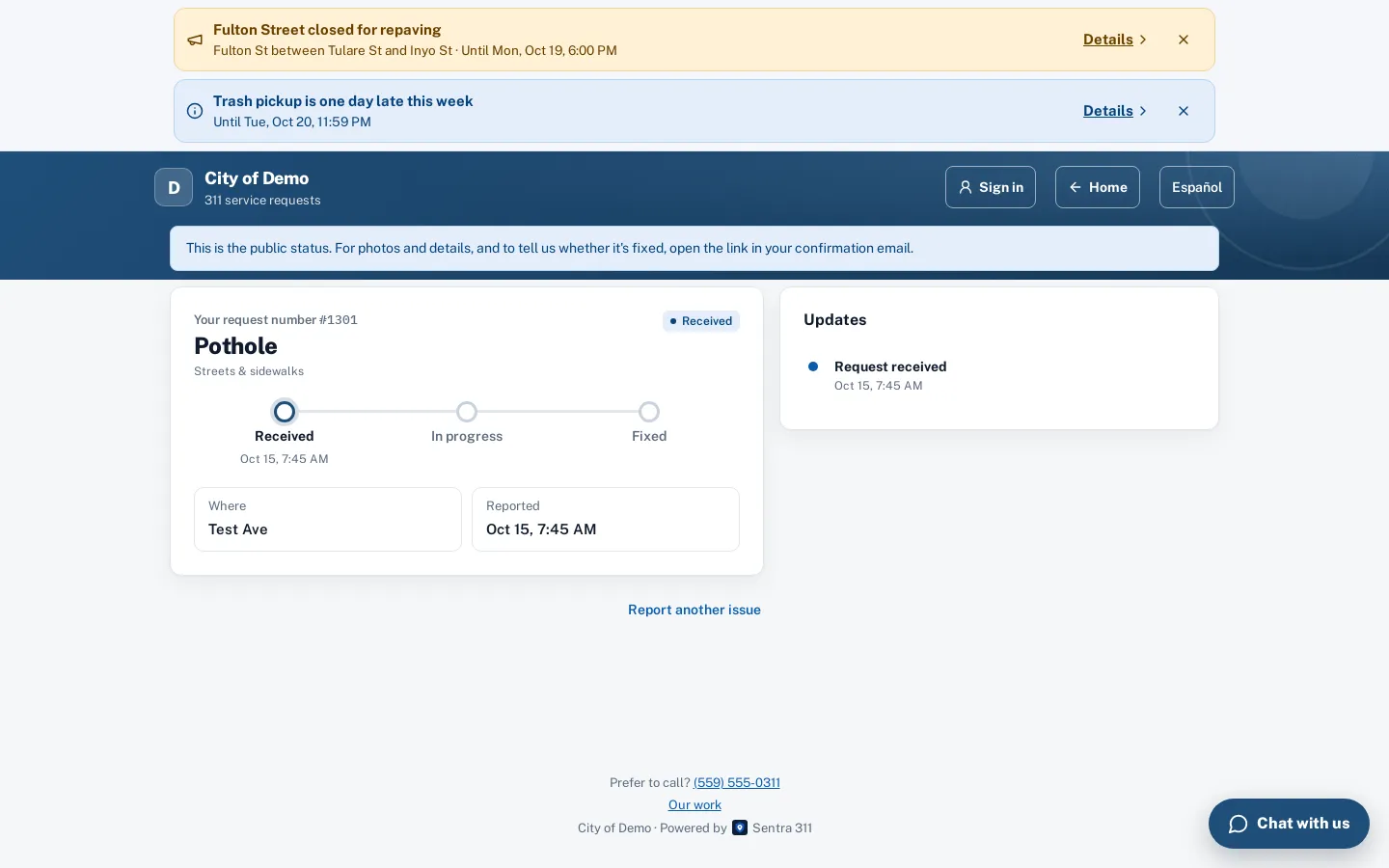
A progress tracker, public updates and before/after photos. Reopen within 7 days if it isn’t fixed.
See what’s reported nearby
“Reported near me” lists open requests close to you; “Me too” follows one with your email instead of filing a duplicate.
Sign in if you want
An email code signs residents in, so their requests and saved places follow them to any device. Anonymous reporting still works.
Key features
City picker that remembers
Choose your city once, or tap “Use my location”.
Popular requests and search
Large tiles for your city’s most-reported types, a search box and the full list of types grouped the way your city sets them up.
Photo first
Take or choose a photo; the app suggests the type and uses the photo’s location when it has one.
Help before filing
Help articles for the chosen type appear before the form, from your city’s knowledge base.
My requests
Every request filed or followed from that device (or account), with a status label, the progress tracker and public updates.
“Me too” on nearby reports
Follow an existing report instead of filing a duplicate, and get the same updates.
A day with it
After choosing a city, residents land on a home screen with the city’s headline and banner, a search box, the most-reported request types as tiles, a “Report a problem” card, “Reported near me”, their own requests and the 911 reminder.
- A side menu holds Home, Report a problem, My requests, Reported near me, Track a request by number, Change city, and Sign in or My account.
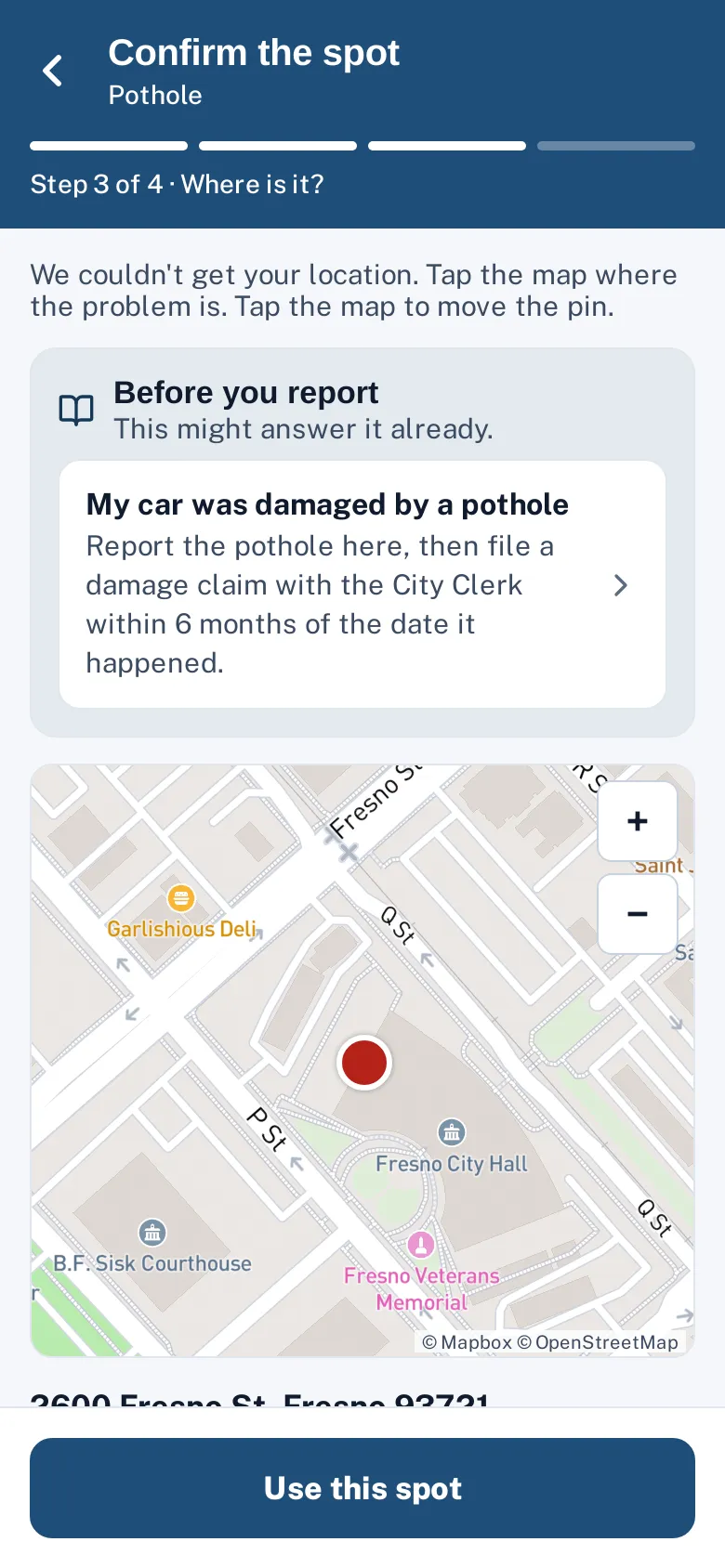
- The report flow is the same as on the web:
- photo first (optional)
- type
- a pin on the map
- the type’s questions
- optional contact details
- Help articles for the chosen type appear before the form.
- Signed-in residents see their saved places as one-tap locations and have their name and email filled in.
In practice
- Following a neighbor’s report. A resident opens “Reported near me”, sees the broken streetlight already reported on their block and taps “Me too” to get updates instead of filing a duplicate.
- Reporting while walking the dog. A resident takes a photo of a downed tree limb; the app suggests the type and uses the photo’s location. The report takes a minute.
- A new phone. A resident who signed in on their old phone signs in on the new one and finds all their requests and saved places.
Following a request to the fix
Each request shows a progress tracker (Received, In progress, Fixed), public updates from staff, the resident’s own photos and the crew’s after photo. When a request is resolved, residents rate it and can reopen it within seven days if it isn’t fixed — the reopen goes back to a supervisor.
Accessibility, security and privacy
The app asks for location only when the resident taps “Use my location” or takes a photo. Contact details are optional.
Getting started
There is nothing to install for the city: once your report page is set up, the app shows your city in its list. Promote the app link alongside your report page.
Who uses it
Residents
A fast way to report and follow problems on the street, from the phone they already carry.
Neighborhood regulars
People who report often keep their requests and saved places in one account.
Public works and code enforcement
Better reports: a photo, an accurate pin and the type’s questions answered.
Communications staff
One link or QR code to promote, for every Sentra 311 city.
Questions cities ask
Is it in the app stores?
The native iPhone and iPad app is built and coming to the App Store; Google Play is on our roadmap. It also runs in any phone browser today.
Does it work for more than one city?
Yes. One app serves every Sentra 311 city; residents pick theirs.
Do residents need an account?
No. Accounts are optional; they just keep requests and saved places on any device.
Can residents report for a city they don’t live in?
They pick the city where the problem is. Pins outside that city’s limits are stopped with a message.
Does it work in Spanish?
The web report page and the chat switch to Spanish today. A language switch inside the app is on our roadmap.
Is there a fee for residents?
No. Residents never pay; the city’s plan covers unlimited residents.