
Residents can just ask.
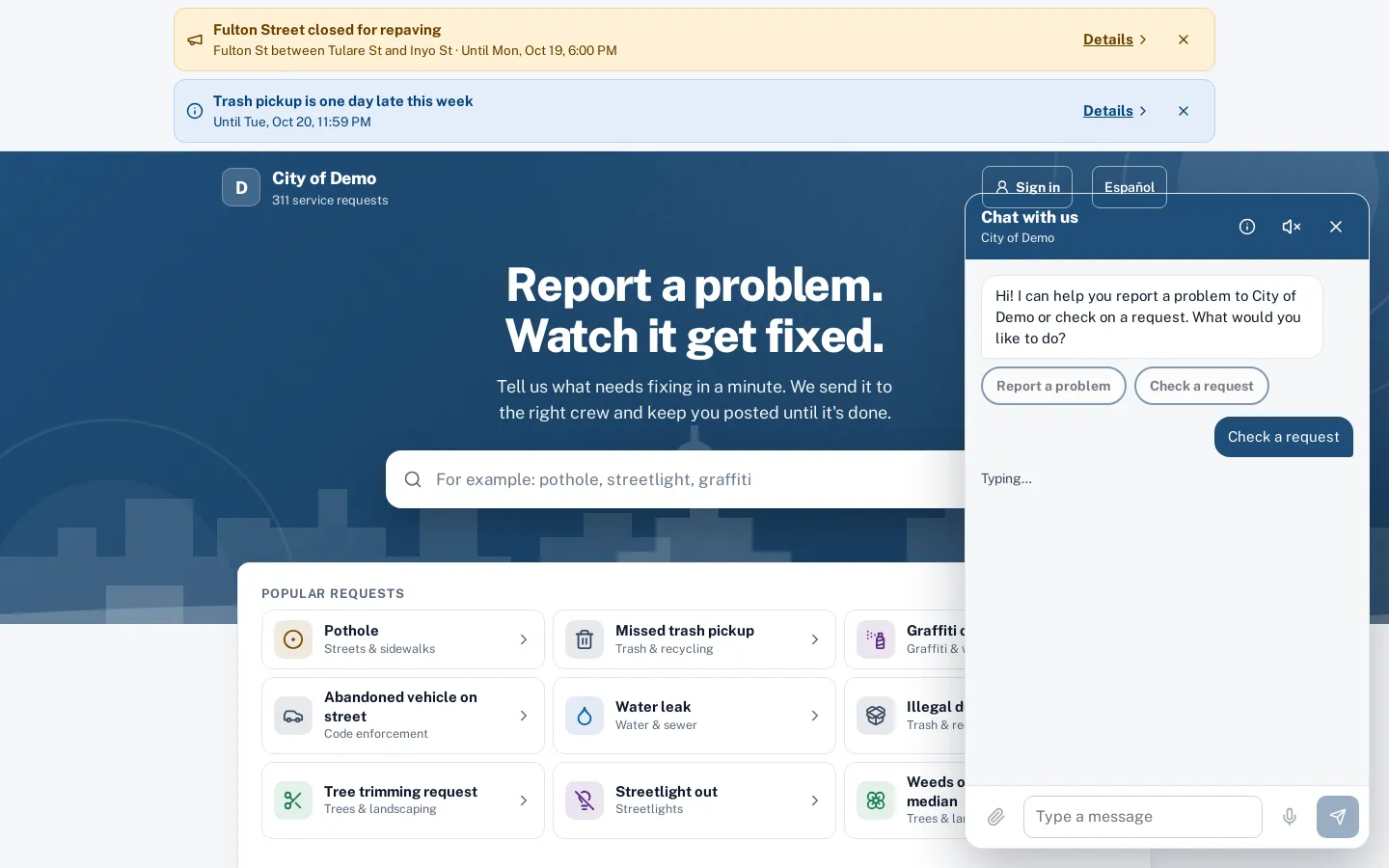
"There’s a pothole by the school." The chat asks the right questions, shows a summary, and files the request when the resident taps Send. It also checks status by request number.
What it does
Sentra 311’s AI chat sits on your public report page behind a “Chat with us” button. A resident can type or say “there’s a pothole by the school on Clinton” and the chat does the rest: it suggests the request type, checks the location against your city limits, asks the type’s questions and shows a summary card. Nothing is filed until the resident taps Send on that summary.
The same chat answers “what’s happening with my request?”: the request number alone returns the public status — type, street, status and public updates — just like the public tracking page. Requests filed in the same conversation get the resident’s private tracking link.
Some residents won’t fill out a form. They’ll call, or they’ll give up. A chat meets them halfway, at any hour.
How it works
Describe it in plain words
By typing, or with the microphone in supported browsers.
- Side path:
Help articles first
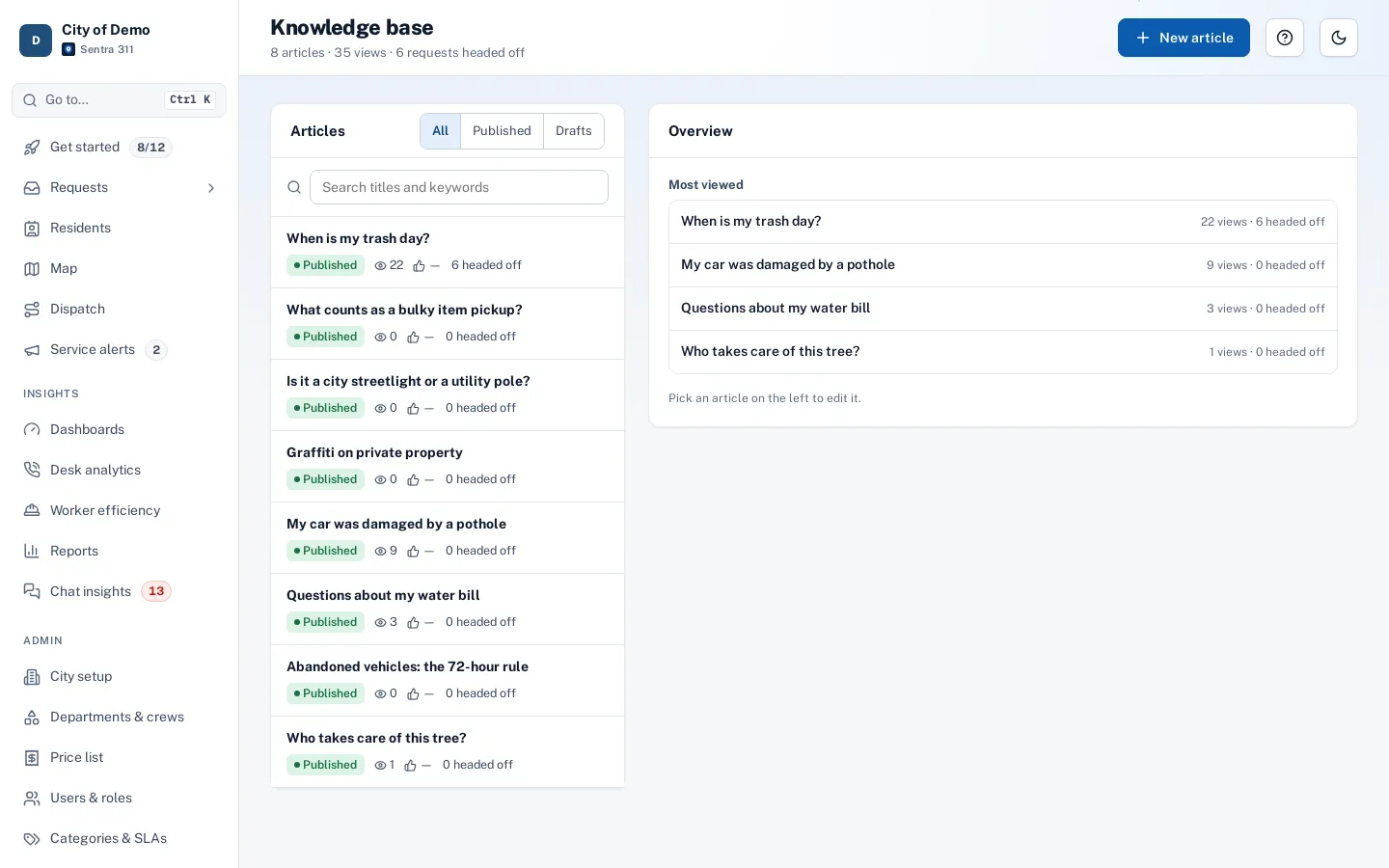
When your knowledge base already answers the question, the chat shows the article before offering to file.
Answered by an article
Answer a few questions
The chat suggests the type, checks the location and asks your form’s questions.
Confirm and send
Nothing is filed until the resident taps Send on the summary.
Check status anytime
The request number is enough to see the public status.
Key features
Files real requests
Uses the same request types, forms, routing and deadlines as the report page; requests are marked with the source “Chat”.
Confirm before filing
A summary card with Send and Change buttons.
Status by number
The public status for any request number, with the street but never the house number or the resident’s details.
Voice in and out
A microphone uses the browser’s built-in speech recognition, and an optional speaker reads replies aloud (Chrome, Edge and Safari).
English and Spanish
The chat answers in the resident’s language, with translated type names and questions.
Emergency guidance first
Words that suggest danger show 911 guidance before anything else runs.
A day with it
A resident opens the chat and types “the streetlight on my corner has been out for a week”.
- The chat suggests the Streetlight out type and asks where it is; the resident gives an address or drops a pin on a small map card, and the chat checks that it’s inside city limits.
- It asks the type’s questions one at a time — is the light flickering or completely out, is there a pole number — offers to attach a photo, and asks whether the resident wants email updates.
- Then it shows a summary card.
- The resident taps Send, gets a request number and a tracking link, and can start another report or ask about an existing one.
- When the knowledge base already answers the question — “when is bulky item pickup?” — the chat shows the article first and only offers to file a request if the resident still needs one.
In practice
- Late-night streetlight report. At 11 PM a resident chats about a dark streetlight, answers two questions, taps Send and gets a request number.
- “Is my request fixed yet?”. A resident gives request number 1336 and sees the public status and latest update without calling.
- Spanish-speaking resident. A resident writes in Spanish; the chat answers in Spanish with translated request types.
Guarded by design
The chat has a short list of things it can do: suggest a type, look up the location, read the form, propose a summary, show help articles and look up public status. It can’t file without the resident tapping Send, can’t see other residents’ details, and treats everything residents type as information rather than instructions.
Accessibility, security and privacy
The chat runs on Anthropic’s Claude Haiku. Resident messages are treated as data, never as instructions: text that asks the chat to ignore its rules or show other people’s requests does not change what it may do.
Getting started
The chat appears on the report page once your request types and help articles are in place. Most of its knowledge comes from what you already set up: type names, form questions and articles.
Who uses it
Residents
Report or check status in conversation, by typing or speaking.
Front desk and call-takers
Fewer calls asking whether something has been fixed.
Supervisors
Every chat-filed request carries its transcript, so the context is never lost.
Communications staff
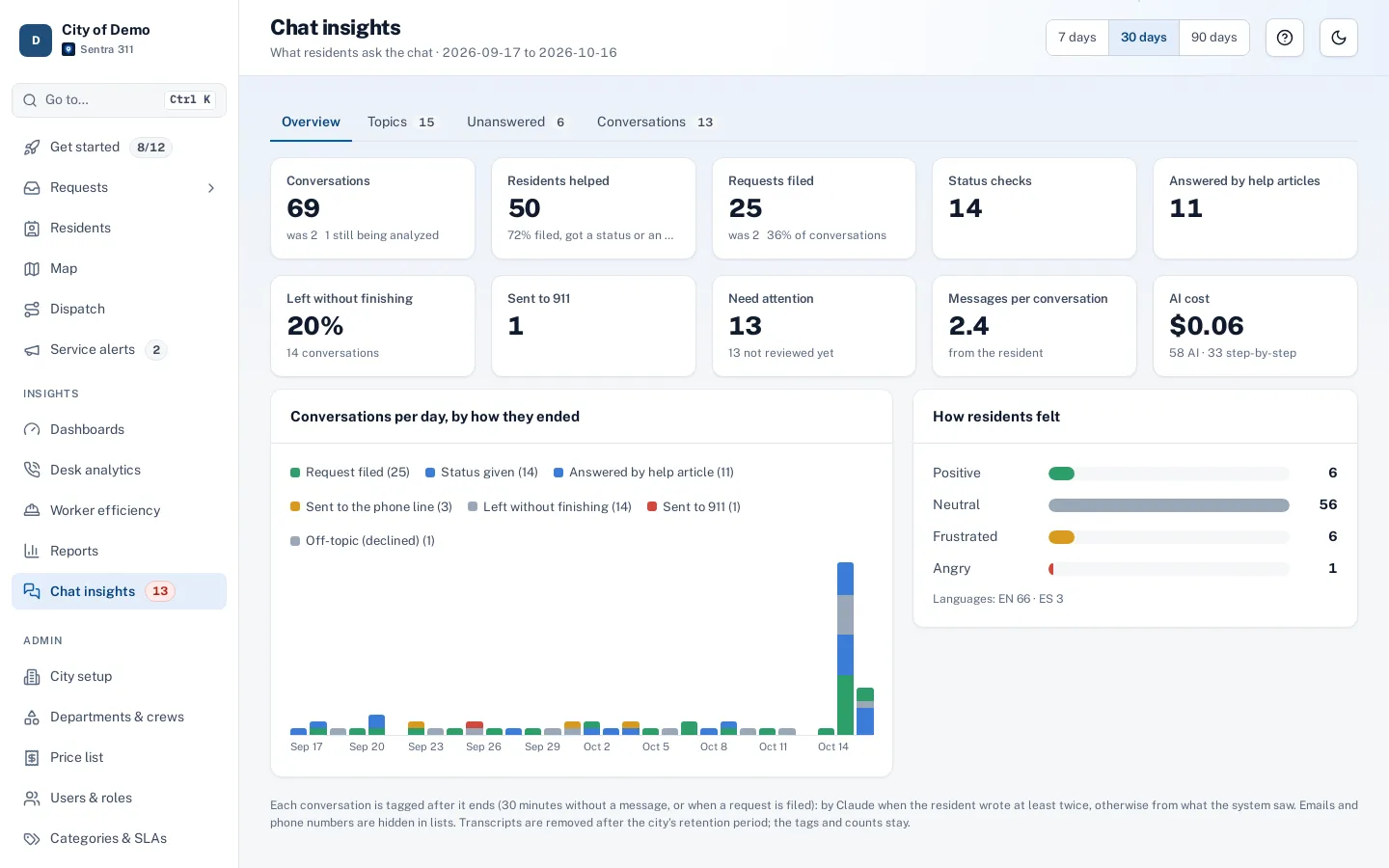
Chat insights shows the questions residents ask that your website doesn’t answer yet.
Questions cities ask
What does a conversation cost?
AI is included for every city. For reference, a full report conversation uses a fraction of a cent of AI time.
Can it see other residents’ requests?
Only the public status a number reveals: type, street (no house number), status and public updates.
Can the chat promise a repair date?
No. It explains the status and your published deadlines; it never invents commitments.
Can residents attach a photo in the chat?
Yes, and the photo helps suggest the type.
Is the chat available in the resident app?
Today it’s on the web report page. Adding it to the app is on our roadmap.
Which languages does the chat speak?
English and Spanish, with translated request types and questions.