
Know what each fix cost.
Crews log hours, crew size, materials and equipment when they close a job. Sentra 311 prices it from your city’s price list and reports cost by request type, district, department and month.
What it does
Your city keeps one price list: hourly labor rates for the city, a department or a crew, plus materials priced per unit and equipment by the hour. Each request type can ask for labor and materials at close-out, as optional or required.
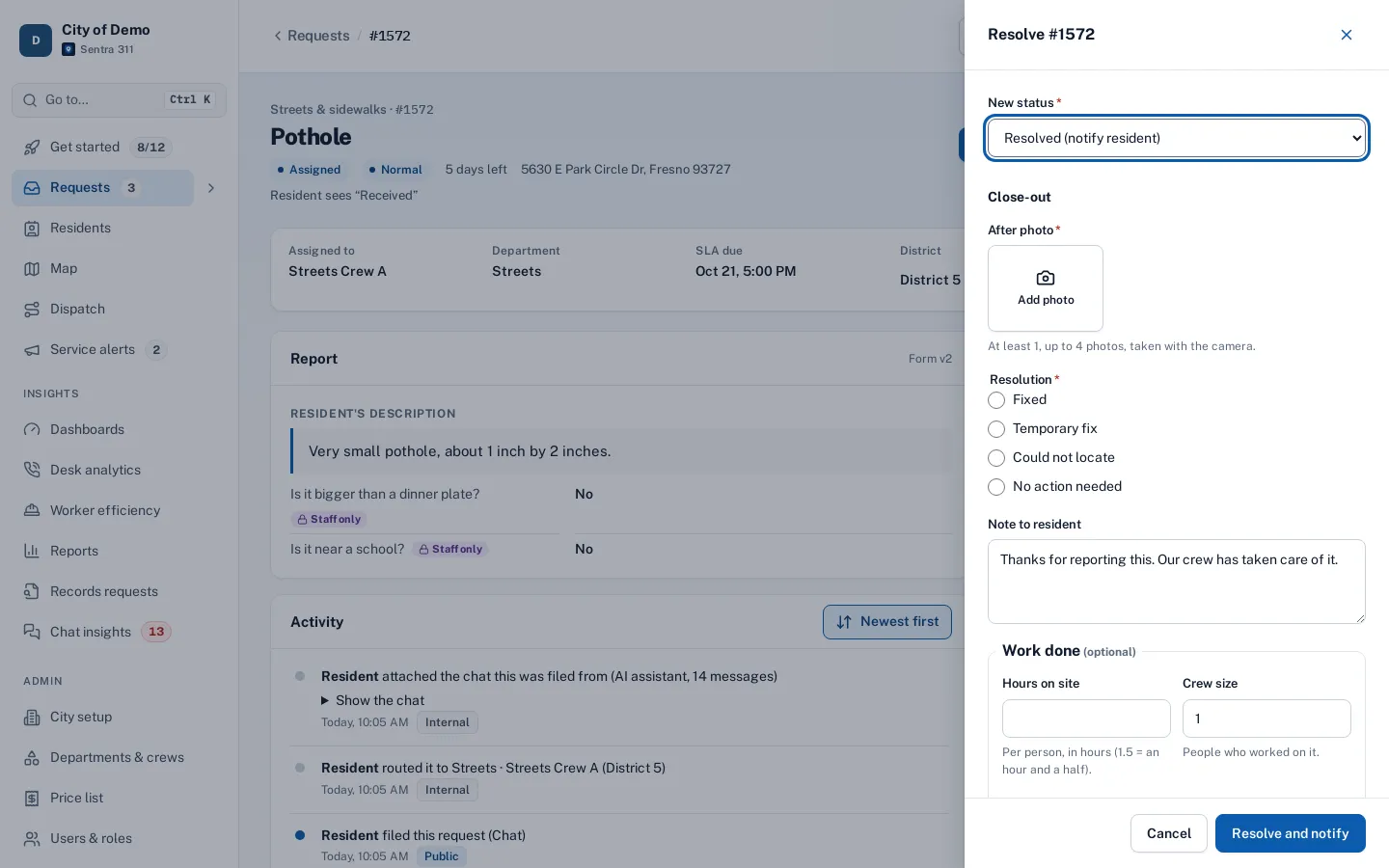
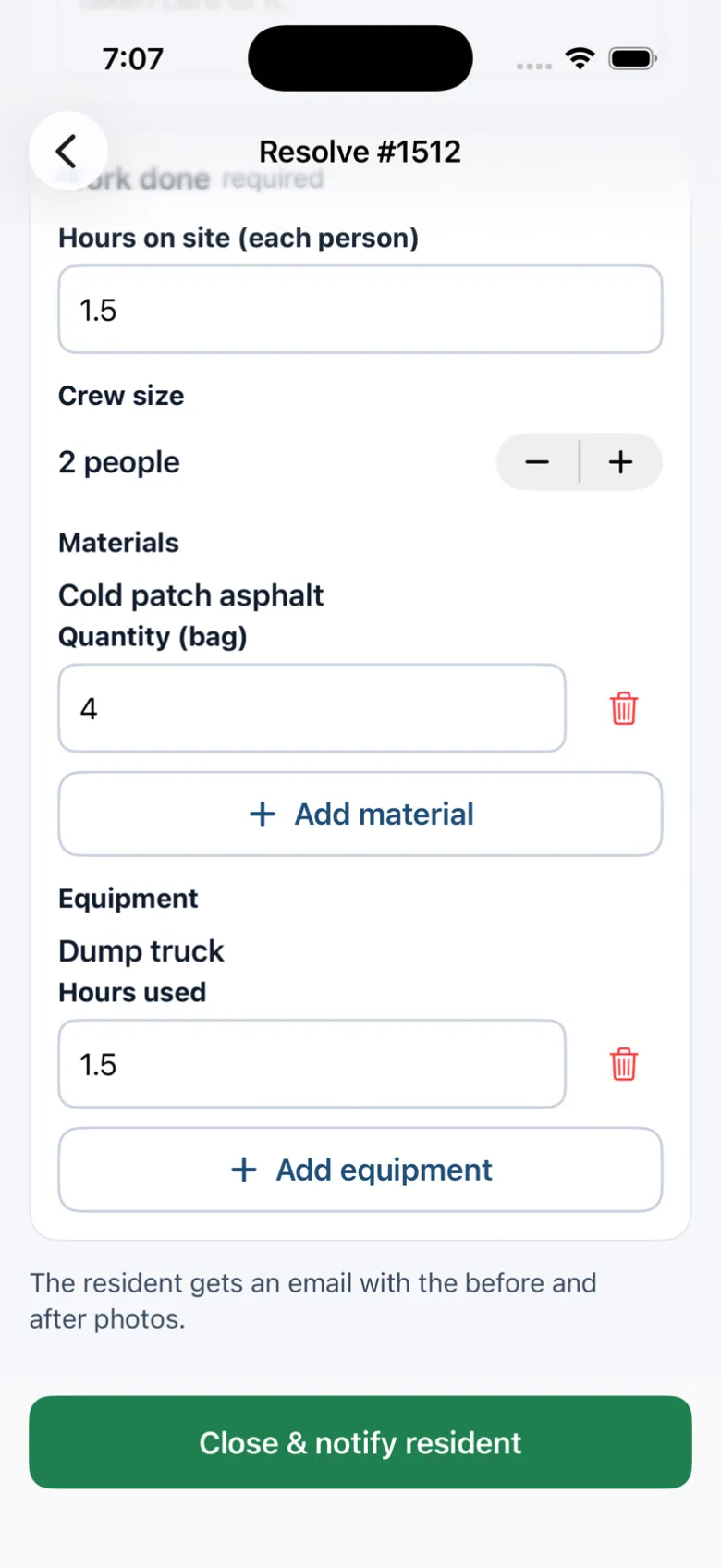
Crews enter hours on site, crew size and what they used, on the portal’s close drawer or in the worker app, even without signal. The server prices it and keeps that day’s prices with the job, so the Cost of work report stays right when rates change.
Budget season comes and nobody can say what potholes or graffiti actually cost last year, because the numbers live on paper timesheets.
How it works
- Admin
Set your price list
Labor rates for the city, a department or a crew, plus materials and equipment.
- Crew
Crews log the work
Hours on site, crew size and what they used, on the close-out screen, even without signal.
- Automatic
Prices are kept
Each close-out keeps the prices of that day, so later changes never rewrite history.
- Managers
Report the cost
Cost of work by type, district, department, crew or month, as CSV or PDF.
Key features
One price list
Labor, materials and equipment, with department and crew rates where they differ.
Logged at close-out
Hours on site, crew size, materials and equipment, pre-filled from when the crew arrived.
Prices stay private
Field workers see hours and quantities, never rates.
Cost reports
By request type, district, department, crew or month, as CSV or PDF, and on a schedule.
History you can trust
Each job keeps the prices it was closed with; corrections are logged.
Works offline
In the native worker app, close-outs with work and photos send when signal returns.
Accessibility, security and privacy
Admins manage city-wide rates; department heads manage their own departments’. Costs are never shown on public pages.
Getting started
Start with labor rates and a short materials list, then turn on "labor and materials" for the request types that matter most.
Who uses it
Public works directors
Know what each kind of fix costs before budget season.
Finance
Cost by department and month, exported for the budget.
Supervisors
Correct a job’s hours or materials after the fact.
Crews
A short section on the close-out screen, nothing more.
Questions cities ask
Do crews see our labor rates?
No. Field workers enter hours and quantities; prices are applied by the server and shown to supervisors and admins.
What if a rate changes mid-year?
Update the price list. Jobs already closed keep the price they were closed with.
Is it required for every job?
No. Each request type is off, optional or required.