
"Closed" should mean it’s fixed.
Each request type can require an after photo, a note or an on-site step before it can be closed. Referred requests say "Sent to County Public Works", never "Closed".
What it does
One of the most common complaints about 311 systems is that requests show “Closed” when nothing was fixed — the work was referred to another agency, merged into another ticket, or closed to clean up the list. Sentra 311 makes “closed” mean closed.
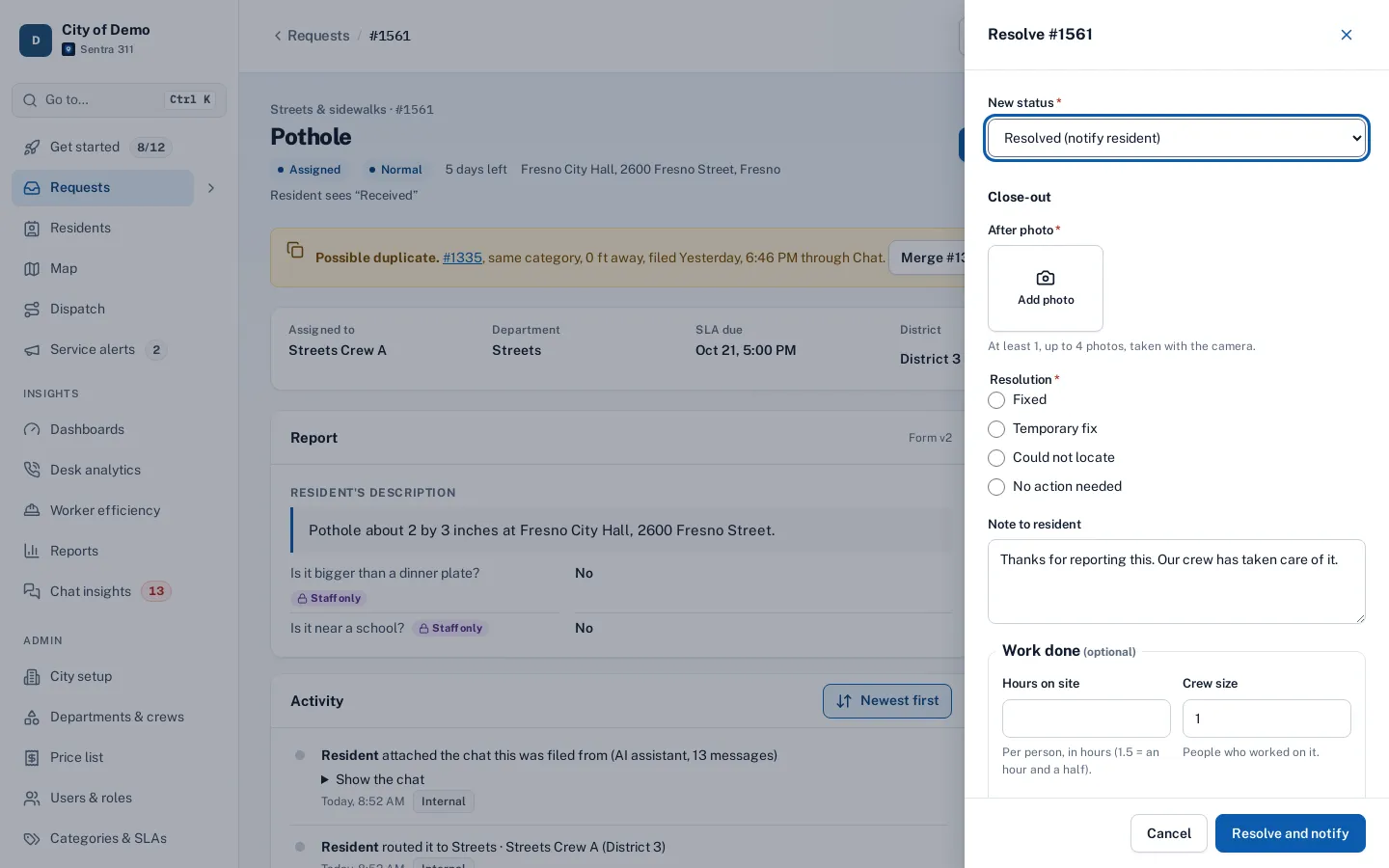
Each request type can require proof before it can be resolved: an after photo, a note in the crew’s own words, or an “on site” step recorded by the worker. A city-wide default applies to every type unless a type overrides it. Only a city admin can close without proof, and only by giving a reason that is recorded and shown in reports.
Residents lose trust when a request shows "Closed" and the pothole is still there.
How it works
- Admin
Set the proof per type
Photo, note, on-site step, or none.
- Crew
Close with what’s required
The close drawer and the worker app show a checklist and block closing until it’s met.
- Resident
Tell residents the truth
Fixed, sent to another agency, merged, or closed without a fix, with the reason.
Key features
Proof rules per type
After photo, resolution note, on-site step: Required, Not required, or the city default.
Enforced everywhere
The portal, the worker app, bulk updates and field reports all follow the same rules.
Admin override with a reason
Recorded in the timeline and counted in reports.
Honest referral status
“Sent to County Public Works” with the agency’s phone and website — never “Closed”.
Clear outcomes for residents
Merged and couldn’t-fix requests show plain-language explanations on tracking pages and in emails.
“How requests ended” report
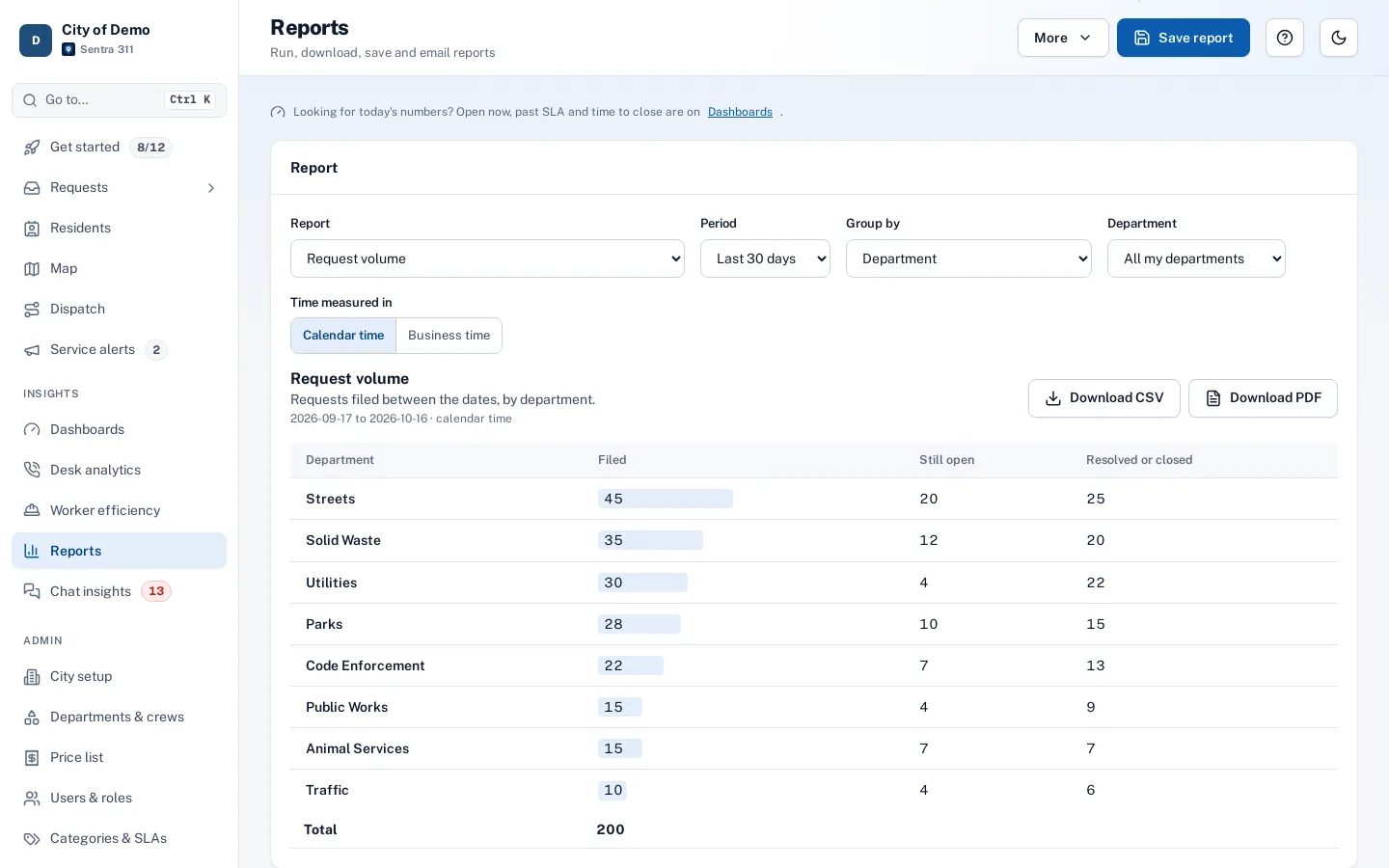
Fixed, couldn’t fix, referred and merged, with the share of fixes that had proof and the number of overrides.
A day with it
In Admin › City setup, a city chooses default proof for every request type: an after photo, a resolution note, an on-site step, any combination or none.
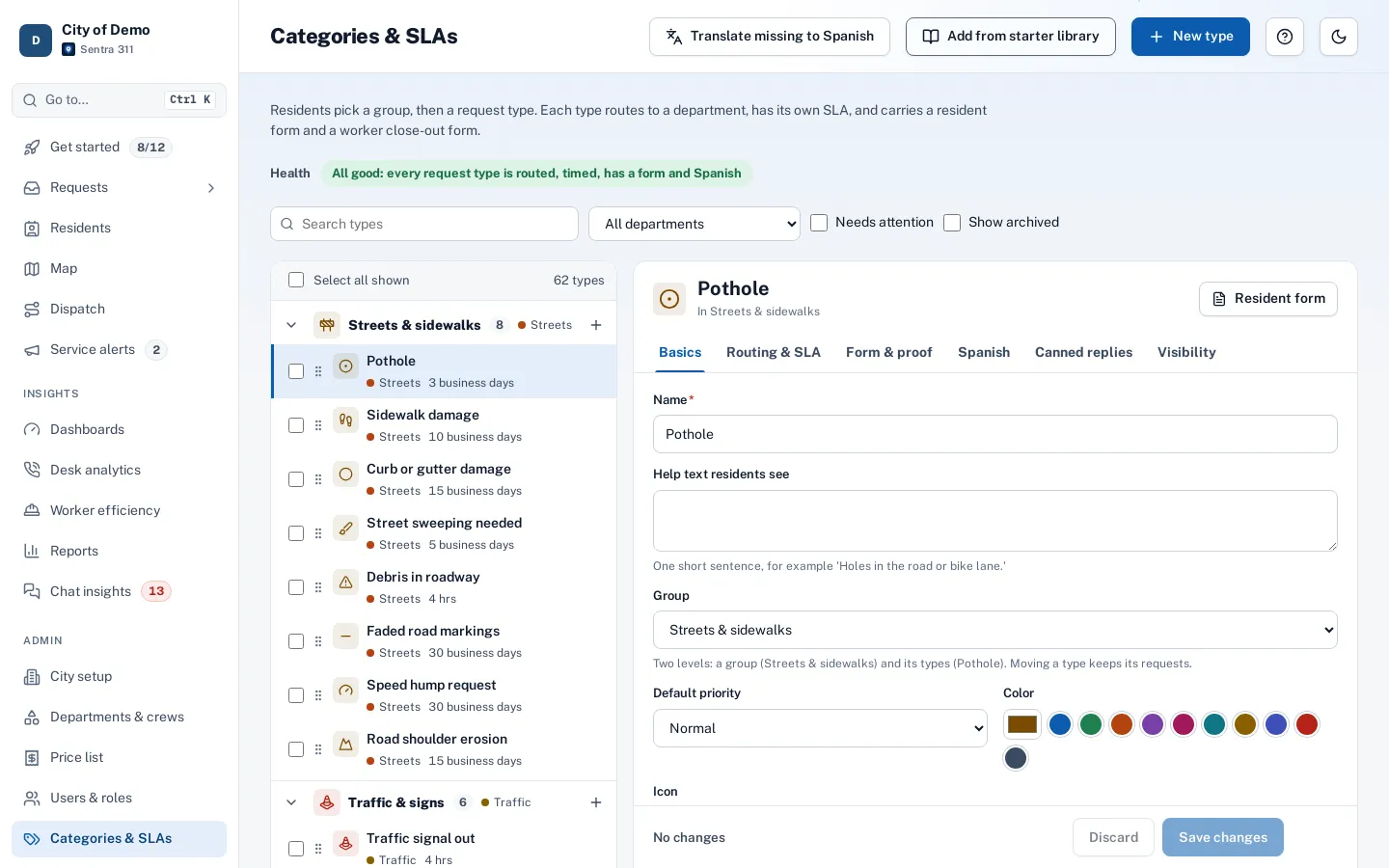
- In Admin › Categories & SLAs, each type can follow the default, require a rule or skip it — for example, require an after photo for potholes and graffiti but not for missed trash pickups.
- The close-out drawer in the portal and the close-out screen in the worker app show a checklist of what the type needs and keep the Resolve button disabled until it’s met.
- A note counts only when it’s in the crew’s own words; the pre-filled default text doesn’t satisfy a note requirement.
- An on-site step requires that someone marked the request “on site” before resolving it.
In practice
- Pothole patched. The crew can’t resolve without the after photo, and the resident’s email includes it.
- Not the city’s job. A request referred to the utility shows “Sent to the water utility” to the resident.
- Office closure with a reason. An admin closes a stale request without proof and the reason appears in the outcomes report.
Honest outcomes in reports
The “How requests ended” report breaks closures into fixed, closed without a fix, referred and merged, and shows the share of fixes closed with proof and the number of admin overrides. The department dashboard shows “Closed with proof” as one of its key numbers, so departments can see how consistently crews document their work.
Accessibility, security and privacy
Proof rules are off unless a city turns them on, so you can adopt them type by type. Imported historical records are exempt, since they’re history rather than new work.
Getting started
Many cities start by requiring an after photo for street and sidewalk work, then add rules as crews get used to the worker app.
Who uses it
Residents
Trust the status they see.
Crews
Know up front what’s needed to close a job.
Department heads
See closed-with-proof rates on the dashboard.
Council members
Reports that separate real fixes from referrals.
Questions cities ask
Will it slow crews down?
It only asks for what you require, and it’s per type. Many cities start with photos on a few types.
Does this slow crews down?
The worker app shows the checklist before closing, so taking the photo is part of the job, not an extra trip.
Can a supervisor close from the office?
Yes, unless “on site” is required for that type; admins can always override with a reason.
What do residents see when we can’t fix something?
“Closed — couldn’t fix” with the reason in plain words, and an email explaining it.
Can different types have different rules?
Yes. Each type can require, skip or follow the city default for each rule.
Do proof rules apply to imported history?
No. Imported records are history and are exempt.