
Tell residents before they call.
Post a road closure, a water shut-off or a holiday trash delay once. It shows on the report page, the website widget and the app, and reaches the phones of residents who live where it matters.
What it does
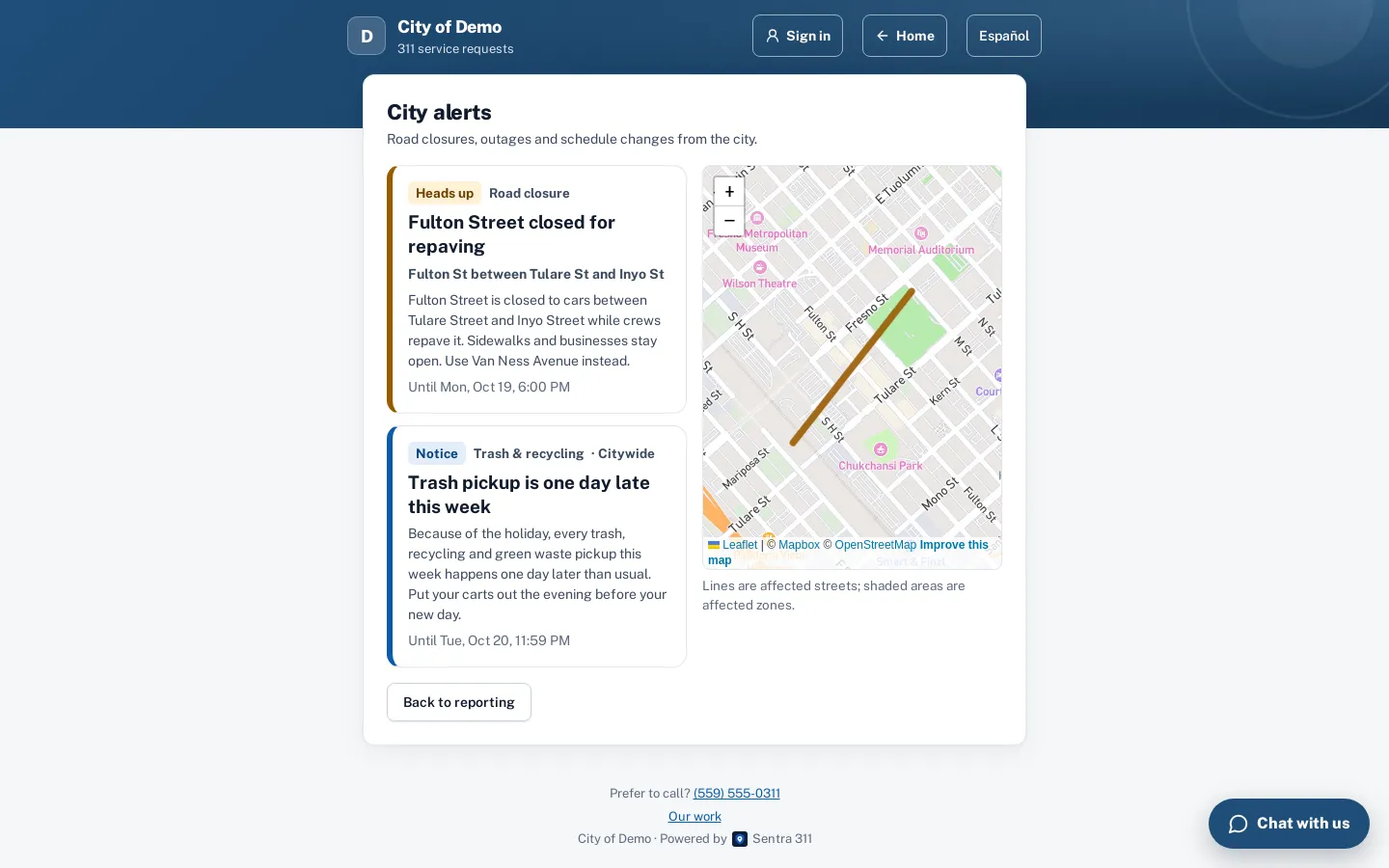
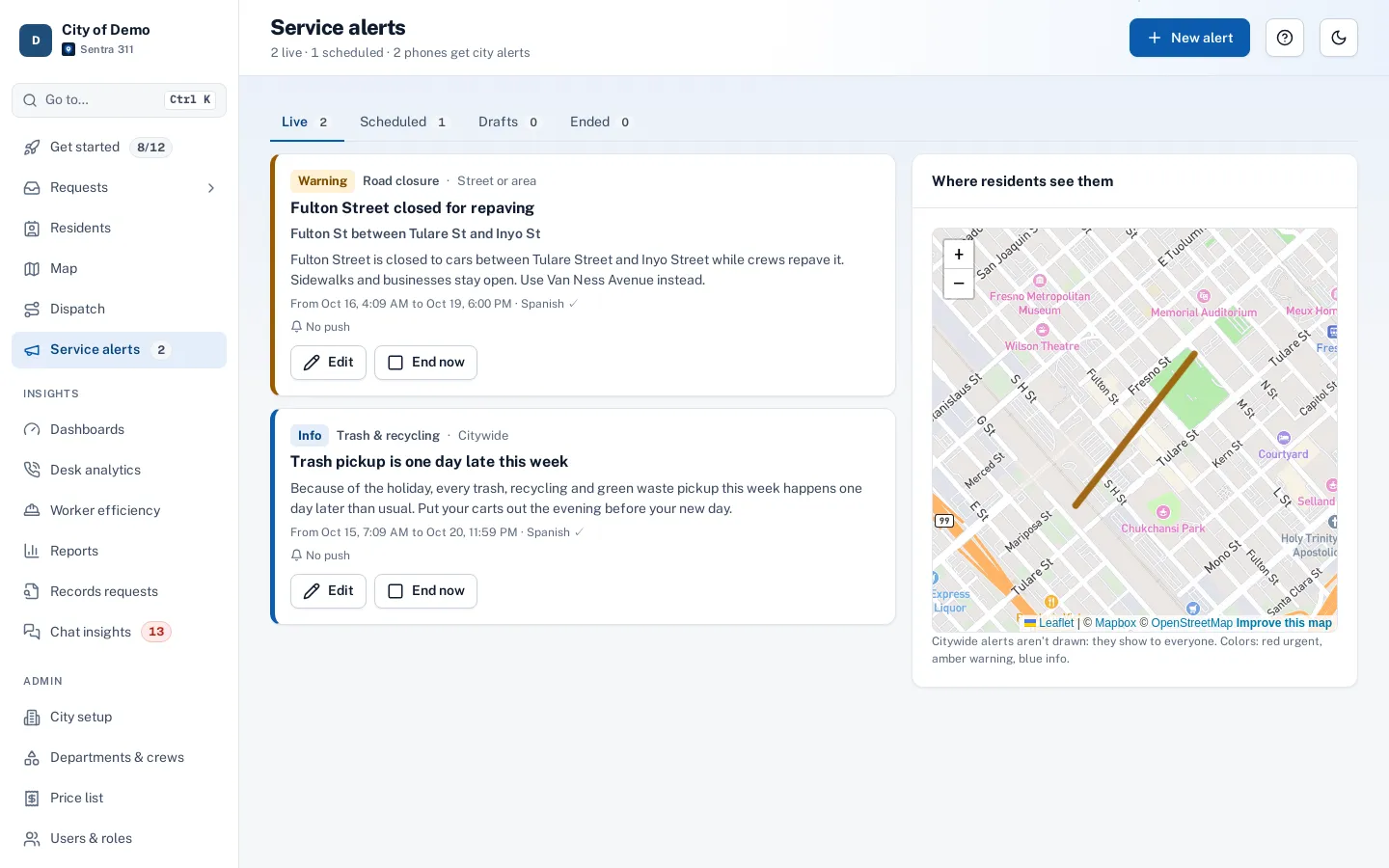
Staff write an alert once, in English and Spanish, and choose where it applies: the whole city, a street drawn on the map, a zone, or a point and radius. It shows as a banner on the report page and the website widget, on a city alerts page with a map, and in the resident app.
Residents who turned on city alerts in the app get a push notification. For a street or zone, only phones with a saved place inside the area get one, so a closure on one block doesn’t wake up the whole city.
When a street is closed or pickup slips a day, the phones ring and the same reports pile up. Residents would rather have known.
How it works
- City staff
Write the alert
Title and message in English and Spanish, a type, how urgent it is and when it starts and ends.
- City staff
Choose where
Citywide, or draw the affected street or zone on the map.
- Resident
Residents see it
A banner on the report page, the widget and the app, with the street highlighted on the map.
- Resident
Phones get a push
Only residents who turned on city alerts, and for a street or zone only those with a saved place inside it.
Key features
Draw the street
Click along the street to draw the closure, or draw a zone or a radius; residents see it highlighted on the map.
English and Spanish
Both versions on every alert, with an AI draft of the Spanish text that staff edit before publishing.
Scheduled or now
Publish now or schedule it; alerts end on time or with one click.
Push to the right phones
Only that city’s residents who opted in, and for an area only those with a saved place inside it.
Private by design
Targeting uses saved places residents chose, never a phone’s live location.
Estimated reach
Before publishing, staff see how many phones will get the push.
Accessibility, security and privacy
Alerts are written by admins, department heads and dispatchers. Every alert, edit and push is recorded.
Getting started
Turn on alerts and post a test alert in the first week. Residents opt in from the app’s settings.
Who uses it
Public works
Closures, repaving and detours, drawn on the map.
Utilities
Water shut-offs and outages for the streets affected.
Solid waste
Holiday schedule changes, citywide.
Communications staff
One place to post that reaches the report page, the widget and the app at once.
Questions cities ask
Who gets the push notification?
Residents of your city who turned on city alerts in the app. For a street or zone, only those with a saved home or other place inside the area.
Can we send a correction?
Yes. Edit the alert and tick "Notify again" to send an update; otherwise edits don’t push again.
Do residents need the app?
No. Alerts show on the report page and the website widget for everyone. The app adds push notifications.