
Native iPhone and iPad apps for residents and crews.
Two native apps, built for iPhone and iPad and coming to the App Store: one for residents to report and follow, one for crews to work their day, with or without signal.
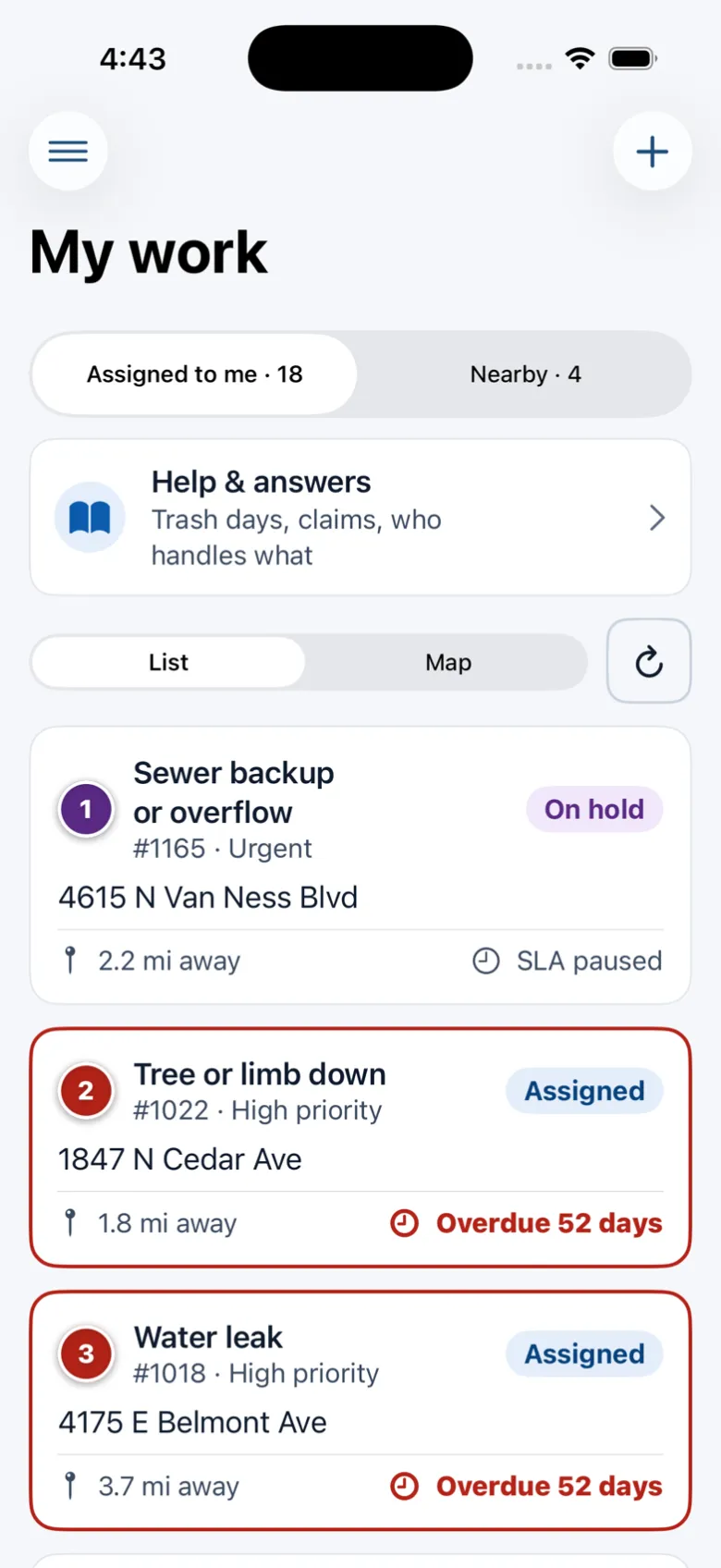
What it does
The resident app lets people pick their city, report with a photo and a pin, follow their requests, see what neighbors reported nearby and get city alerts. The worker app gives crews their jobs, route, close-out with photos, field reports and help.
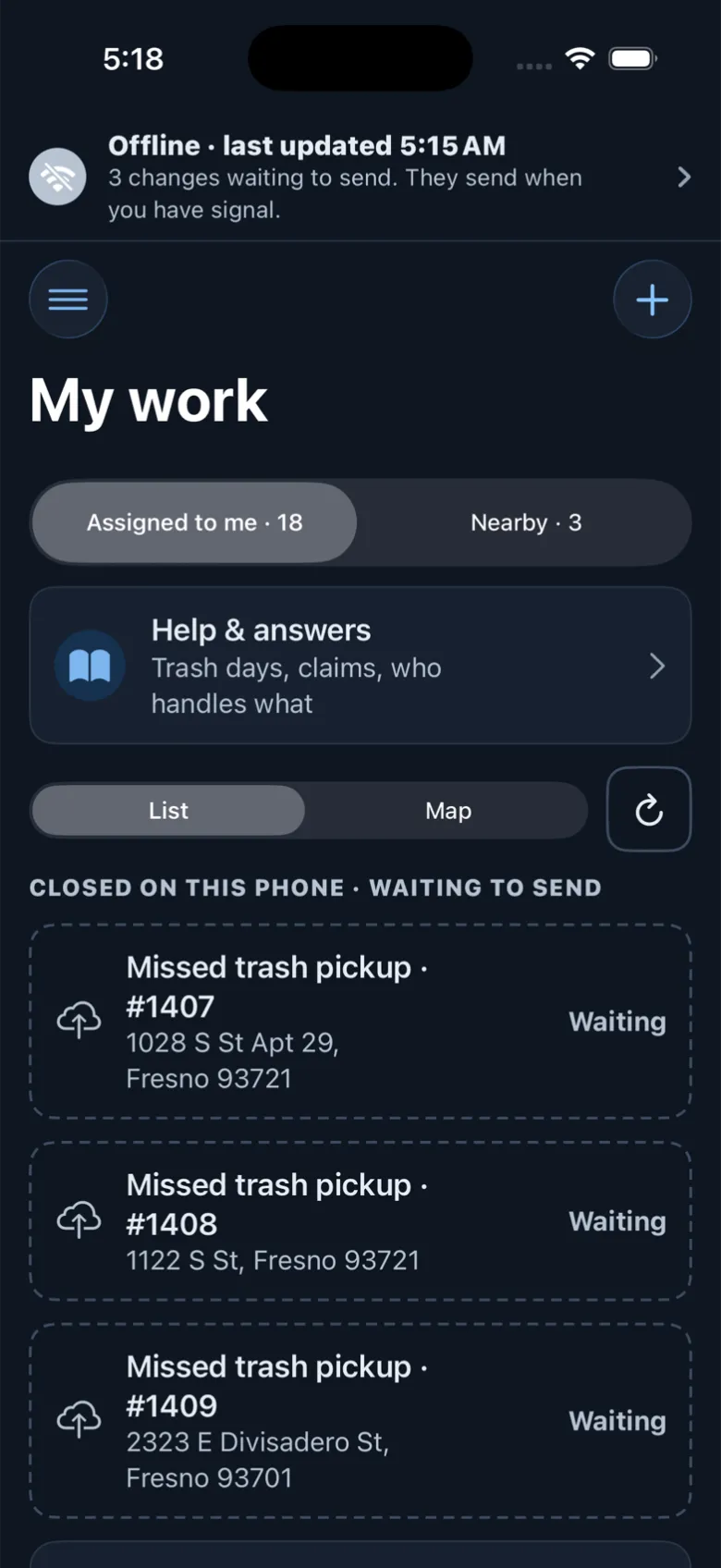
The worker app keeps working without signal. Today’s jobs, the route and each ticket are saved on the phone, and every change waits in a queue that sends in order when signal returns, with no duplicates and no silent overwrites. Both apps are coming to the App Store; until then they run in any phone browser.
Crews lose signal in basements, canyons and the edge of town, and residents expect a real app with notifications.
How it works
- Everyone
Choose your city
Both apps start by picking the city; everything after that is your city’s.
- Crew
Work without signal
The worker app keeps today’s jobs and route on the phone and queues every change.
- Automatic
Sync when back online
Status changes, notes and close-outs with photos send in order, never twice.
Conflicts stop as “Needs a look”
- Everyone
Get the right push
“New job assigned” for crews; status updates and city alerts for residents.
Key features
Offline mode
Jobs, routes and close-outs keep working in dead zones and sync when the phone reconnects.
Never twice
Each queued change keeps one ID for its whole life, so a retry can’t act twice.
No silent overwrites
If the office changed a job meanwhile, the change stops as “Needs a look”.
Push notifications
“New job assigned” for crews; status updates and city alerts for residents.
Apple Maps
Routes, pins and alert areas on Apple Maps.
Accessible
VoiceOver, Dynamic Type and dark mode, with large tap targets for gloves.
Accessibility, security and privacy
Push permission is asked only when it helps: after a worker’s first sign-in, and after a resident files a report or turns on alerts. Location is never shared unless a worker turns on location sharing and the city allows it.
Getting started
Both apps are coming to the App Store. Until then residents and crews use the same apps in a phone browser.
Who uses it
Field crews
Work the whole day, even where there’s no signal.
Residents
Report, follow and get alerts from a real app.
Supervisors
See queued and synced work, and changes that need a look.
IT
Nothing to host: the apps talk to your Sentra 311 city.
Questions cities ask
Are the apps in the App Store?
They’re built and coming to the App Store. Until then residents and crews use the same apps in a phone browser.
What happens if two people change a job while one is offline?
The phone sends its change with the version it saw. If the office changed the job meanwhile, the change stops as “Needs a look” instead of overwriting.
Is there an Android version?
Android users use the apps in their phone’s browser. A Google Play version is on our roadmap.