
Start with a photo. We’ll work out the rest.
Residents don’t know your request type names. They know what they’re looking at. Sentra 311 suggests the right type from the photo or a few words.
What it does
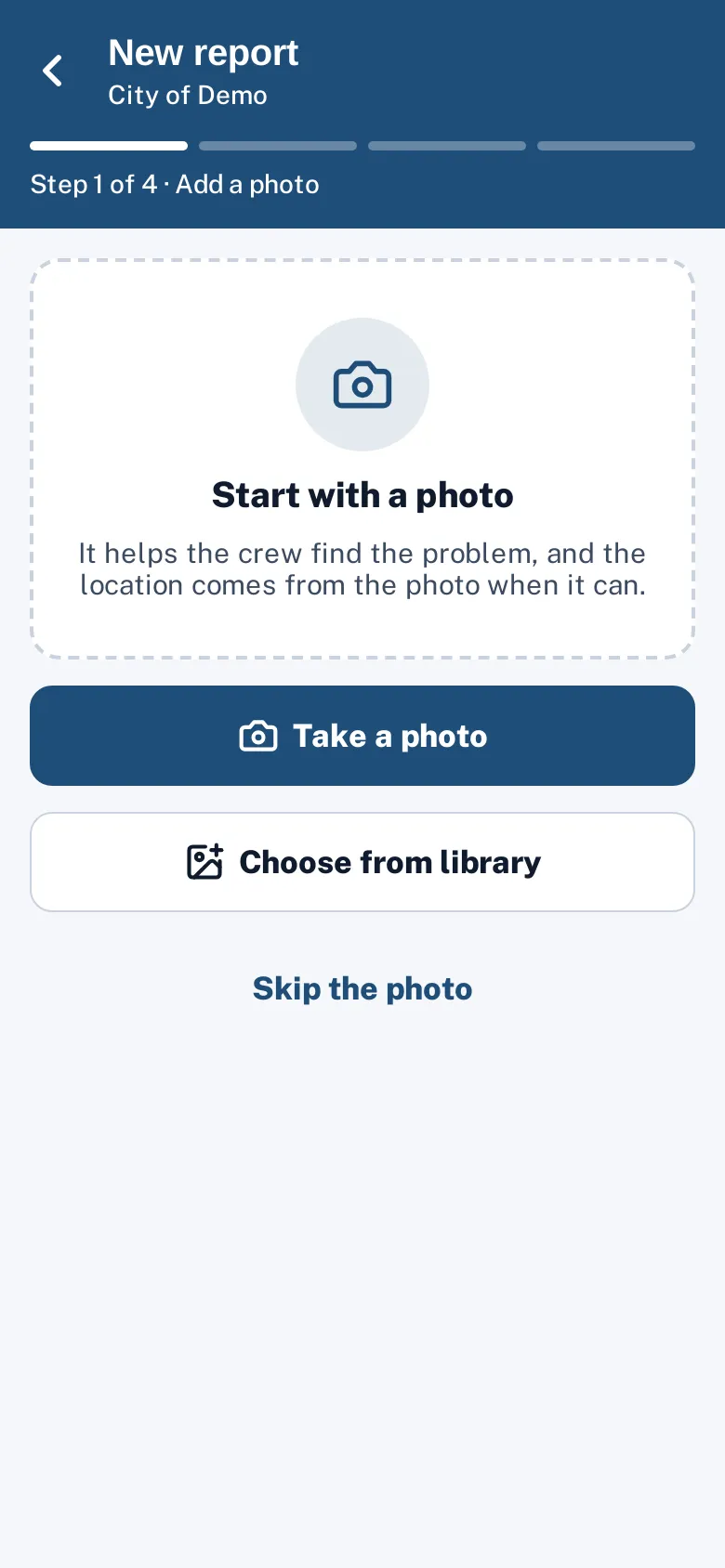
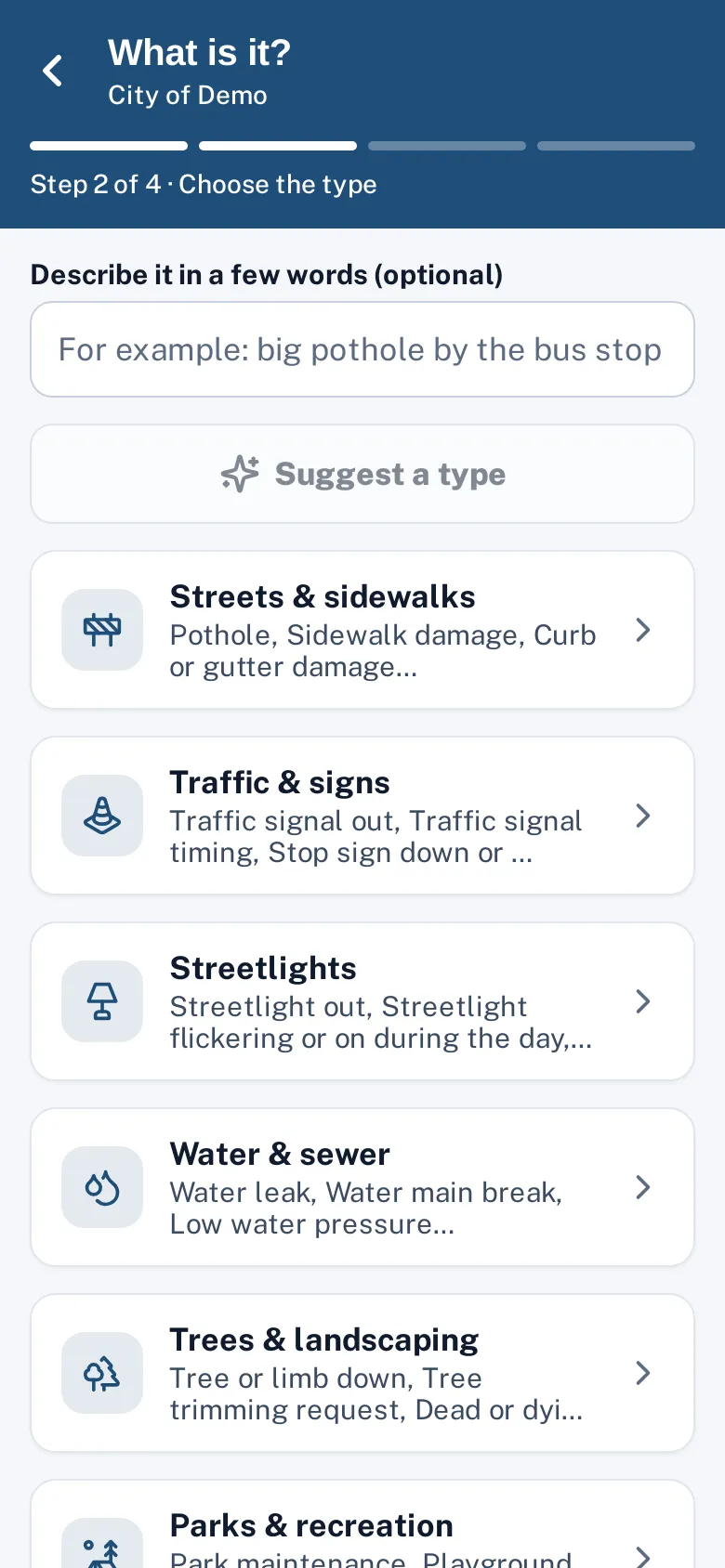
Residents know what they’re looking at; they don’t know your request type names. Sentra 311 lets them start with a photo, or a few words like “big hole by the bus stop”, and suggests the best match from your city’s own active request types. The resident confirms the suggestion or picks another type, then continues with that type’s short form.
Suggestions come from Anthropic’s Claude Haiku model, which receives the photo or text and your list of types — nothing else about the resident. When AI is turned off or unavailable, Sentra 311 falls back to keyword matching, so reporting never stops working.
Long category lists send reports to the wrong department, and someone on staff spends the morning re-routing them.
How it works
Take or choose a photo
The location comes from the photo when it has GPS.
Get a suggestion
Claude looks at the photo or a short description and suggests the best match from your city’s own types.
Confirm and continue
The resident confirms or picks another type. Emergencies show 911 guidance instead.
Emergencies are caught
If the photo or words suggest danger (a gas smell, a downed line, someone hurt), Sentra 311 shows 911 guidance instead of continuing.
Key features
From a photo, words or both
The resident can take a photo, choose one from the library, type a few words, or do both for a better match.
Only your city’s types
Suggestions are limited to your active, non-emergency types, so the resident never sees a type your city doesn’t handle.
Location from the photo
When the photo carries GPS data, the map starts at that spot; the resident can move the pin.
Nothing filed without the resident
The AI only suggests.
Keyword fallback
If AI is off, keyword matching suggests types; ties are left for the resident to choose.
Same engine in the chat
The AI chat uses the same suggestion when a resident describes a problem in conversation.
A day with it
A city with forty request types in ten groups asks residents to understand the city’s organization chart before they can report a broken streetlight.
- Suggesting the type from what the resident can see or describe flips that: the resident describes the problem in their own words, and Sentra 311 maps it to the city’s structure.
- The resident still sees the suggested type’s name and can change it, so the choice stays theirs.
- Suggestions also work when the resident types a few words without a photo, and the same matching runs when staff file requests from phone calls — a call-taker can type what the caller says and pick from the suggestions.
In practice
- “Big hole by the bus stop”. A resident types a few words; the suggestion is Pothole in Streets & sidewalks, and they confirm.
- A photo of a leaning sign. The photo alone suggests Sign damaged or missing, and the map opens where the photo was taken.
- A smell of gas. Words that suggest danger show 911 guidance instead of a form.
Emergencies first
Some reports shouldn’t be 311 requests at all. Request types marked as emergencies show 911 guidance instead of a form, and if a photo or description suggests immediate danger — a gas smell, a downed power line, a fire, someone hurt — Sentra 311 shows the emergency guidance before anything else.
Getting good suggestions
Clear, specific type names give the best results: “Streetlight out” rather than “Lighting”, “Graffiti on public property” rather than “Vandalism”. A one-line description on each type also helps, and it doubles as help text for residents.
Accessibility, security and privacy
The model receives the photo or description and the list of request type names. It does not receive the resident’s contact details.
Who uses it
Residents
Report without learning the city’s category names.
Dispatchers
Fewer misfiled requests to re-route each morning.
Department heads
Requests reach the right department’s queue the first time.
Questions cities ask
Which AI model do you use?
Anthropic’s Claude Haiku. It only sees the photo or text the resident sends and your list of request types.
Can the AI file something by itself?
No. It only suggests; the resident confirms.
What if the suggestion is wrong?
The resident picks another type from the list. Staff can also change the type on the request later; routing and deadlines update.
Does it identify people in photos?
No. It only suggests a request type. Blurring faces and license plates on public photos is on our roadmap; today staff choose which photos are public.
Can we turn it off?
Yes. Without AI, the type list and keyword matching still work.
Does the AI learn from our residents’ photos?
Requests are sent to Anthropic’s API to get a suggestion; under Anthropic’s commercial terms, API inputs aren’t used to train their models. Check the subprocessors page for details.