
Know what residents are asking.
Top topics, questions the chat couldn’t answer, how conversations ended, and flags for frustrated residents, emergencies or misuse.
What it does
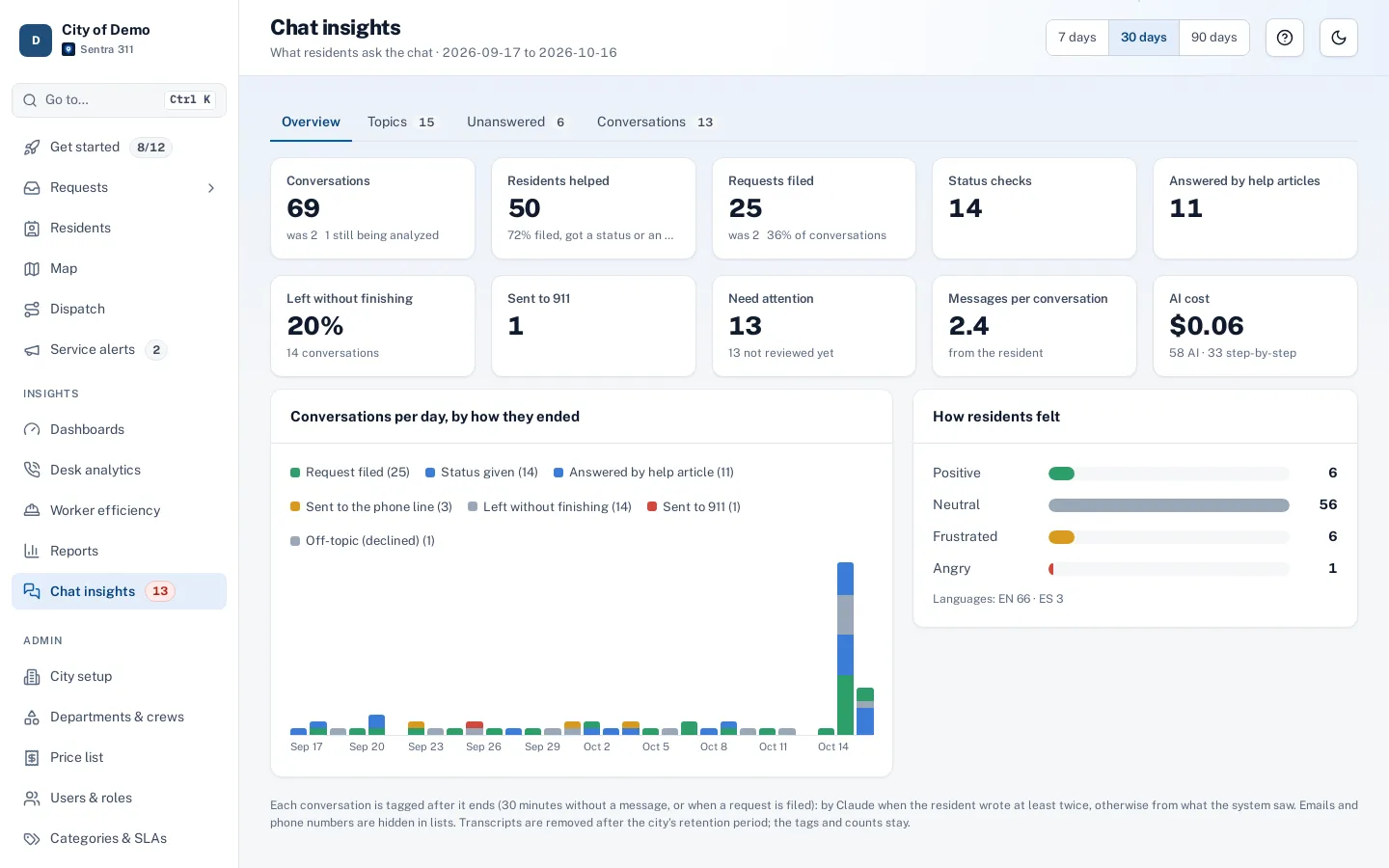
Chat insights turns every finished AI chat into data staff can use. Each conversation gets a one-or-two-sentence summary and tags: the topic (matched to your request types where it fits), what the resident wanted, how it ended (filed, status given, answered by an article, abandoned, sent to 911), the resident’s mood and the language.
The page shows top topics with trends, questions the chat couldn’t answer with a one-click “Create help article”, and a “Needs attention” list for frustrated residents, misuse attempts, emergencies, AI errors and people who asked for a person.
A chat nobody reviews is a black box.
How it works
Every chat summarized
Topic, intent, outcome, mood and language, without personal details in the summary.
Fix the gaps
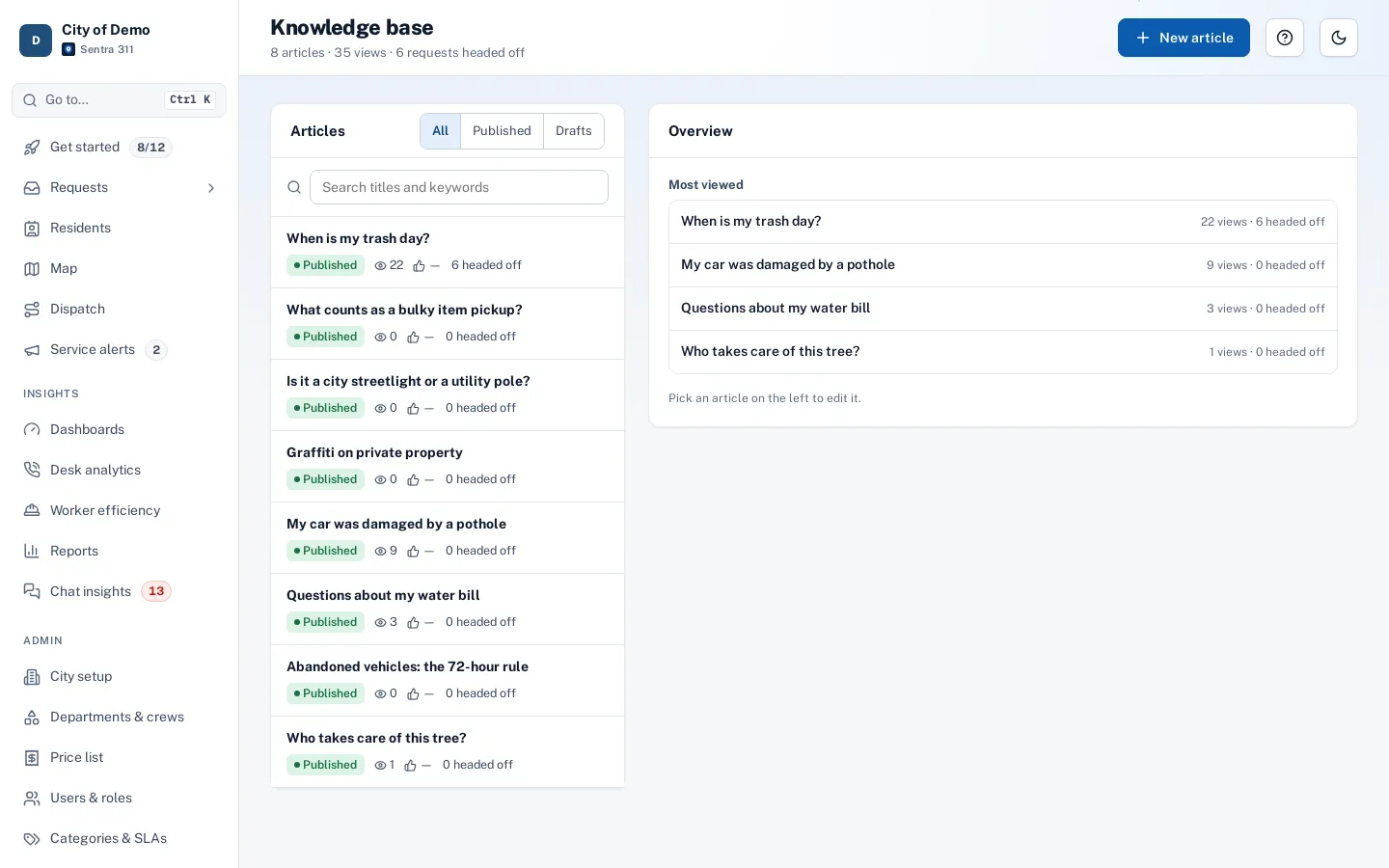
"Create help article" from unanswered questions.
Review what’s flagged
Mark reviewed with a note; an optional daily email.
Key features
Summaries and tags
Written without names, emails, phone numbers or house numbers.
Unanswered questions
Grouped by topic with “Create help article”.
Needs attention
Flags with a review note and “Mark reviewed”, recorded in the audit log.
Transcripts
Chat bubbles with plain-words steps; contact details masked by role.
Daily digest
An opt-in email at 7 AM when something needs attention.
A day with it
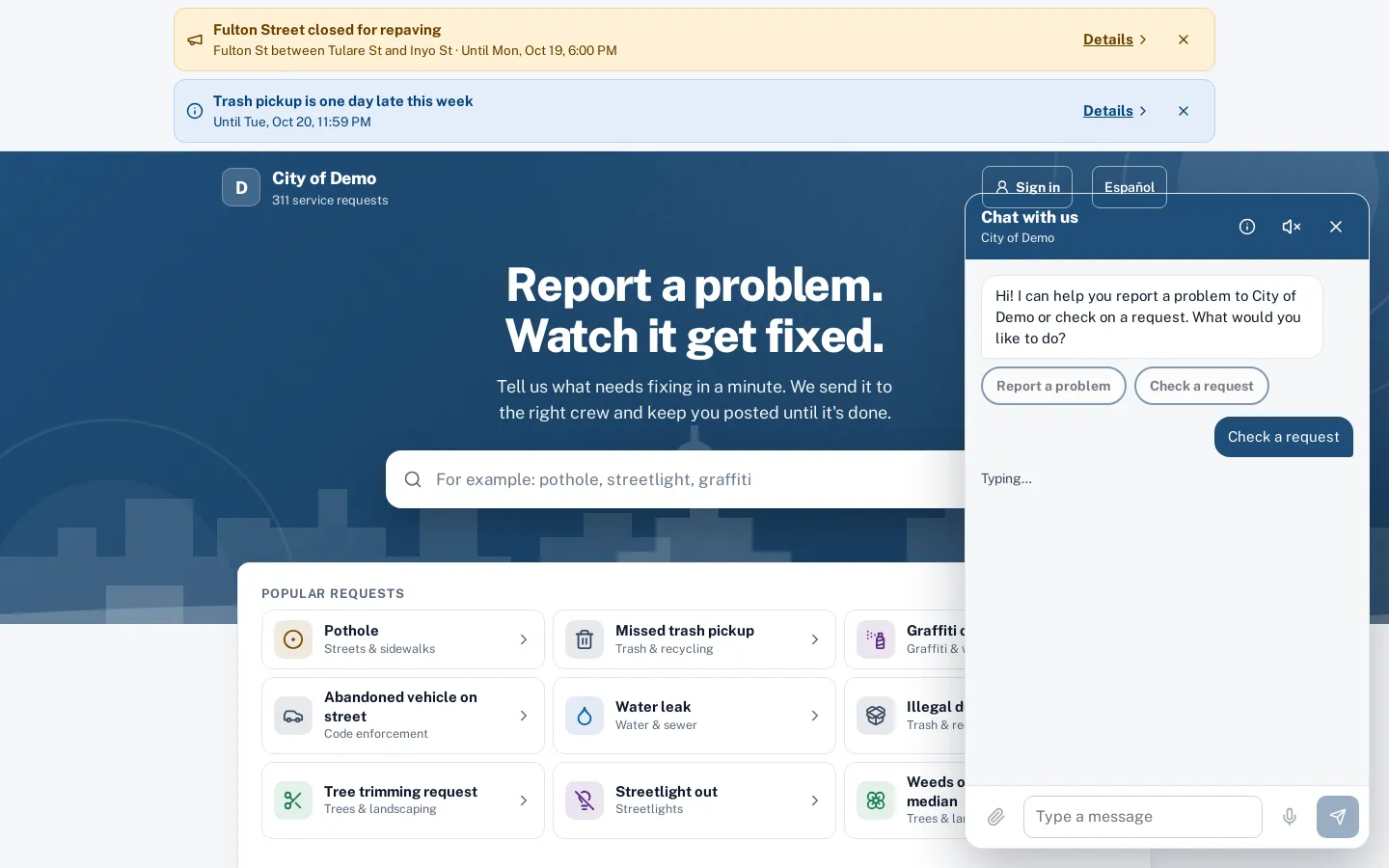
When a chat ends — after 30 minutes without a new message, or as soon as a request is filed — Sentra 311 asks Claude Haiku for a short summary and tags.
- Conversations where the resident wrote only once are tagged by simple rules instead and labeled “basic”.
- Facts the system knows always win over the model: if a request was filed or 911 guidance was shown, the outcome says so regardless of the summary.
- Tagging counts toward the usage page.
- Flags for emergencies and AI errors come only from what the system saw; sensitive data is flagged only from number patterns such as card numbers.
- The model can add “couldn’t answer”, “misuse” and “asked for a person”.
In practice
- A gap in the website. Residents keep asking about street sweeping; staff publish an article and the chat starts answering.
- A frustrated resident. A flagged conversation leads a supervisor to call the resident back.
- Misuse attempt. An attempt to trick the chat is flagged and reviewed.
Using the page
Key numbers at the top cover conversations, residents helped, requests filed through chat, status checks, answers from help articles, abandoned conversations, 911 redirects, conversations needing attention, average messages and AI cost. A daily chart colors conversations by outcome.
Turning insights into action
Unanswered questions are grouped by topic. When five residents ask about street sweeping schedules in a week and no article answers them, the group shows up with a “Create help article” button that opens the knowledge base with the topic filled in.
Accessibility, security and privacy
Transcripts follow the city’s retention setting; tags and counts remain after transcripts are removed. Conversations linked to requests a staff member can’t open stay hidden from them.
Who uses it
Communications staff
Find gaps in public information.
Supervisors
Follow up with frustrated residents.
City managers
See what residents care about.
Questions cities ask
Who can see chat insights?
Admins, department heads and dispatchers.
Can we get alerts?
Staff can opt in to a daily 7 AM email when something needs attention.
Can we change how long transcripts are kept?
Yes. Transcripts follow the city’s chat retention setting; tags and counts are kept for reporting.