
Answer the question before it becomes a request.
"Trash day is Tuesday." "That pole belongs to the utility." Help articles show up as residents pick a type, so many never need to file.
What it does
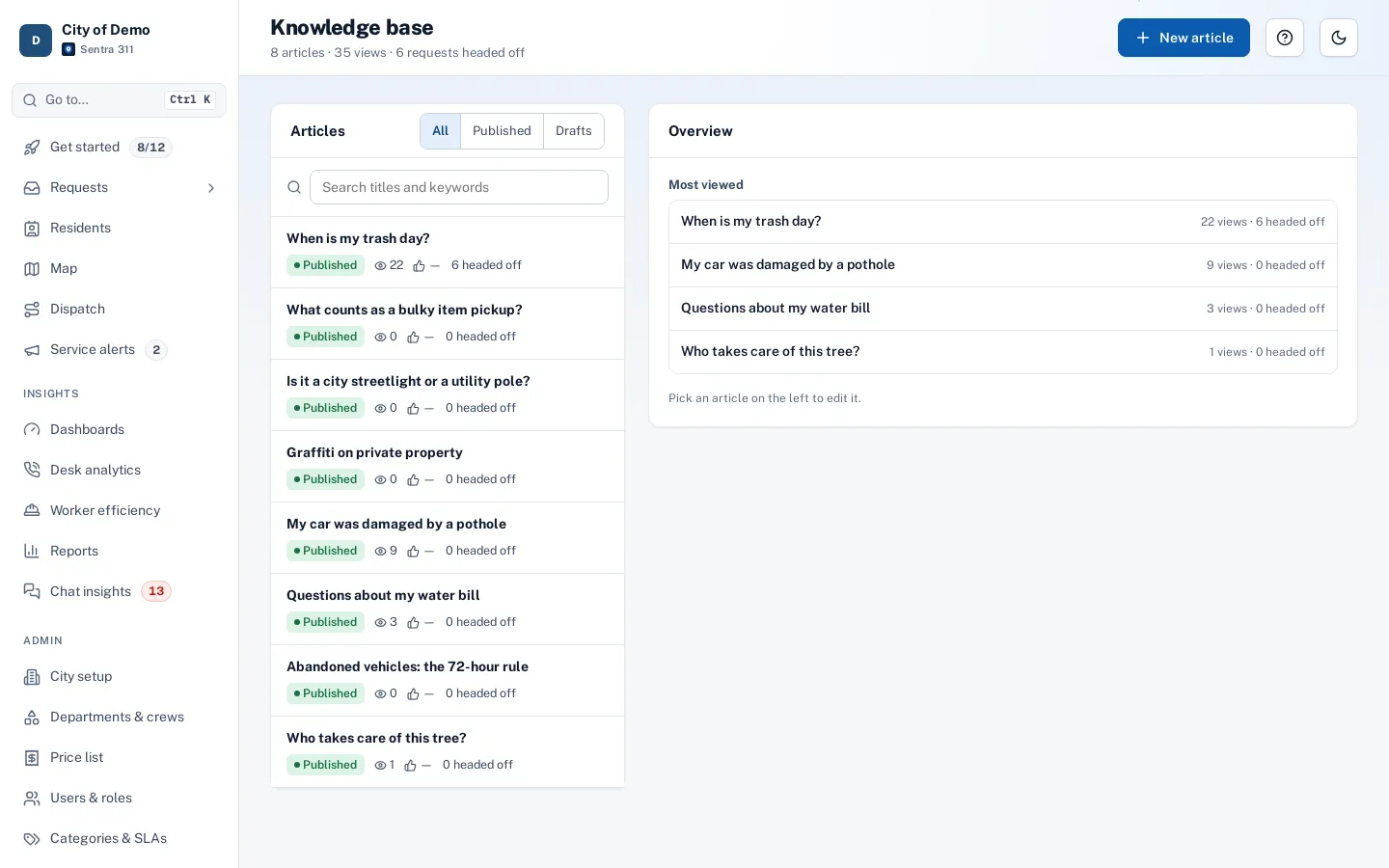
Many 311 requests aren’t problems to fix; they’re questions. When is trash day? Who replaces this pole light — the city or the utility? What are the bulky item rules? Sentra 311’s knowledge base lets staff write short help articles in English and Spanish, link them to request types, and show them exactly where residents and staff need them.
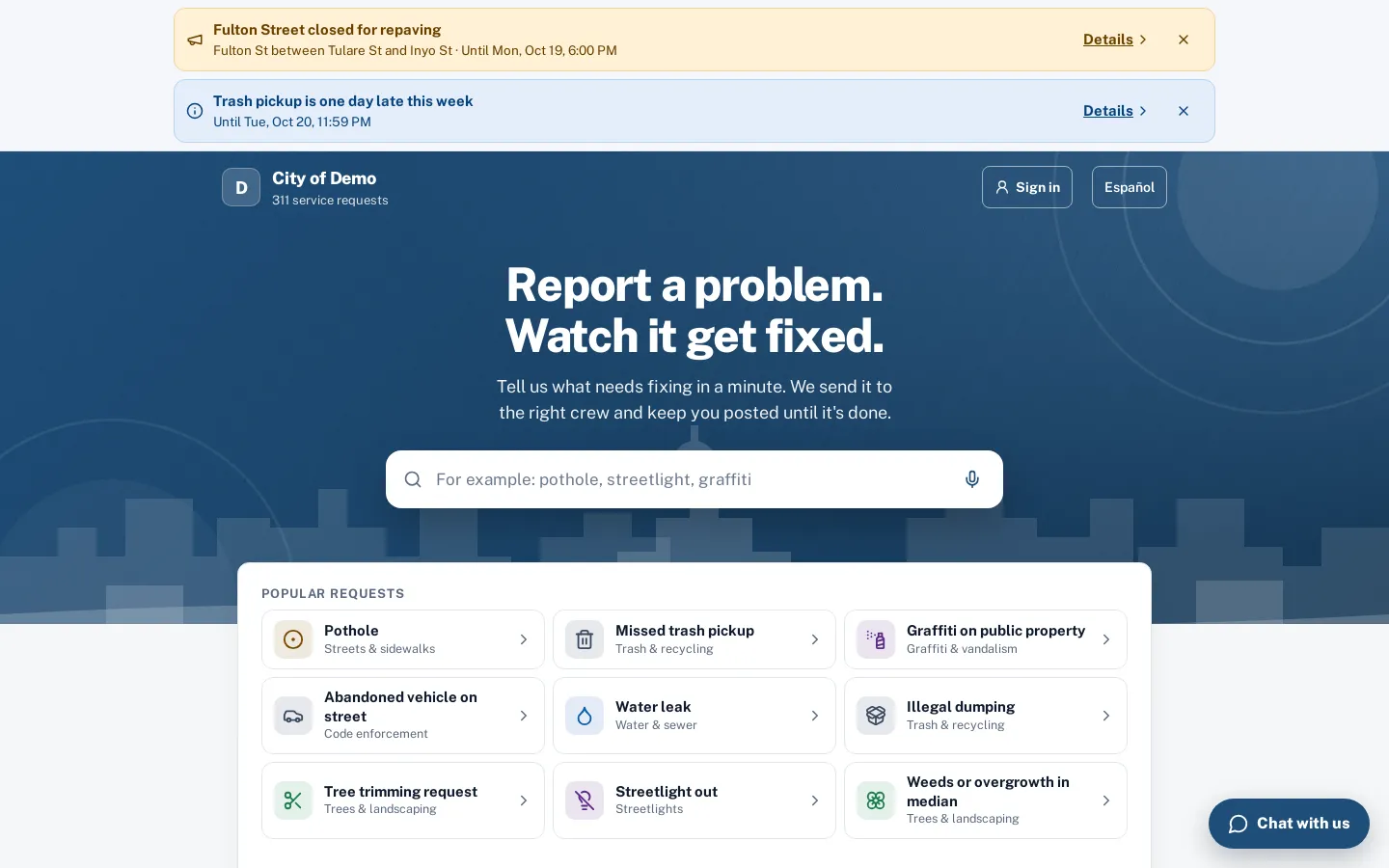
Articles appear on the report page and in the resident app before the form, on the call-taker’s phone entry screen, in the AI chat and in the worker app for crews answering questions on the street.
A big share of 311 contacts are questions, not problems. Each one still costs staff time.
How it works
- City staff
Write short answers
In English and Spanish, linked to the request types they help with.
- Resident
Residents see them first
On the report page, in the app and in the chat, before the form.
Answered, no request needed
- City staff
Count what they saved
"This answered my question" is counted as a request headed off.
Key features
Simple editor
Title, summary and body with paragraphs, lists and links, a live preview, and draft or published status.
English and Spanish
Write each article in both languages; Spanish falls back to English when empty.
Linked to request types
Link an article to types or groups, so it shows up when a resident picks that type.
Search that finds it
Residents and staff search articles by everyday words; matching articles appear under the report search box.
Headed-off counts
“This answered my question” and “Filed anyway” are counted per article, with views and helpful votes.
Used by the chat
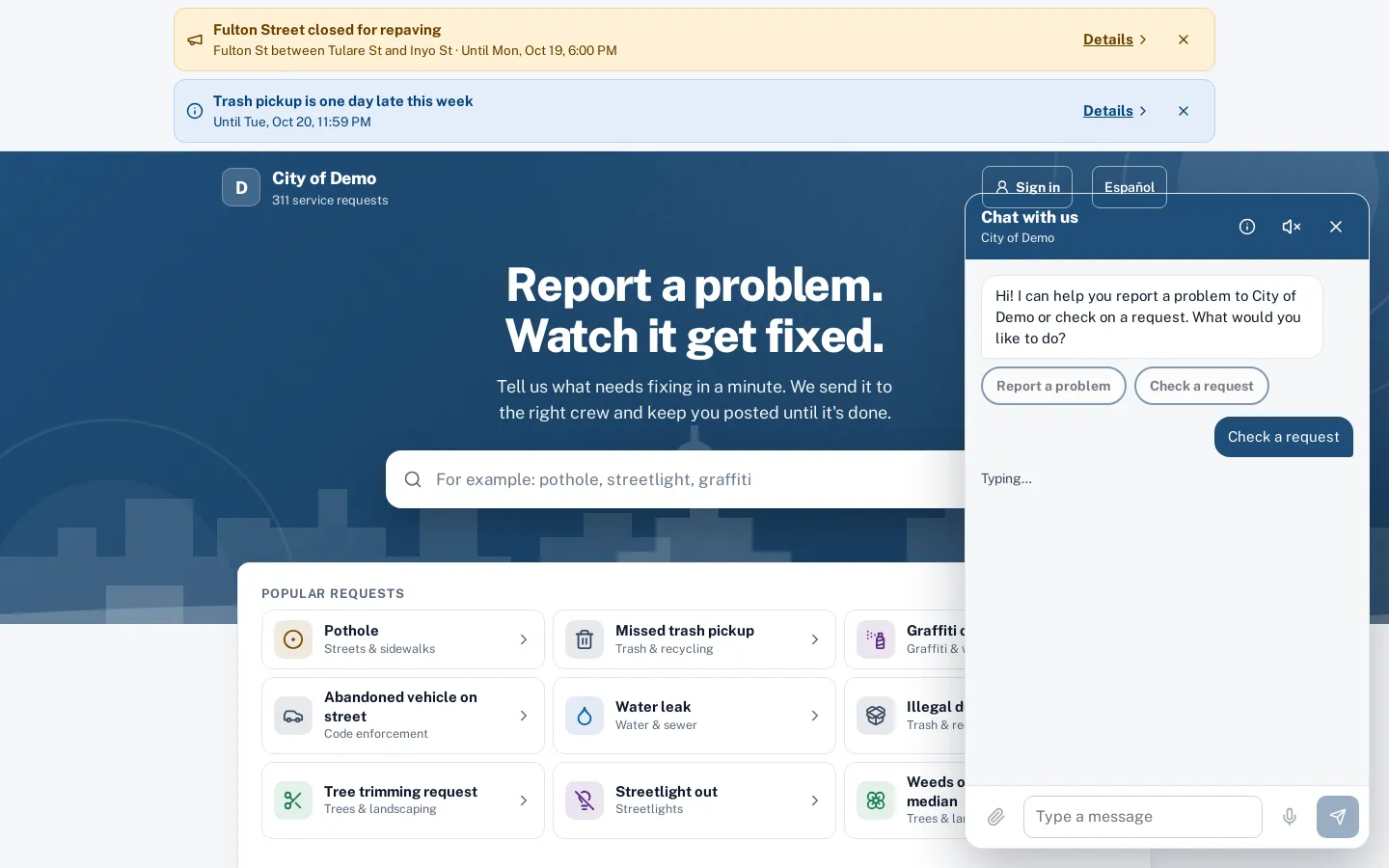
The AI chat answers from your articles before offering to file.
A day with it
On the report page, matching articles appear under the search box as residents type and above the form once a type is chosen.
- In the resident app, articles for the chosen type appear before the details step.
- On the staff phone entry screen, articles for the chosen type sit in a panel next to the form, so call-takers can read the answer to the caller.
- The AI chat uses the same articles, and the worker app has them for crews.
- An article can be linked to a request group, which covers every type in it, or to specific types.
- When an article answers the resident’s question, “This answered my question” records a request headed off; “I still need to report” continues to the form and records that too, so staff can see which articles really help.
In practice
- Trash day questions. An article on collection days answers dozens of “when is my pickup?” questions a month before they reach staff.
- Utility-owned poles. An article explains which lights the utility maintains and gives their number, so those reports go to the right place.
- Call-taker answers on the phone. A call-taker reads the bulky item article to a caller and clicks “Answered, no request needed”.
Writing articles that work
Short articles with a plain title (“When is trash day?”), a one-line summary and a few bullet points work best on phones. Link to the city website for the full policy.
Accessibility, security and privacy
Articles are public when published and visible to residents. Counts of views and answers contain no personal data.
Getting started
Sentra 311 includes a set of demo articles to start from (trash day, bulky items, streetlight versus utility pole, graffiti on private property, abandoned vehicles). Most cities begin with ten to twenty articles for their most common questions.
Who uses it
Residents
Get the answer immediately, without waiting for a reply.
Call-takers
Answer the caller from the same article and mark “Answered, no request needed”.
Crews
Show residents the city’s answer on the phone screen.
Communications staff
Keep one set of answers current instead of several web pages.
Questions cities ask
Who writes the articles?
Your staff. A few starter articles come with the demo; most cities begin with five to ten.
Who can write articles?
City admins and department heads.
Do articles replace our website?
No. Link to your website pages from articles when more detail lives there.
Can articles be in other languages?
English and Spanish today. More languages are on our roadmap.
How do we know which articles to write?
Start with the questions your front desk answers most. After launch, chat insights lists questions residents asked that no article answered.
Do articles affect request counts?
Answered questions are counted separately as “headed off”, so dashboards show both.