
Everything about a request, on one page.
The resident’s answers and photos, the timeline, the map, the city GIS layers and every action staff take, from assign to close.
What it does
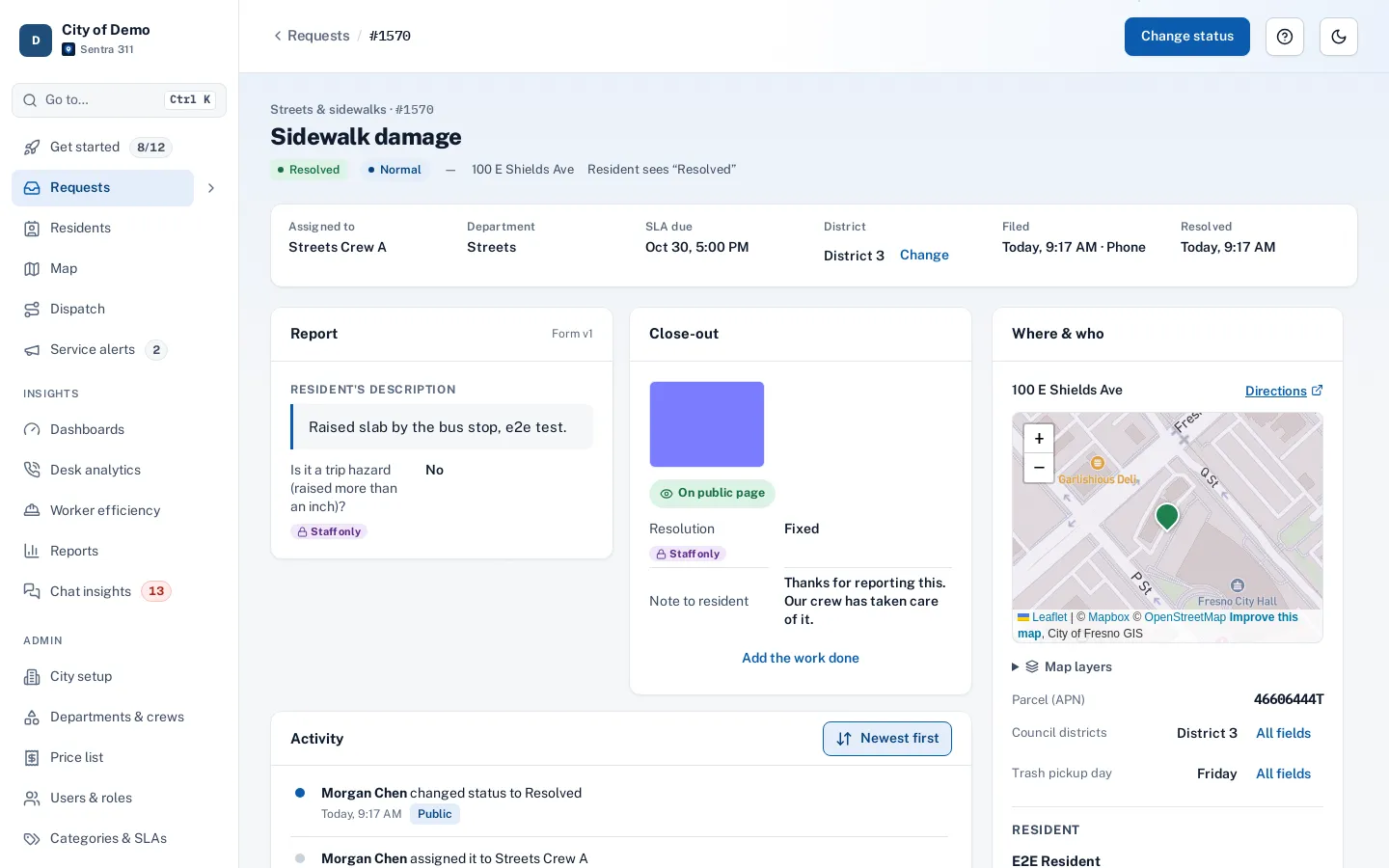
The request page is where the work happens. It shows the resident’s report, photos and answers; a timeline of every change and message; the location on a map with your city’s GIS lookups (council district, trash day, street sweeping route); and the resident’s contact details for roles allowed to see them.
From the header, staff assign a person or crew, change status (acknowledged, en route, on site, on hold, resolved, closed), refer to another agency, or merge duplicates. Public replies email the resident; internal notes stay inside the city.
When the history of a request lives in five places, nobody knows what’s been done.
How it works
Assign
To a crew or a person; workers can hand off to each other.
Work it
Status changes, holds with reasons, internal notes and public replies.
Close with proof
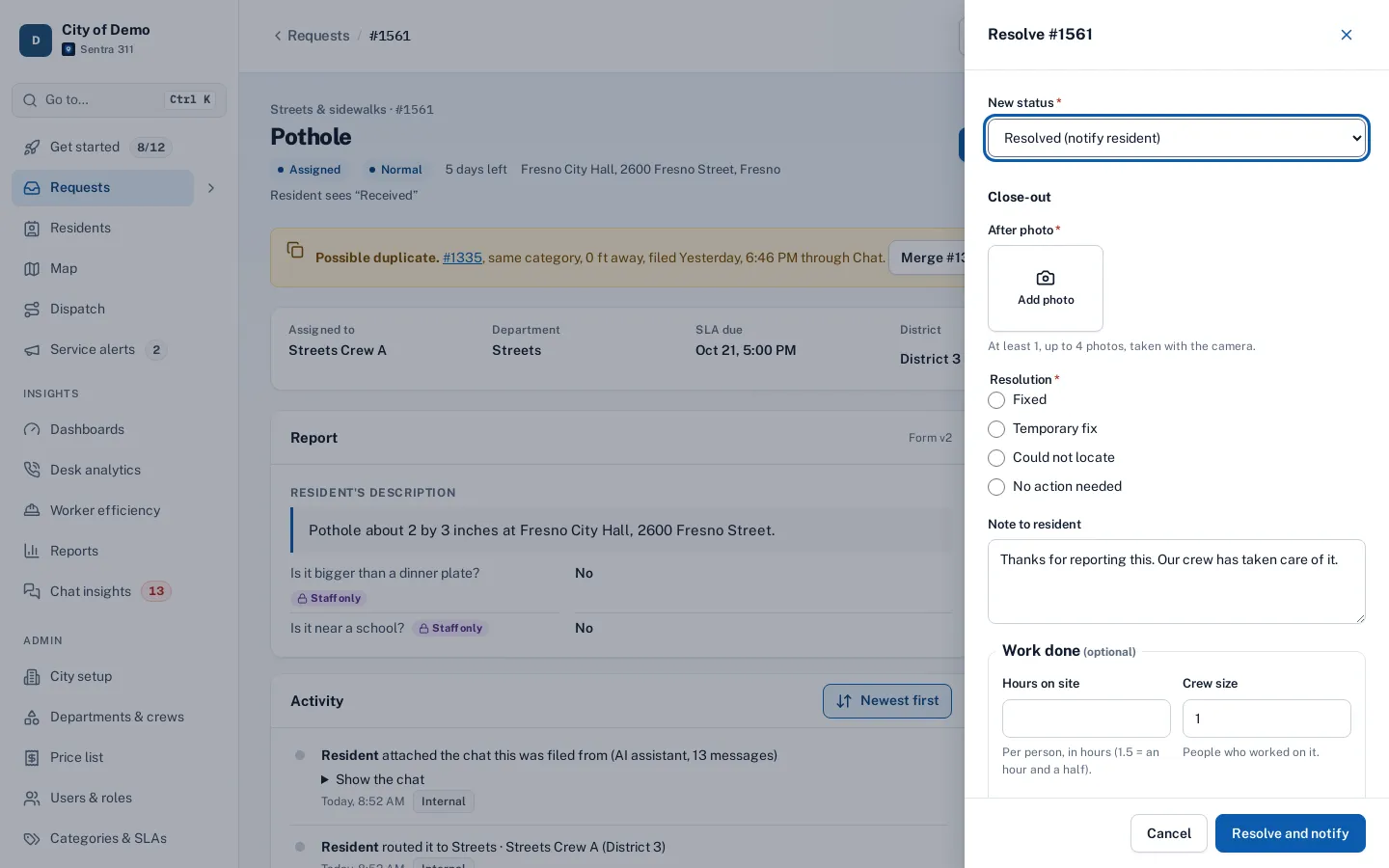
An after photo and close-out answers, sent to the resident.
Key features
Assign and hand off
Assign to a person or a crew; workers can hand off to another worker from the field.
Statuses with deadlines
Acknowledge, en route, on site, on hold with a reason (the SLA clock pauses), resolved and closed.
Close-out form
Each type can ask its own close-out questions; after photos are attached and shown side by side with before photos.
Proof to close
Optional rules per type: after photo, note or an on-site step.
Public replies and internal notes
Canned replies for common answers; public replies email the resident and followers.
Location and GIS
Map, address, parcel number and every GIS lookup, with an “All fields” view.
A day with it
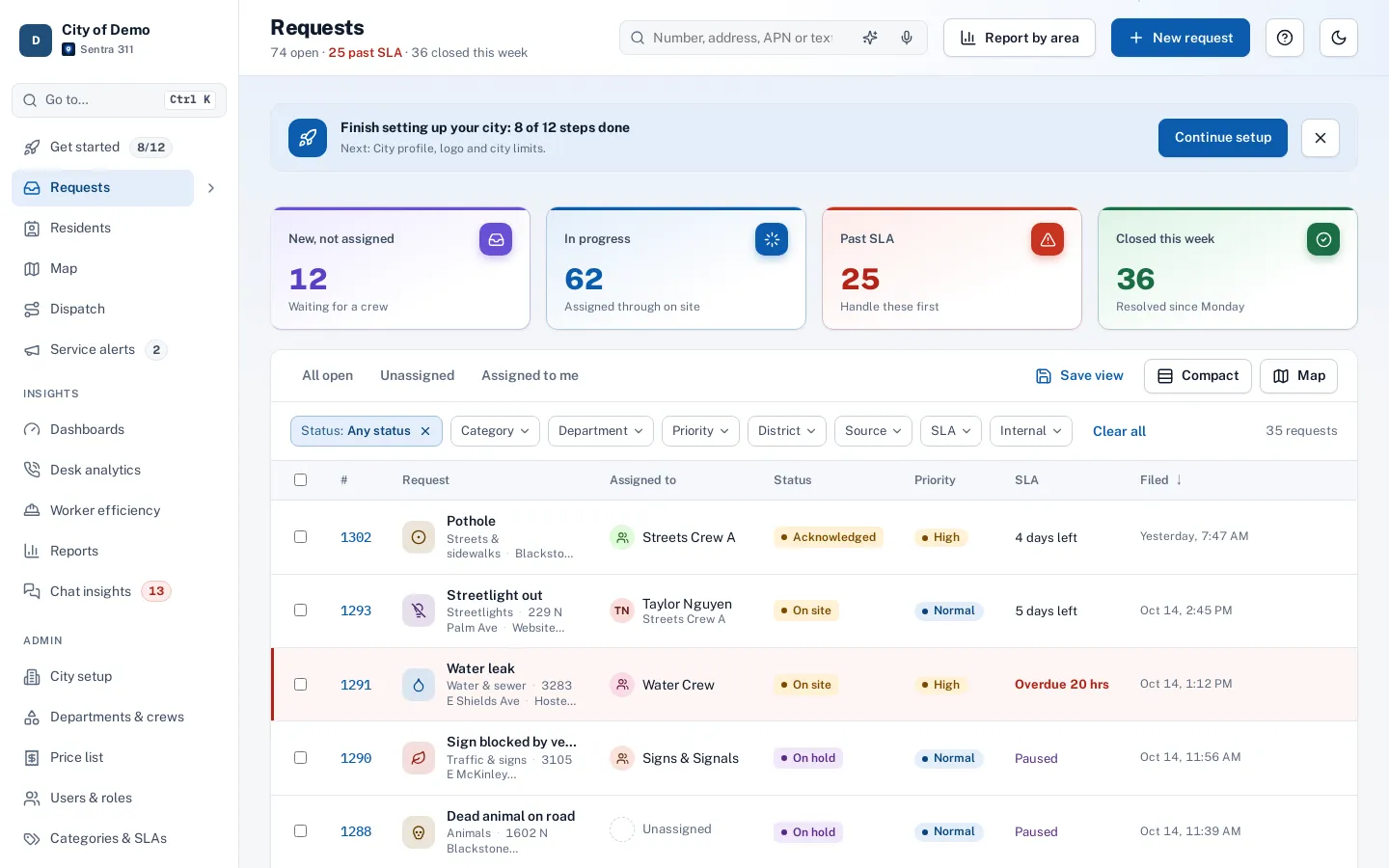
A new request arrives routed to Streets with a deadline.
- The dispatcher opens it, reads the resident’s description and answers, looks at the photo, and checks the location and the GIS lookups (council district, trash day).
- They assign Streets Crew A; the timeline records it.
- The crew marks en route and on site from the worker app; the resident receives a “work started” email.
- The crew closes it out with an after photo and the resolution, and the resident receives the “fixed” email with the photo.
- If the resident replies that it isn’t fixed within seven days, the request reopens and returns to a supervisor.
- Along the way, staff can put the request on hold with a reason (the SLA clock pauses), add internal notes for colleagues, reply publicly to the resident, change the type or priority (routing and deadlines update), or refer it to another agency.
In practice
- Hand-off between shifts. The evening dispatcher reads the timeline and knows exactly what the day crew did and told the resident.
- Merging duplicates. Five reports of the same pothole become one request, with all five residents following it.
- A county road. The request is referred to the county with their contact, which the resident sees.
Duplicates, referrals and photos
When another open request of the same type sits nearby, it’s suggested as a possible duplicate; merging keeps both histories and notifies followers. Referring a request records the agency and its phone and website, which residents see instead of “Closed”.
Accessibility, security and privacy
Every change is recorded in the timeline and the audit log. Updates require the current version of the request, so a stale screen can’t overwrite newer work.
Getting started
Close-out questions and proof rules are set per request type in Admin; most cities start with an after photo and a resolution choice for field work.
Who uses it
Dispatchers
Assign, set priority and keep residents informed.
Department heads
Review close-outs and photos.
Call-takers
Answer a caller from the timeline.
Crews
See the same request in the worker app.
Questions cities ask
Can two people edit at once?
Yes. Sentra 311 checks versions so nobody silently overwrites someone else’s change.
Can we reopen a closed request?
Yes, staff can reopen; residents can reopen within seven days by saying it isn’t fixed.
What happens to the SLA on hold?
The clock pauses with the hold reason and resumes when work restarts.
Who can see resident contact details?
Staff roles that need them; field workers don’t see them.
Can two people work on the same request at once?
Yes. If someone else saved a change first, you’re asked to reload so nobody overwrites another person’s work.
Are internal notes ever shown to residents?
No. Only public replies and public status changes reach residents.