
Sentra 311 and OpenGov, always in step.
Residents report once in Sentra 311. Cases that belong in OpenGov are created there automatically, OpenGov’s record number is kept on the request, and when OpenGov staff move or close the record, the request and the resident hear about it.
What it does
Residents keep reporting in Sentra 311: the report page, the app, the chat, email or a phone call. When a request type belongs in OpenGov, such as a code complaint or a street maintenance case, Sentra 311 creates the record in OpenGov within seconds and keeps OpenGov’s record number on the request. Staff updates and notes can follow it there.
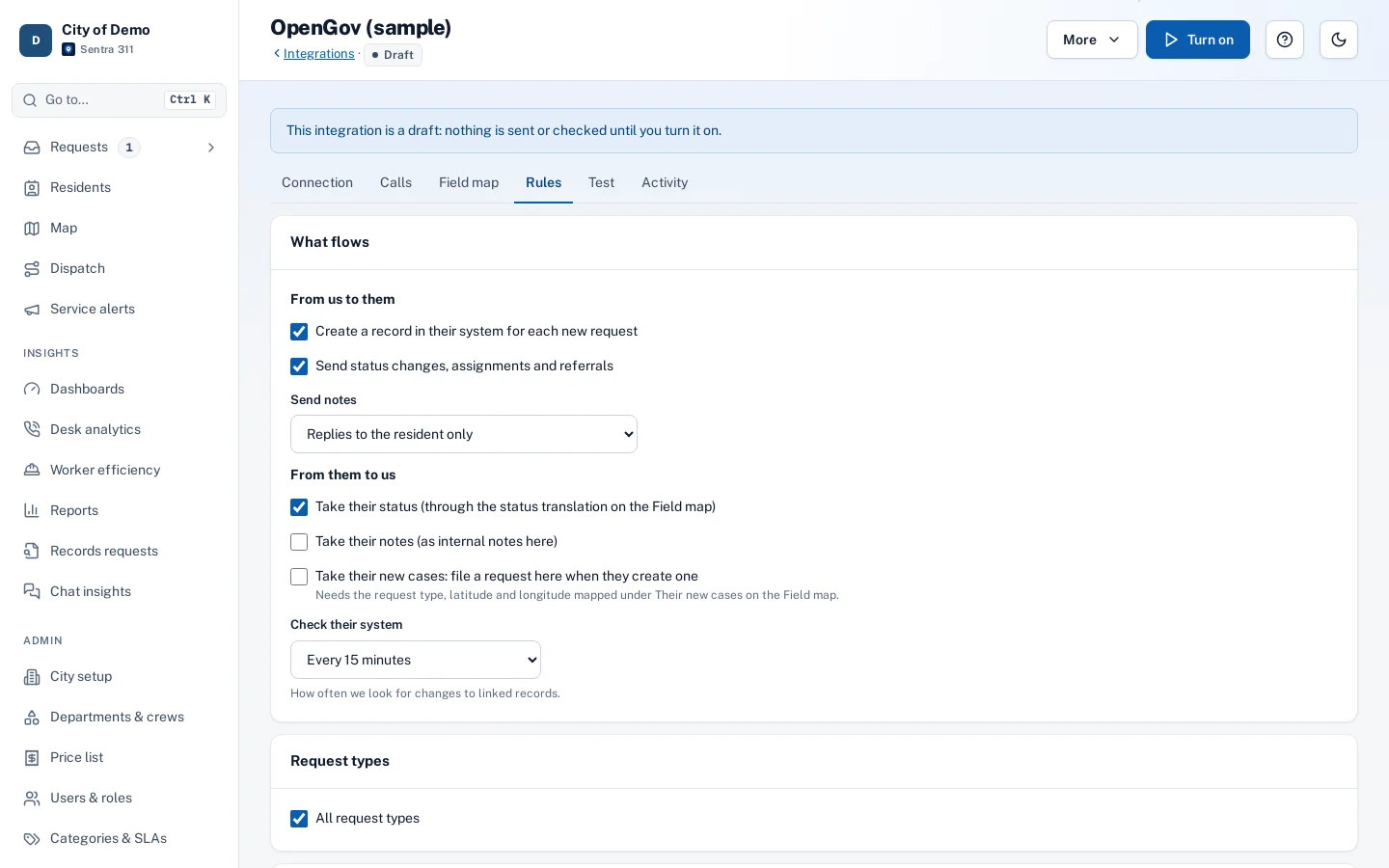
When OpenGov staff move the record along or close it, the change comes back: Sentra 311 checks OpenGov on the schedule the city sets, or right away when OpenGov notifies it. The request follows, it reads “Closed in OpenGov (CE-2026-0042): Patched”, and the resident hears about it in their language.
When 311 and permitting or code enforcement live in different systems, staff re-type cases and residents never hear the end of the story.
How it works
- Resident
Resident reports
On the report page, the app, the chat or by phone.
- Sentra 311
Created in OpenGov
Within seconds, with OpenGov’s record number kept on the request.
- Side path: OpenGov staff
OpenGov staff work it
In OpenGov, the way they do today.
Not theirs? Sent back and re-routed
- Sentra 311
Status comes back
On the city’s schedule, or right away when OpenGov notifies us. The resident is told.
Key features
Created in OpenGov automatically
For the request types the city chooses, with OpenGov’s record number kept on the request.
Status comes back
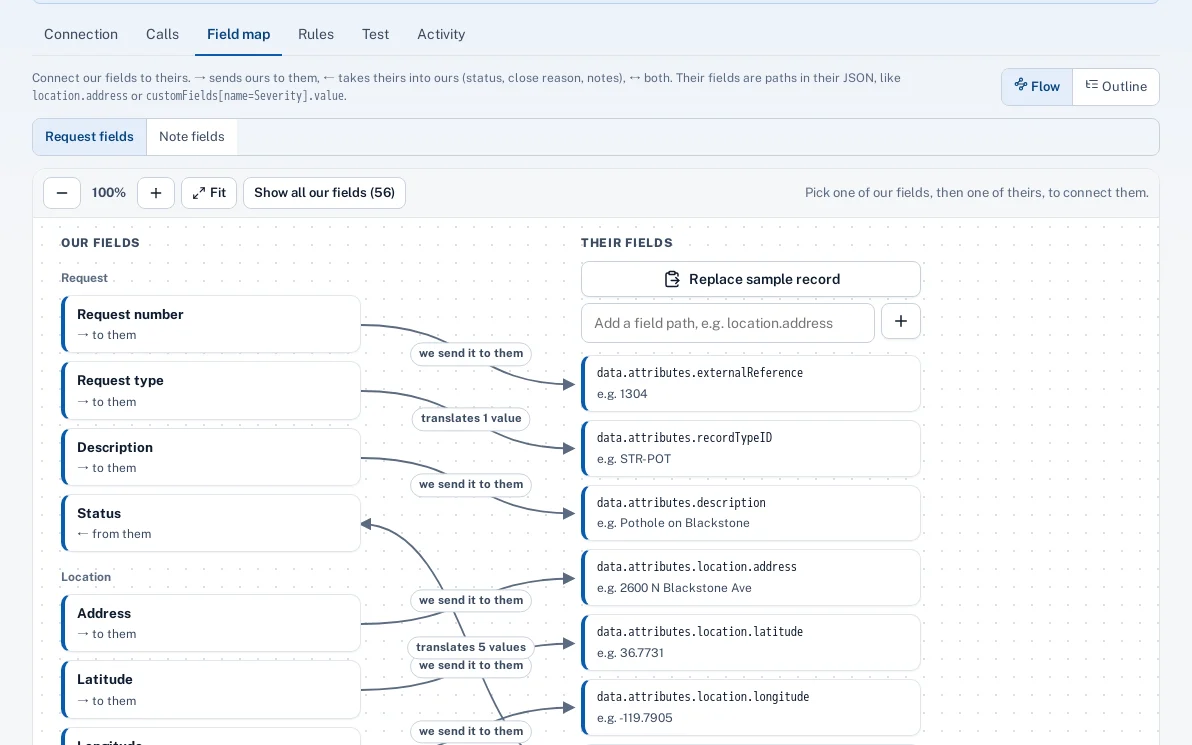
Their workflow status is translated to ours on the field map; closures can resolve the request, close it, or just tell staff.
Wrong place? It comes back
If OpenGov staff send a case back, it’s re-routed to the right type and crew here, or returned to dispatch with their reason.
A visual field map
City staff connect our fields to OpenGov’s and translate values like statuses and record types, with suggested matches.
Test before it goes live
Preview exactly what would be sent and what an OpenGov record would change.
Safe by default
Keys encrypted and never shown again; resident contact details stay here unless the city chooses to share them.
A day with it
A resident reports a pothole on Fred Waring Drive with a photo.
- Sentra 311 routes it to Streets, sets the due date from the city’s SLA and creates the record in OpenGov within seconds.
- OpenGov staff move it from In Review to In Progress to Completed as they do today.
- Each change comes back to the request, and the resident hears “In progress”, then “Fixed”.
In practice
- Code complaint. A report of an abandoned vehicle becomes an OpenGov code case with its number on the request.
- Closed in OpenGov. The request resolves itself with OpenGov’s note, and the resident hears it’s done.
- Sent back. A case that turns out to be a downed tree is re-routed to the Tree Crew.
When a case isn’t OpenGov’s
If OpenGov staff decide a case belongs elsewhere, a tree rather than a pothole or a private road, they send it back with the status they normally use. With a type Sentra 311 can match, the request is re-routed like a new one: new department, crew and due dates.
Guardrails
A request is never closed or moved because of a value Sentra 311 doesn’t recognise. Changes that came from OpenGov are never sent back to it.
Getting started
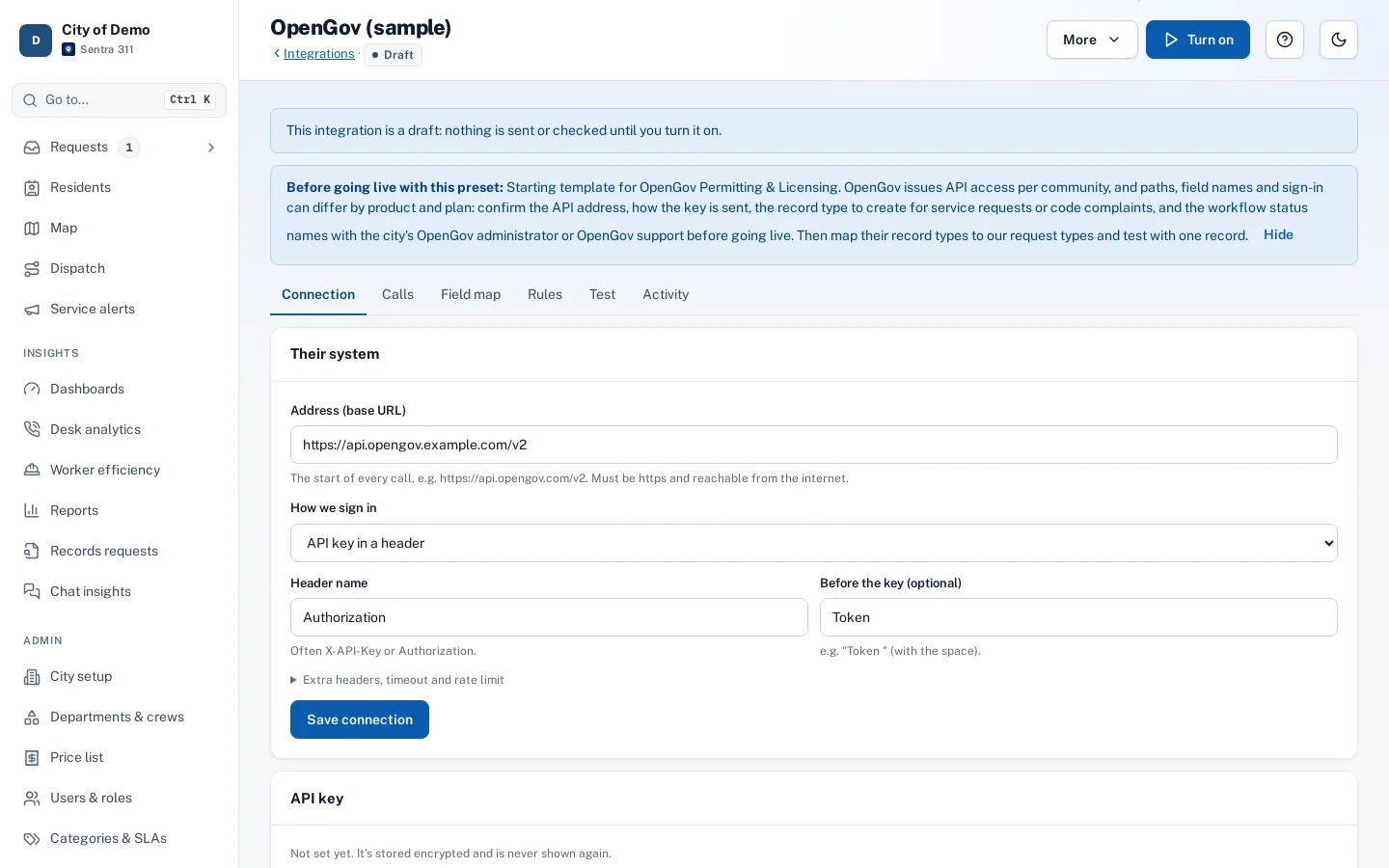
Setup is a working session with city staff. We need API access to the city’s OpenGov (ideally a test environment first), the record types that should receive cases, OpenGov’s status names, and one sample record.
Who uses it
Code enforcement and permitting
Keep working in OpenGov, with cases arriving already filled in.
311 and public works staff
See OpenGov’s record number and status on the request.
City admins
Set it up and change it themselves, without a vendor project.
Residents
Report once and hear when it’s done.
Questions cities ask
Do OpenGov staff have to change how they work?
No. They work the record in OpenGov as they do today. To send a case back, they use the status they’d normally use; the city maps it to “Sent back to us”.
Is the OpenGov setup ready-made?
It’s a starting template. OpenGov’s API addresses, field names and sign-in can differ by product and plan, so we confirm them with your OpenGov administrator or OpenGov support during setup.
Are you an OpenGov partner?
No. Sentra 311 connects through OpenGov’s API. OpenGov is a trademark of its owner, and Sentra 311 isn’t affiliated with or endorsed by OpenGov.