
Sentra 311 and Accela, without re-typing.
Requests that belong in Accela become Accela records automatically, through Accela’s Construct API. Status changes and closures in Accela come back to the request, and residents stay informed.
What it does
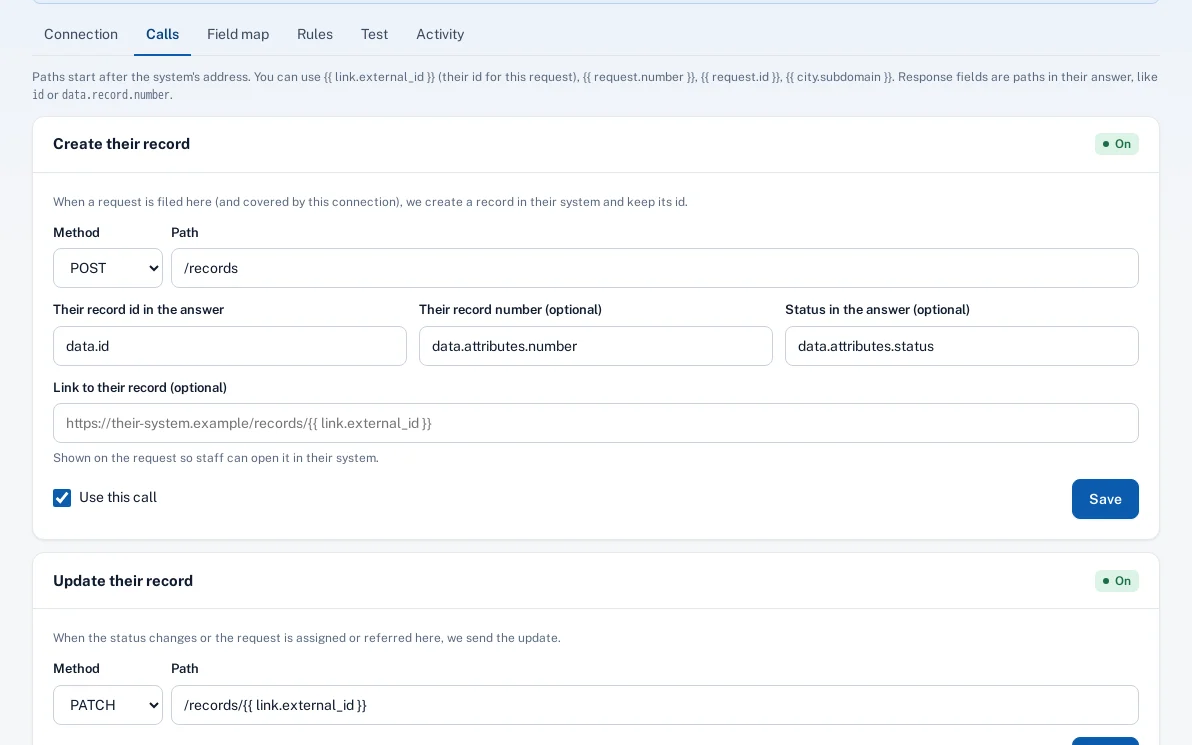
For the request types the city picks, Sentra 311 creates an Accela record through Accela’s Construct API, with the record type (group, type, subtype and category) you choose, and keeps Accela’s record id and number on the request.
Sentra 311 then checks Accela on the city’s schedule. Workflow status changes are translated on the field map, closures come back with Accela’s reason, and the resident is told. If Accela staff send a record back as not theirs, the request is re-routed here or returned to dispatch.
Code complaints and permit-related reports end up keyed twice: once for the resident, once for Accela.
How it works
- Resident
Resident reports
On the report page, the app, the chat or by phone.
- Sentra 311
Record created in Accela
With the record type you chose; Accela’s record id is kept on the request.
- Side path: Accela staff
Accela staff work it
Inspectors and staff use Accela as they do today.
Not theirs? Sent back and re-routed
- Sentra 311
Status comes back
Sentra 311 checks on the city’s schedule and updates the request and the resident.
Key features
Construct API v4 template
A starting setup for Accela’s records API, with the agency and environment set once.
Records created automatically
Only for the request types the city chooses; Accela’s record id is kept on the request.
Status and closures come back
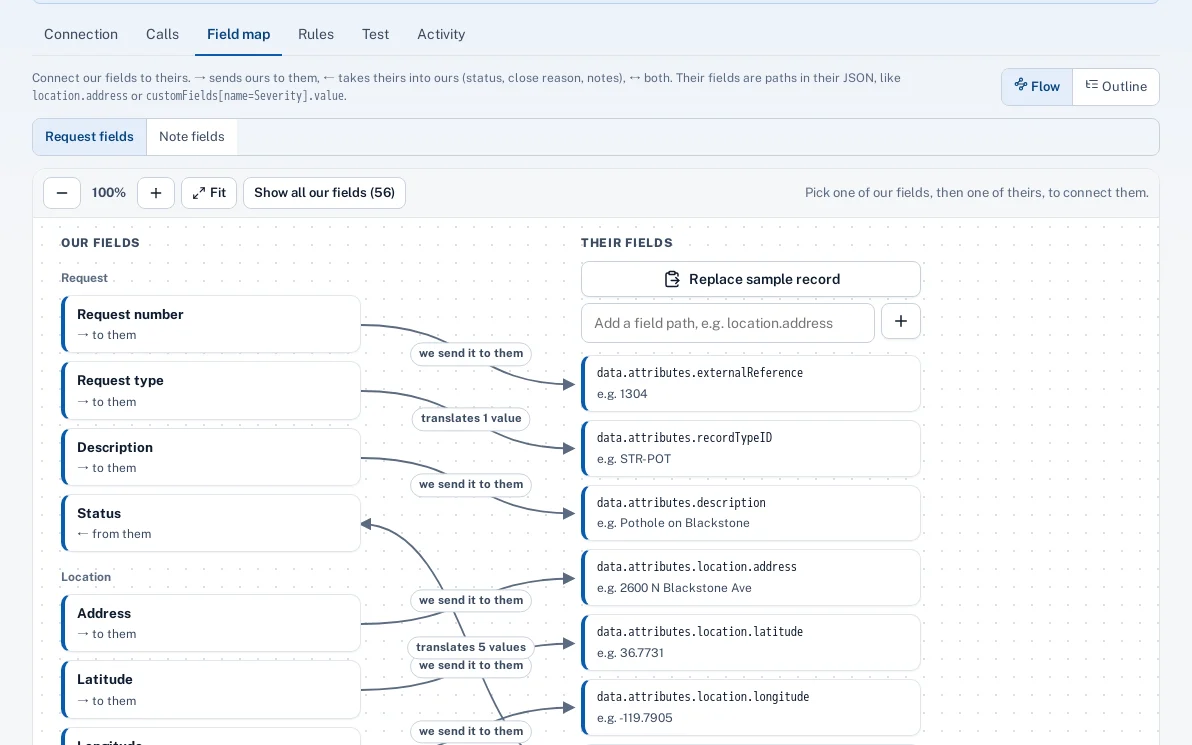
Accela’s workflow statuses are translated to ours on the field map.
Sent back, handled
A record Accela staff return is re-routed to the right type here, or back to dispatch with their reason.
Field map and value maps
Our request types to Accela record types, our statuses to theirs, drawn by city staff.
Encrypted, logged, tested
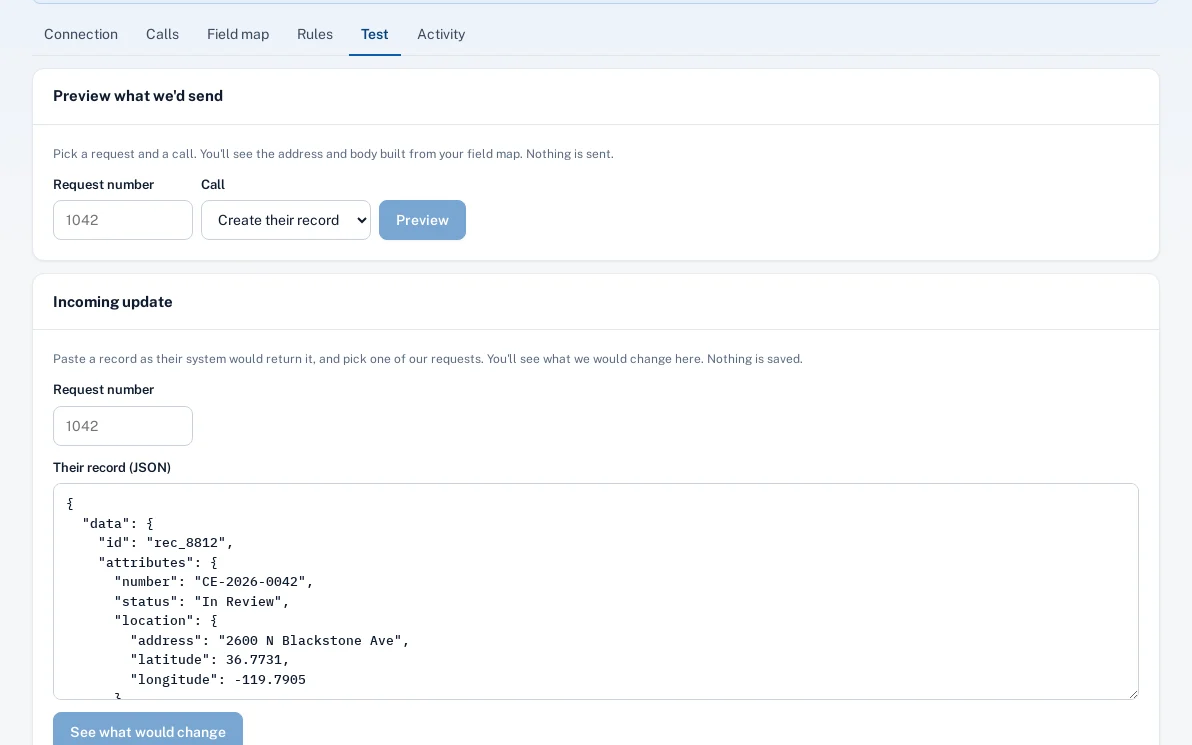
Client secret encrypted; every call logged with secrets and personal data hidden; live only after a passing test.
A day with it
A resident reports an overgrown vacant lot.
- Sentra 311 routes it to Code Enforcement and creates an Accela record of the city’s chosen type.
- The inspector works the record in Accela.
- When it’s closed there, the request is resolved with “Closed in Accela” and Accela’s reason, and the resident is told.
In practice
- Building complaint. A report of unpermitted work becomes an Accela record of the chosen type.
- Status in step. Accela’s In Review shows as In progress on the request.
- Just tell us. A city that prefers to close by hand gets a note when Accela closes the record.
Closures, your way
Choose what an Accela closure does here: resolve the request, close it, or just add a note so staff close it themselves. Closures from Accela skip the close-out photo, and reports show them as closed without proof.
Nothing forced
Unknown Accela statuses are listed for staff, not guessed. Changes that came from Accela are never sent back to it, and if Accela is down, Sentra 311 keeps working and retries.
Accessibility, security and privacy
Sentra 311 signs in to Accela as an app (OAuth client credentials). Some agencies only allow Accela apps that sign in as a named user; that sign-in isn’t supported yet, so we confirm it with your Accela administrator first.
Who uses it
Code enforcement and building
Records arrive in Accela already filled in.
311 and public works staff
See Accela’s record and status on the request.
City IT and Accela administrators
Provide the app credentials and agency once.
Residents
Report once and hear when it’s done.
Questions cities ask
Does it work with Accela Civic Platform?
It uses Accela’s Construct API v4 for records. The template is a starting point: we confirm the agency, environment, record types and statuses with your Accela administrator during setup.
Are you an Accela partner?
No. Sentra 311 connects through Accela’s Construct API. Accela is a trademark of its owner, and Sentra 311 isn’t affiliated with or endorsed by Accela.